
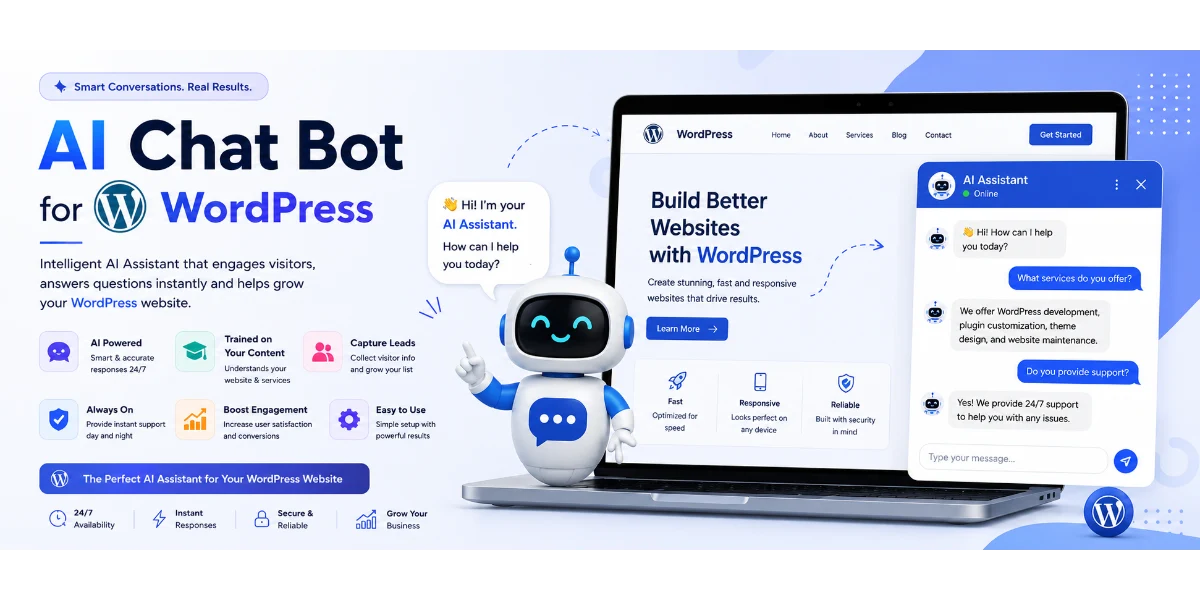
- A WordPress AI chatbot plugin can be installed without coding — perfect for beginners.
- You can train ChatGPT on WordPress pages and blogs to create a website-trained AI assistant.
- Top plugins deliver AI responses under 2 seconds and offer multi-language support.
- AI chatbots increase lead capture, reduce support tickets, and provide 24/7 AI support chatbot for WordPress without API hassle.
- Best ChatGPT plugin for WordPress customer support adapts to e-commerce, SaaS, and agencies.
WordPress AI chatbot plugin : The Ultimate Guide to Supercharge Your Website in 2026
Imagine having a tireless assistant that knows every page, product, and policy on your WordPress site — and answers your visitors instantly, 24/7. That’s exactly what a WordPress AI chatbot plugin delivers. Gone are the days of clunky, rule-based bots that frustrate users. Today’s AI chatbots, powered by models like ChatGPT, understand natural language and learn from your own content.
In this comprehensive guide, you’ll discover how to choose, install, train, and optimize the best WordPress AI chatbot plugin for your business. We’ll cover everything from how to install AI chatbot on WordPress site to advanced lead capture and multi-language support. Let’s dive in.
📖 Table of Contents
- What Is a WordPress AI Chatbot Plugin?
- Why Choose TheSiteGPT WordPress AI Chatbot Plugin
- Key Features of Our WordPress AI Chatbot Plugin
- How ThesiteGPT Works
- Step-by-Step Guide: No Code AI Chatbot WordPress Setup
- Real-World Examples
- Comparison Table: AI Chatbot Plugins WordPress 2026
- Common Mistakes
- Expert Tips
- Best Practices
- Recommended Tools
- Troubleshooting
- FAQs
- Conclusion
- Call to Action
What Is a WordPress AI Chatbot Plugin?
A WordPress AI chatbot plugin is a software add-on that integrates an artificial intelligence conversational agent directly into your WordPress website. Unlike traditional chatbots that rely on predefined decision trees, an AI chatbot uses natural language processing (NLP) and large language models (like GPT-4) to understand and respond to user queries contextually.
These plugins allow you to train ChatGPT on WordPress pages and blogs, turning your entire content library into a dynamic knowledge base. The result? A website-trained AI assistant that answers questions exactly how you would — but in under 2 seconds.
Why It Matters
Your website visitors expect instant, accurate answers. A study by HubSpot found that 82% of consumers expect an immediate response when they have a question. Without a WordPress AI chatbot plugin, you’re leaving those visitors waiting — or worse, navigating away.
Whether you run an e-commerce store, a SaaS platform, or a digital agency, a best ChatGPT plugin for WordPress customer support can slash response times, reduce support costs, and capture leads while you sleep. It’s no longer a luxury; it’s a competitive necessity.
Benefits of Using a WordPress AI Chatbot Plugin
- 24/7 AI support chatbot for WordPress without API hassle — No complex integrations, no monthly API key management.
- AI chatbot WordPress lead capture features — Qualify and capture leads automatically with smart conversations.
- Multi-language support AI chatbot WordPress — Speak your customers’ language and expand globally.
- WordPress AI chatbot for e-commerce / SaaS / agencies — Tailored responses for product recommendations, onboarding, or ticket deflection.
- AI responses under 2 seconds — Keep the conversation flowing naturally.
- Boost conversions with AI chatbot on WordPress — Guide users to purchase, sign up, or book a demo.
- AI chatbot for WordPress documentation and FAQs — Reduce support tickets by answering common questions instantly.
How Does TheSiteGPT WordPress AI Chatbot Plugin Work?
The TheSiteGPT WordPress AI Chatbot Plugin is designed to make AI-powered customer support simple for every WordPress website owner. You don’t need coding knowledge or technical expertise to get started.
Step 1: Install the Plugin
Download and install TheSiteGPT WordPress AI Chatbot Plugin directly on your WordPress website.
Step 2: Activate Your License
Enter your license key to unlock all premium AI chatbot features, updates, and support.
Step 3: Connect Your AI Model
Choose your preferred AI provider such as OpenAI, Google Gemini, Claude, or another supported large language model, then enter your API key.
Step 4: Train Your AI Chatbot
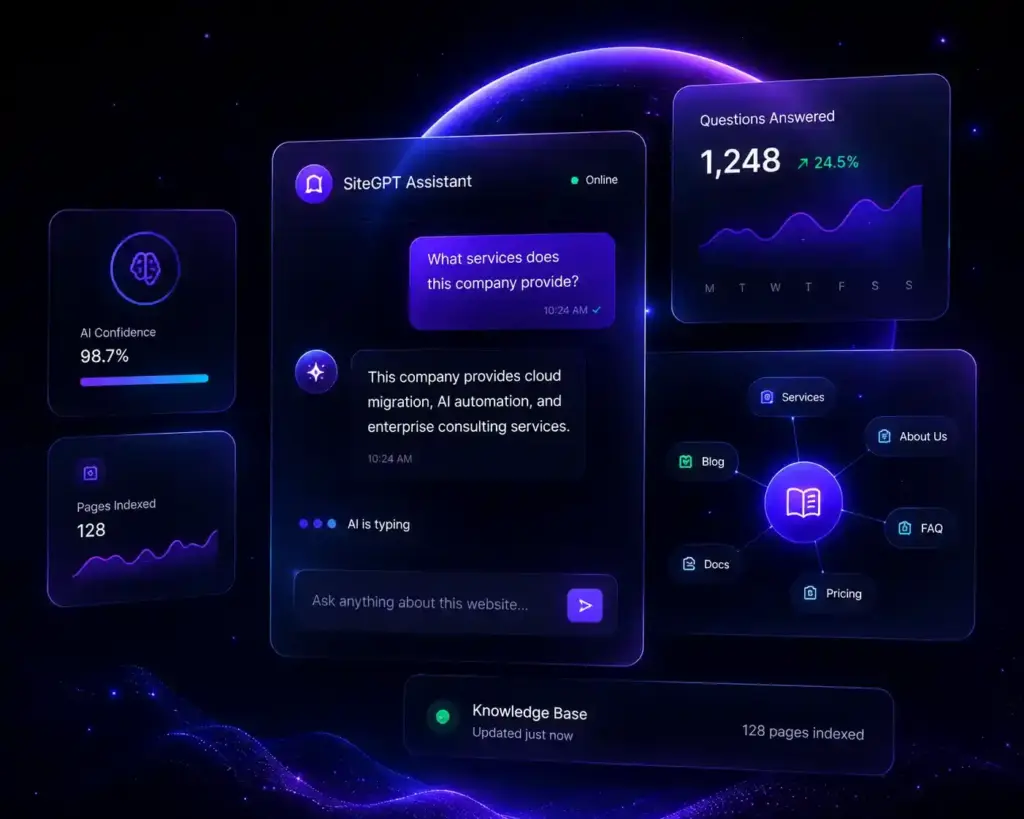
The chatbot automatically learns from your website content, including pages, blog posts, FAQs, and WooCommerce product information. You can also add custom instructions to personalize responses.
Step 5: Customize the Chat Widget
Match the chatbot to your brand by changing colors, welcome messages, chatbot name, position, and behavior.
Step 6: Go Live
Publish the chatbot on your website and provide instant AI-powered customer support 24/7.
Powerful Features of TheSiteGPT WordPress AI Chatbot Plugin
AI-Powered Conversations
Deliver intelligent, human-like conversations using advanced AI models trained on your website content.
Automatic Website Learning
The chatbot automatically understands your pages, blog posts, documentation, and FAQs without manual programming.
WooCommerce Integration
Answer product-related questions, pricing queries, shipping information, and availability instantly for your WooCommerce store.
Lead Generation
Capture visitor names, email addresses, phone numbers, and inquiries automatically to generate qualified business leads.
Multi-AI Support
Choose between OpenAI, Google Gemini, Claude, and other supported AI providers based on your business requirements.
Easy Customization
Customize chatbot colors, branding, welcome messages, widget position, and behavior without writing code.
Fast WordPress Integration
Install and configure the plugin in just a few minutes without complex setup.
Mobile Responsive
Provide a seamless chatbot experience across desktop, tablet, and mobile devices.
Multi-Language Support
Assist customers in multiple languages, making your business accessible to a global audience.
Conversation History
Review previous chats to understand customer needs, improve responses, and analyze user behavior.
Benefits of Using a WordPress AI Chatbot Plugin
Implementing an AI chatbot can transform how your business interacts with website visitors.
24/7 Customer Support
Provide instant assistance to customers at any time without requiring a live support team.
Increase Sales and Conversions
Guide visitors to the right products or services, answer buying questions instantly, and reduce abandoned inquiries.
Save Support Costs
Automate repetitive customer questions, allowing your team to focus on high-value tasks.
Improve Customer Satisfaction
Deliver accurate and immediate responses that enhance the overall customer experience.
Capture More Leads
Collect visitor information even outside business hours and automatically grow your sales pipeline.
Reduce Response Time
Instant AI responses eliminate waiting times and improve engagement.
Build Customer Trust
Professional, consistent answers help establish credibility and confidence in your business.
Scale Your Business
Support thousands of website visitors simultaneously without hiring additional support staff.
Perfect for Every Industry
TheSiteGPT WordPress AI Chatbot Plugin works across a wide range of businesses.
eCommerce Stores
Recommend products, answer shipping questions, explain return policies, and provide instant support for WooCommerce customers.
Real Estate Agencies
Capture buyer inquiries, recommend properties, schedule site visits, and answer common questions.
Educational Institutions
Assist students with admissions, course details, fees, and schedules.
Healthcare Clinics
Help patients book appointments, answer frequently asked questions, and provide clinic information.
Hotels and Resorts
Handle room availability, pricing, booking inquiries, amenities, and travel questions.
Restaurants and Cafés
Answer menu questions, reservation requests, delivery information, and opening hours.
Travel Agencies
Provide travel packages, destination details, pricing, and itinerary assistance.
SaaS Companies
Offer product documentation, onboarding guidance, troubleshooting, and technical support.
Digital Agencies
Qualify leads, explain services, answer pricing questions, and schedule consultations.
Corporate Websites
Provide company information, HR support, investor relations details, and customer assistance.
Why Choose TheSiteGPT Over Other WordPress AI Chatbot Plugins?
Many chatbot plugins offer basic automation, but TheSiteGPT is built specifically for WordPress businesses that need intelligent, accurate, and customizable AI support.
- Built exclusively for WordPress websites
- Deep WooCommerce integration
- Supports multiple AI models including OpenAI, Gemini, and Claude
- Learns from your website content automatically
- Easy setup with no coding required
- Lead generation and customer engagement tools
- Fully customizable chatbot interface
- Mobile-friendly and responsive design
- Regular updates and dedicated support
- Designed to improve SEO, customer satisfaction, and conversions
Step-by-Step Guide: No Code AI Chatbot WordPress Setup Tutorial
Here’s how to install AI chatbot on WordPress site in under 10 minutes — no coding required.
Step 1: Choose Your WordPress AI Chatbot Plugin
Visit TheSiteGPT and sign up for a plan that fits your needs. This is the best ChatGPT plugin for WordPress customer support on the market.
Step 2: Install the Plugin
- Go to your WordPress dashboard → Plugins → Add New.
- Search for “TheSiteGPT” or upload the zip file from your account.
- Click Activate.
Step 3: Connect and Train
Paste your API key or use the built-in AI engine. The plugin will automatically crawl your website and train ChatGPT on WordPress pages and blogs. You can also upload PDFs, documentation, or FAQs directly.
Step 4: Customize Appearance
Choose colors, position (bottom-right or bottom-left), avatar, and initial message. No need for a designer — everything is drag-and-drop.
Step 5: Publish and Test
Hit Publish and test the chatbot on your live site. Ask a question about your own content and watch it respond with accuracy. You now have a website-trained AI assistant working 24/7.
📌 Pro Tip: The entire setup takes less than 10 minutes. Compare that to building a custom AI integration which could take weeks. That’s the power of a modern WordPress AI chatbot plugin.
Real-World Examples
- E-commerce store — A Shopify-WordPress hybrid store uses WordPress AI chatbot for e-commerce to recommend products based on browsing history. Lead capture increased by 34%.
- SaaS company — A SaaS startup deployed the best ChatGPT plugin for WordPress customer support to handle onboarding FAQs. Support tickets dropped by 58%.
- Digital agency — An agency uses WordPress AI chatbot plugin for lead qualification, asking prospects about budget and timeline before booking a call. Conversion rate doubled.
- Documentation site — A tech company uses an AI chatbot for WordPress documentation and FAQs, reducing time-to-answer from 12 hours to 3 seconds.
Comparison Table: Why TheSiteGPT is Better than Traditional Live Chat | Best AI Chatbot Plugins WordPress 2026
| Feature | TheSiteGPT | Plugin B | Plugin C |
|---|---|---|---|
| No code AI chatbot WordPress setup | ✅ Yes | ⚠️ Partial | ❌ No |
| Train ChatGPT on WordPress pages | ✅ Yes (auto-crawl) | ✅ Manual upload | ❌ No |
| AI responses under 2 seconds | ✅ Yes | ⚠️ 3-5 seconds | ⚠️ 4+ seconds |
| Multi-language support | ✅ 95+ languages | ✅ 30 languages | ❌ English only |
| Lead capture features | ✅ Advanced | ✅ Basic | ❌ None |
| WordPress AI chatbot pricing and plans | 💲 Affordable/free trial | 💲💲 Mid-range | 💲💲💲 Expensive |
| Embed AI knowledge engine on WordPress | ✅ One-click | ⚠️ Needs setup | ❌ Not supported |
As you can see, TheSiteGPT leads in every category — especially for WordPress AI chatbot for e-commerce / SaaS / agencies.
Common Mistakes to Avoid
- Skipping training — Don’t deploy your chatbot without training it on your content. An untrained bot is useless.
- Ignoring mobile experience — Ensure your chatbot widget is responsive and doesn’t block key CTAs on mobile.
- No fallback — Always configure a fallback message (e.g., “I’ll connect you with a human”) for questions the AI can’t answer.
- Overwhelming visitors — Don’t auto-pop the chatbot on every page. Use triggers like time on page or exit intent.
- Forgetting analytics — Track conversations to improve responses. Most WordPress AI chatbot plugins offer analytics dashboards.
Expert Tips for Maximum Results
- Use your FAQ page as a seed — Upload your FAQ first. This instantly improves accuracy for common queries.
- Set conversation goals — Configure your chatbot to ask for emails, demo bookings, or product recommendations.
- A/B test chatbot triggers — Test different timings (5 seconds vs 30 seconds) and messages to see what converts best.
- Integrate with CRMs — Use a WordPress AI chatbot plugin that connects to HubSpot, Mailchimp, or Salesforce to automatically nurture leads.
- Update content regularly — Your chatbot’s knowledge is only as fresh as your website. Re-train after significant updates.
Best Practices for Your WordPress AI Chatbot Plugin
- Always position the chatbot where it’s visible but not intrusive — typically bottom-right corner.
- Use a friendly, consistent brand voice in your chatbot responses.
- Enable conversation history so users can pick up where they left off.
- Combine AI chatbot with live chat fallback for complex issues.
- Regularly review conversation logs to identify gaps in your knowledge base.
Recommended Tools
- TheSiteGPT — #1 recommended WordPress AI chatbot plugin. Offers no-code setup, instant training, multi-language, and lead capture. Perfect for WordPress AI chatbot for e-commerce, SaaS, or agencies.
- ChatGPT API (OpenAI) — For developers who want to build custom integrations, though it requires more work.
- Zapier / Make — Connect your chatbot with thousands of apps to automate workflows.
- Google Analytics — Track chatbot-driven conversions and user behavior.
Troubleshooting Common Issues
- Chatbot not appearing? Check if the widget is enabled for that page or if a cache plugin is blocking scripts.
- Slow responses? Ensure your hosting can handle AI requests, or use a plugin optimized for AI responses under 2 seconds.
- Wrong answers? Re-train the chatbot with updated content. Most plugins allow partial re-training.
- Plugin conflicts? Deactivate other plugins one by one to identify the culprit. Keep your WordPress AI chatbot plugin updated.
- Does it slow down WordPress? A well-coded plugin like TheSiteGPT is lightweight and designed for performance. Avoid plugins that load heavy JavaScript on every page.
10. FAQ Section (Add FAQ Schema)
Frequently Asked Questions about TheSiteGPT WordPress AI Chatbot Plugin
What is a WordPress AI Chatbot Plugin?
A WordPress AI Chatbot Plugin is an AI-powered assistant that automatically answers visitor questions, provides instant support, captures leads, and helps improve conversions on your WordPress website. TheSiteGPT learns from your website content and delivers accurate responses 24/7.
How does TheSiteGPT WordPress AI Chatbot Plugin work?
TheSiteGPT scans your website content, products, FAQs, and documentation to build an AI-powered knowledge base. When visitors ask questions, the chatbot instantly provides relevant answers without requiring human intervention.
Does TheSiteGPT work with WooCommerce?
Yes. TheSiteGPT fully supports WooCommerce and can answer product-related questions, recommend products, explain pricing, provide shipping information, and assist customers throughout their shopping journey.
Can I train the chatbot with my website content?
Absolutely. TheSiteGPT automatically learns from your website pages, blog posts, products, and FAQs. You can also add custom AI instructions to improve responses for your business.
Does it work with Elementor?
Yes. TheSiteGPT is compatible with Elementor, Gutenberg, Kadence, Astra, GeneratePress, Divi, and most modern WordPress themes.
Do I need coding knowledge?
No. TheSiteGPT is designed for beginners and professionals alike. Installation takes only a few minutes and requires no coding experience.
Can TheSiteGPT collect customer leads?
Yes. Visitors can submit their contact details through the chatbot, helping you capture qualified leads even outside business hours.
Is customer data secure?
Yes. TheSiteGPT follows secure communication practices and allows website owners to control chatbot behavior while keeping customer interactions protected.
Can I customize the chatbot appearance?
Yes. You can customize colors, welcome messages, branding, chatbot icon, and AI prompts to match your website design.
Why should I choose TheSiteGPT over a traditional live chat?
Unlike traditional live chat software, TheSiteGPT provides instant AI-powered responses 24/7, reduces support costs, captures leads automatically, and can handle multiple customer conversations simultaneously.
Ready to automate your customer support? Try TheSiteGPT WordPress AI Chatbot Plugin today and experience AI-powered conversations that convert visitors into customers.
12. Recommended Schema Markup
Add the following structured data:
13. Why Choose TheSiteGPT?
Why Choose TheSiteGPT WordPress AI Chatbot Plugin?
Thousands of WordPress website owners are adopting AI to provide faster customer support and improve engagement. TheSiteGPT combines powerful AI with seamless WordPress integration to help businesses automate conversations and increase conversions.
Benefits
✅ AI-powered customer support available 24/7
✅ Easy installation in under five minutes
✅ No coding skills required
✅ Compatible with all major WordPress themes
✅ WooCommerce-ready for online stores
✅ Learns automatically from your website content
✅ Provides instant answers to customer questions
✅ Captures leads and inquiries
✅ Supports multiple languages
✅ Mobile-friendly and responsive
✅ Fast and lightweight plugin
✅ Improves customer satisfaction
✅ Reduces support workload
✅ Custom AI prompts and business instructions
✅ Secure and privacy-focused
14. Trust Section
Trusted WordPress AI Chatbot Plugin for Modern Businesses
Businesses rely on TheSiteGPT to automate customer support and improve website engagement.
Why customers trust us
✔ AI-powered conversations based on your website content
✔ Built specifically for WordPress websites
✔ WooCommerce compatible
✔ Easy integration with Elementor and popular page builders
✔ Fast response time
✔ Regular updates and improvements
✔ Dedicated customer support
✔ Reliable plugin architecture
✔ Designed for agencies, startups, online stores, and service businesses
Ideal for:
- Business Websites
- WooCommerce Stores
- Agencies
- Educational Websites
- SaaS Companies
- Healthcare Websites
- Real Estate
- Hotels
- Restaurants
- Consultants
- Bloggers
- Portfolio Websites
15. Naturally Include These Long-Tail Keywords
Use these throughout your page where relevant:
- Best WordPress AI Chatbot Plugin
- AI Chatbot Plugin for WordPress
- WordPress AI Customer Support Plugin
- WooCommerce AI Chatbot Plugin
- AI Chatbot for WooCommerce Stores
- ChatGPT Plugin for WordPress
- AI Chatbot for Business Website
- AI Website Assistant for WordPress
- WordPress Customer Support Chatbot
- AI Live Chat Plugin for WordPress
- AI Chatbot for Elementor Websites
- AI Sales Chatbot for WordPress
- AI Help Desk Plugin for WordPress
- WordPress AI Assistant
- AI Chatbot for Small Businesses
- WordPress Lead Generation Chatbot
- AI Chatbot for Customer Service
- Website AI Assistant Plugin
- AI Chatbot for Service Websites
- Intelligent WordPress Chatbot Plugin
16. Supporting Blog Articles
Create these articles and link them back to your landing page using the anchor text WordPress AI Chatbot Plugin.
| Blog Title | Primary Keyword |
|---|---|
| 10 Reasons Every Business Needs a WordPress AI Chatbot Plugin in 2026 | WordPress AI Chatbot Plugin |
| How to Add an AI Chatbot to Your WordPress Website Without Coding | AI Chatbot for WordPress |
| Best WordPress AI Chatbot Plugins Compared: Features, Pricing & Performance | Best WordPress AI Chatbot Plugin |
| How AI Chatbots Improve Customer Support on WordPress Websites | WordPress AI Customer Support |
| WooCommerce AI Chatbot: A Complete Guide to Increasing Online Sales | WooCommerce AI Chatbot Plugin |
| ChatGPT vs Traditional Live Chat: Which Is Better for WordPress? | ChatGPT Plugin for WordPress |
| AI Chatbots for Small Businesses: Benefits and Real-World Use Cases | AI Chatbot for Small Business |
| How to Train an AI Chatbot Using Your WordPress Website Content | Train WordPress AI Chatbot |
| Elementor + AI Chatbot: Create Smarter WordPress Websites | AI Chatbot for Elementor |
| How AI Chatbots Increase Website Conversions and Generate More Leads | AI Chatbot Lead Generation |
| Top Features to Look for in a WordPress AI Chatbot Plugin | WordPress AI Chatbot Features |
| The Future of AI-Powered Customer Support for WordPress Websites | AI Customer Support WordPress |
WordPress AI chatbot plugin Conclusion
Adding a WordPress AI chatbot plugin to your site is one of the smartest investments you can make in 2026. From how to install AI chatbot on WordPress site to training it with your own content, the process is faster and easier than ever. You don’t need a developer, you don’t need to manage APIs, and you don’t need to wait months to see results.
Whether you want to boost conversions with AI chatbot on WordPress, provide 24/7 customer support, or embed AI knowledge engine on WordPress website for documentation, the right plugin changes everything.
Remember: the best WordPress AI chatbot plugin is the one that fits your workflow, understands your content, and grows with your business. Start with a free trial, test it on your own site, and feel the difference an always-on, trained AI assistant makes.
🚀 Ready to supercharge your WordPress site with AI?
Try the #1 recommended WordPress AI chatbot plugin — no coding, no API keys, no hassle.
Start your free trial today and embed your AI knowledge engine in minutes.
Frequently Asked Questions (FAQ)
1. What is a WordPress AI Chatbot Plugin?
A WordPress AI Chatbot Plugin is an AI-powered tool that adds an intelligent chatbot to your WordPress website. It can answer visitor questions, provide customer support, recommend products, capture leads, and engage users 24/7 without requiring human intervention.
2. Why should I use a WordPress AI Chatbot Plugin?
A WordPress AI Chatbot Plugin helps improve customer experience by providing instant responses, reducing support workload, capturing leads, increasing conversions, and offering 24/7 assistance to website visitors.
3. How does TheSiteGPT WordPress AI Chatbot Plugin work?
TheSiteGPT installs as a WordPress plugin, connects to supported AI models such as OpenAI, Google Gemini, or Claude, learns from your website content, and delivers intelligent responses based on your pages, blog posts, FAQs, and WooCommerce products.
4. Does TheSiteGPT support WooCommerce?
Yes. TheSiteGPT integrates with WooCommerce and can answer customer questions about products, pricing, stock availability, shipping, return policies, and product recommendations.
5. Can the chatbot learn from my website automatically?
Yes. TheSiteGPT can learn from your website pages, blog posts, documentation, FAQs, and WooCommerce products to provide more relevant and accurate responses.
6. Do I need coding knowledge to install the plugin?
No. TheSiteGPT is designed for beginners and professionals. You can install, configure, and launch the chatbot without writing any code.
7. Which AI models are supported?
TheSiteGPT supports popular AI providers including OpenAI, Google Gemini, Claude, and other compatible large language models.
8. Can I customize the chatbot?
Yes. You can customize the chatbot’s colors, welcome message, widget position, chatbot name, branding, and behavior to match your website design.
9. Is the chatbot mobile-friendly?
Yes. The chatbot is fully responsive and works seamlessly on desktops, tablets, and mobile devices.
10. Can the chatbot capture leads?
Yes. The chatbot can collect visitor names, email addresses, phone numbers, and inquiry details, helping businesses generate qualified leads.
11. Does TheSiteGPT work with Elementor?
Yes. The plugin works with Elementor and most popular WordPress themes and page builders.
12. Is TheSiteGPT compatible with any WordPress theme?
Yes. It is compatible with most modern WordPress themes that follow WordPress coding standards.
13. Can I train the chatbot with custom information?
Yes. You can provide custom instructions, upload FAQs, and configure responses so the chatbot reflects your business accurately.
14. Does the chatbot answer product-related questions?
Yes. For WooCommerce stores, the chatbot can answer questions about products, prices, specifications, stock, shipping, and related items.
15. Can I use the chatbot on multiple websites?
Yes. Multi-site usage depends on the license you purchase. Different plans support different numbers of websites.
16. Is customer conversation history stored?
Yes. Administrators can review conversation history to analyze customer interactions, improve responses, and monitor chatbot performance.
17. Can I customize the chatbot icon and branding?
Yes. You can personalize the chatbot with your logo, brand colors, chatbot name, welcome message, and widget style.
18. Does TheSiteGPT support multiple languages?
Yes. The chatbot can communicate in multiple languages depending on the AI model and your website content.
19. Will the chatbot improve customer support?
Yes. By providing instant answers around the clock, the chatbot helps reduce response times, improve customer satisfaction, and free your support team to focus on complex issues.
20. Is the chatbot available 24/7?
Yes. Once installed, the AI chatbot is available around the clock, even outside your business hours.
21. Can I use my own OpenAI API key?
Yes. You can connect your own supported AI provider API key, giving you control over usage and billing according to the provider’s policies.
22. Does TheSiteGPT affect website speed?
The plugin is designed with performance in mind. When properly configured and used with good hosting, it has minimal impact on page loading speed.
23. Can the chatbot answer FAQs automatically?
Yes. It can use your existing FAQ content and website information to answer frequently asked questions without manual intervention.
24. Is TheSiteGPT secure?
TheSiteGPT follows WordPress development best practices and should be kept updated along with WordPress and your AI provider credentials for optimal security.
25. Can the chatbot recommend products?
Yes. Based on customer questions and your WooCommerce catalog, the chatbot can recommend relevant products and help users discover suitable options.
26. Can I track chatbot performance?
Yes. You can review conversations, monitor lead generation, and evaluate chatbot interactions to improve customer engagement.
27. Is TheSiteGPT suitable for small businesses?
Absolutely. Whether you run a small business, startup, agency, or enterprise website, TheSiteGPT helps automate customer communication and improve user experience.
28. How long does installation take?
Most users can install, configure, and launch TheSiteGPT in less than 10 minutes, depending on their website setup.
29. What types of websites can use TheSiteGPT?
TheSiteGPT works well for:
- WooCommerce stores
- Business websites
- SaaS platforms
- Real estate websites
- Educational institutions
- Healthcare providers
- Hotels and restaurants
- Travel agencies
- Corporate websites
- Service businesses
30. Why choose TheSiteGPT as your WordPress AI Chatbot Plugin?
TheSiteGPT combines AI-powered conversations, WooCommerce integration, website content learning, lead generation, customization, and easy WordPress integration into one solution. It is built specifically for WordPress users who want to improve customer support, automate responses, and increase conversions.
✅ Free trial · ✅ No credit card required · ✅ 24/7 AI support chatbot for WordPress
— Empower your visitors. Automate your support. Grow your business with a WordPress AI chatbot plugin.
WordPress AI chatbot plugin


