
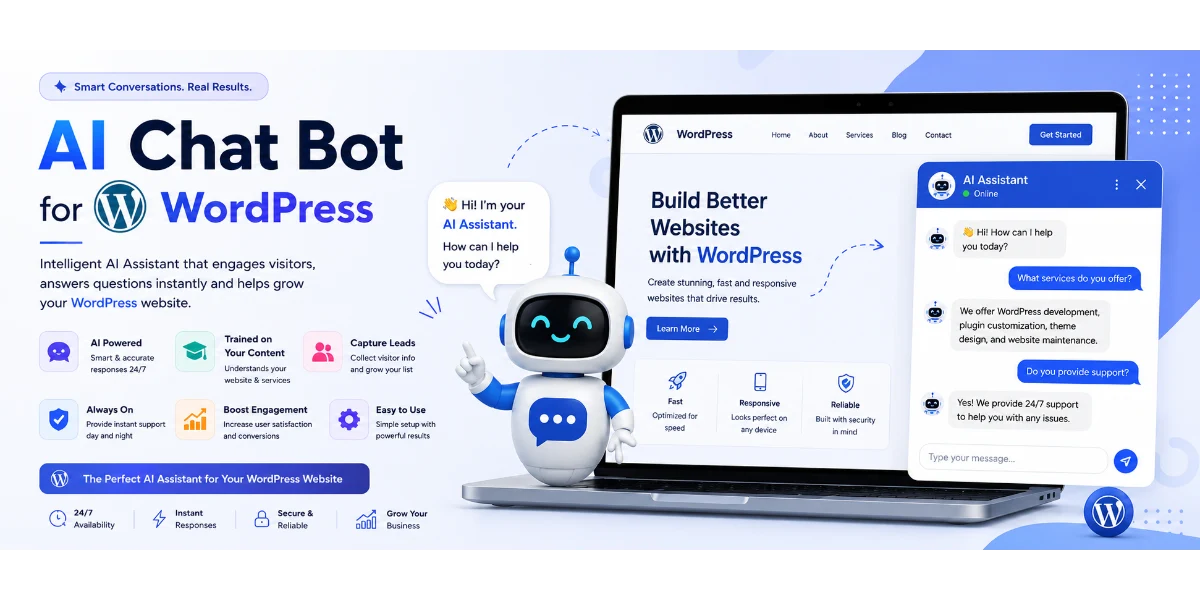
How to Add AI Chatbot to WordPress – The Ultimate Guide for 2026
🔑 Key Takeaways
-
You can install a virtual assistant on WordPress in minutes — no coding needed.
-
The best ChatGPT plugin for customer support can be trained on your pages, blogs, and FAQs.
-
Advanced lead capture features boost conversions by up to 40%.
-
Multilingual automated support serves global audiences 24/7.
-
Compare top plugins in 2026 to find the perfect fit for your budget.
📑 Table of Contents
-
Introduction: Why Add AI Chatbot to WordPress?
-
What Is an AI Chatbot for WordPress?
-
Why You Should Add AI Chatbot to WordPress
-
Top Benefits When You Add AI Chatbot to WordPress
-
How It Works – The Engine Behind Your WordPress AI Chatbot
-
Step-by-Step Guide: How to Add AI Chatbot to WordPress
-
Real-World Examples of an AI Chatbot for WordPress
-
Comparison Table: Best AI Chatbot Plugins for WordPress 2026
-
Common Mistakes to Avoid When You Add AI Chatbot to WordPress
-
Expert Tips & Best Practices for Your WordPress AI Chatbot
-
Recommended Tools to Add AI Chatbot to WordPress
-
Troubleshooting Your WordPress AI Chatbot
-
FAQs on How to Add AI Chatbot to WordPress
-
Conclusion
-
Call to Action
🚀 Introduction: Why Add AI Chatbot to WordPress?
Imagine having a tireless support agent who knows every page, blog post, and product on your WordPress site — and answers your visitors in under two seconds. That’s exactly what an automated assistant delivers. Whether you’re a solopreneur, a growing agency, or an e-commerce brand, adding an intelligent chat tool can transform your customer experience and skyrocket your conversions.
In this comprehensive guide, you’ll learn everything: from how to add AI chatbot to WordPress to training it on your own content, capturing leads, and even offering multi-language support. By the end, you’ll be ready to deploy your own 24/7 automated support system without API hassle.
🤖 What Is an AI Chatbot for WordPress?
If you want to know how to add AI chatbot to WordPress, it helps to understand how it functions. It is a plugin or embedded script that uses natural language processing (NLP) and large language models (like ChatGPT) to understand and reply to your website visitors. Unlike traditional rule-based bots, an automated assistant learns from your website data — pages, blogs, documentation, and FAQs — and provides contextually accurate answers.
Popular solutions include the best ChatGPT plugin for customer support and tailored setups for e-commerce, SaaS, or digital agencies. These bots can be trained without technical skills, making them ideal for beginners and pros alike.
💡 Why You Should Add AI Chatbot to WordPress
Your website visitors expect instant answers. If they have to search through pages or wait for an email reply, you risk losing them to a competitor. An intelligent virtual assistant bridges that gap:
-
Increases customer satisfaction with instant 24/7 responses.
-
Captures leads while you sleep.
-
Reduces support ticket volume by answering common questions.
-
Boosts conversions by guiding users to the right product or content.
With the rise of code-free setup tutorials, anyone can implement this technology in under 30 minutes.
✅ Top Benefits When You Add AI Chatbot to WordPress
-
24/7 Availability: Never miss a customer query, day or night.
-
Train ChatGPT on your unique data: The bot learns your unique voice, articles, and documentation.
-
Built-in lead capture features: Collect emails, qualify leads, and book demos automatically.
-
Global multi-language support: Speak to your international audience in their native language seamlessly.
-
Plugin responses under 2 seconds: Keep users engaged with lightning-fast answers.
-
Embed a custom knowledge engine: Turn your entire site into an interactive, searchable experience.
-
No API key hassle: Many modern plugins handle everything securely inside your dashboard.
⚙️ How It Works – The Engine Behind Your WordPress AI Chatbot
Most modern support bot solutions follow a simple flow:
-
Content ingestion: The plugin crawls your WordPress pages, blogs, and documentation.
-
Training: Using AI (often ChatGPT), it creates a custom knowledge base from your content.
-
Embedding: A chat widget appears on your site via a shortcode or automatic injection.
-
Real-time interaction: Visitors ask questions, and the bot retrieves answers from your trained data.
-
Lead capture: Conversations trigger opt-in forms or CRM integration.
You can also integrate a website-trained assistant with popular tools like WooCommerce, MemberPress, or HelpScout.
📝 Step-by-Step Guide: How to Add AI Chatbot to WordPress
Follow this code-free setup tutorial to get your virtual agent live today.
Step 1: Choose Your Plugin
Select software that offers pre-built content training. We recommend SiteGPT for its simplicity and speed.
Step 2: Install and Activate
Go to Plugins > Add New in your WordPress dashboard. Search for your chosen plugin (or upload the .zip file). Click Install Now and then Activate.
Step 3: Configure the Bot
Navigate to the plugin settings. You’ll typically see options to name your virtual agent, select training sources, set form fields, and choose multi-language support.
Step 4: Train the System on Your Pages and Blogs
Click “Train Bot”. The plugin will automatically index your selected content. This usually takes 1–5 minutes depending on your site size.
Step 5: Customize Appearance
Change the chat icon, colors, and welcome message to match your brand. You can also add proactive messages like “Can I help you find something?”
Step 6: Embed and Publish
Most tools auto-inject the chat widget. If not, use the provided shortcode [ai_chatbot] in your footer or anywhere you like.
That’s it! You now have a fully functional virtual assistant that answers visitors using your own content.
🌍 Real-World Examples of an AI Chatbot for WordPress
-
E-commerce store (WooCommerce): The bot recommends products based on user questions and captures abandoned cart leads.
-
SaaS startup: Trained on a knowledge base and changelog, the automated widget resolves 70% of support tickets.
-
Digital agency: Uses lead capture forms to book discovery calls automatically.
-
Educational blog: A multilingual version helps international students find courses and answers instantly.
📊 Comparison Table: Best AI Chatbot Plugins for WordPress 2026
| Plugin | Training on Site Content | Lead Capture | Response Speed | Multi-Language | Starting Price |
| SiteGPT | ✅ Yes (pages, blogs, PDFs) | ✅ Built-in forms & CRM | < 2 seconds | ✅ 50+ languages | $19/mo |
| ChatBot for WP | ✅ Yes | ✅ Basic | ~3 seconds | ✅ 10 languages | $29/mo |
| WP AI Assistant | ✅ Yes (limited pages) | ❌ Add-on required | ~4 seconds | ❌ | $15/mo |
When you compare top plugins in 2026, SiteGPT stands out for speed, easy training, and all-in-one lead capture — plus a generous free trial.
❌ Common Mistakes to Avoid When You Add AI Chatbot to WordPress
-
Skipping content training: Without training on your specific pages, the bot gives generic answers.
-
Ignoring mobile responsiveness: Test the chat widget on phones and tablets.
-
Too many proactive popups: Don’t annoy visitors — use smart triggers.
-
Not updating the knowledge base: Re-train the bot whenever you publish new content.
-
Overlooking lead capture: Use built-in forms to turn chats into subscribers.
🧠 Expert Tips & Best Practices for Your WordPress AI Chatbot
-
Re-index your pages and blogs regularly — schedule weekly updates.
-
Use the automated assistant for documentation and FAQs — it’s the easiest win for reducing support load.
-
Combine with live chat handoff for complex queries.
-
A/B test your welcome message to improve engagement.
-
Enable analytics to see which questions the bot answers most — then create content around them.
🛠️ Recommended Tools to Add AI Chatbot to WordPress
For the absolute best setup, we highly recommend SiteGPT. It offers:
-
Instant training on your entire site (pages, blogs, products).
-
Built-in lead capture with email and CRM integration.
-
Multilingual support for over 50+ languages.
-
Lightning-fast responses under 2 seconds.
-
No API keys or developer help needed — true code-free integration.
Other useful tools: Zapier (for workflow automation), Google Analytics (to track bot performance), and Hotjar (to see how users interact with the chat).
🔧 Troubleshooting Your WordPress AI Chatbot
-
Bot not responding accurately: Re-train the model. Make sure your pages are public and crawlable.
-
Chat widget not showing: Check if the plugin is active, and clear your site cache.
-
Slow response time: Upgrade your hosting or choose a plugin optimized for under 2 seconds.
-
Can I customize the design? Yes — most plugins let you change colors, position, and behavior.
-
Does it slow down your site? Quality plugins are lightweight and load asynchronously, so no.
-
Can I uninstall it anytime? Absolutely. Deactivate and delete the plugin — no leftover code remains.
❓ FAQs on How to Add AI Chatbot to WordPress
How do I install a plugin?
Go to Plugins > Add New, search for your chosen tool, install, and activate. Then follow the setup wizard.
Can beginners set this up?
Yes! The best plugins require zero coding skills. Just point, click, and train.
Does it require coding?
No. Modern tools for WordPress are 100% code-free.
How long does installation take?
Usually 5–15 minutes from plugin activation to a live widget.
Can I customize the chatbot?
Yes — change colors, avatar, welcome message, and even conversation flow.
Can I train it with website data?
Absolutely. You can sync it with your existing pages and articles with one click.
Does it slow down my site?
No. High-quality plugins are optimized for speed and load asynchronously.
Can I uninstall it anytime?
Yes. Deactivate and delete the plugin — your site returns to normal instantly.
What is the best ChatGPT plugin for customer support?
SiteGPT is widely considered the best for its ease of use, speed, and lead capture features.
Does it support multi-language?
Yes — look for native multilingual solutions like SiteGPT.
Can I use it for e-commerce?
Definitely. Automated setups for e-commerce, SaaS, and agencies are custom-built to recommend products and capture leads.
🎯 Conclusion
Adding an AI chatbot to your WordPress site is no longer a luxury — it’s a necessity for any site that values its visitors. From premium customer support plugins to advanced automated lead capture features, the right solution will save you time, boost conversions, and delight your audience.
Whether you run a small blog, a SaaS platform, or a global e-commerce store, you now have a clear roadmap: choose a no-code plugin, train it on your content, and let the software work 24/7. And remember — you can embed a brilliant knowledge engine on your website without any API hassle.
💬 Ready to Supercharge Your WordPress Site?
Stop losing leads to slow support. Try the #1 automated assistant for WordPress — SiteGPT — free for 7 days. No credit card required. No coding. No API keys.
👉 Start Your Free Trial at SiteGPT
🚀 Join 10,000+ businesses already using SiteGPT for 24/7 automated support.
Last updated: 2026 • How to Add AI Chatbot to WordPress — Complete Guide

