
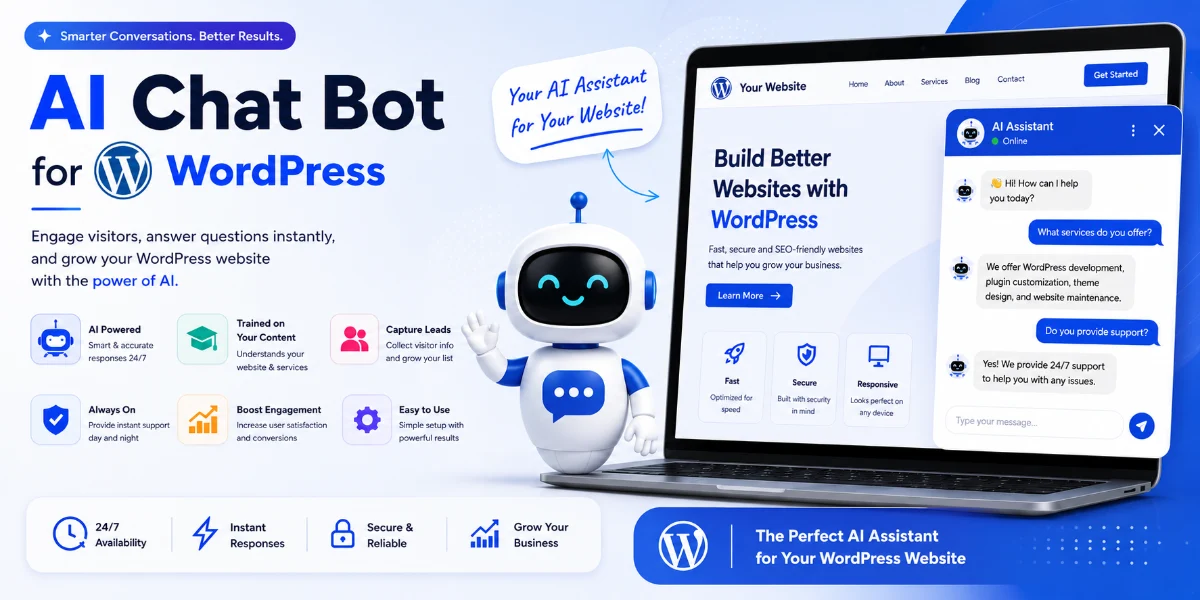
ChatGPT WordPress Plugin: The Complete Guide for 2026
ChatGPT WordPress Plugin at a Glance
| Question | Answer |
|---|---|
| What is it? | AI-powered conversational functionality for WordPress |
| Best for | Customer support, sales assistance, lead qualification, FAQ automation |
| Coding required? | Depends on the solution—some are no-code, others require development |
| Can it use website content? | Yes, depending on implementation and configuration |
| WooCommerce support? | Yes, with compatible plugins or custom development |
| Lead generation? | Yes |
| Multilingual? | Depends on the platform and configuration |
| Custom development? | Yes, for businesses with specific workflows |
| Cost | Free plugins to custom development projects |
| Pune development available? | Yes |
Introduction
A ChatGPT WordPress plugin adds AI-powered conversational functionality directly to a WordPress website. Depending on the plugin and configuration, it can answer questions using website content, generate leads, assist shoppers, provide customer support, and connect visitors with human agents.
For businesses in Pune, this can turn a traditional WordPress website into an interactive sales and support channel without requiring visitors to leave the site.
As businesses increasingly look for ways to automate customer interactions, AI chatbots have become a practical option for WordPress websites. Whether you run an e-commerce store, a service-based business, a coaching institute, or a real estate agency, an AI chatbot can handle routine enquiries and free up your team for higher-value work.
In this guide, we’ll explore how ChatGPT WordPress plugins work, what they can do, the available options, and how to choose the right solution for your business.
What Is a ChatGPT WordPress Plugin?
A ChatGPT WordPress plugin integrates OpenAI’s ChatGPT model—or similar large language models—into a WordPress website. It enables a conversational AI assistant that can interact with visitors in real time.
Depending on the plugin and configuration, the chatbot may:
-
Answer questions based on website content
-
Assist with product selection
-
Provide pricing information
-
Collect lead data
-
Hand off conversations to human agents
-
Support multiple languages
This turns a static website into an interactive experience that can handle routine enquiries at any time.
How Does a ChatGPT WordPress Plugin Work?
While different plugins work in different ways, most follow a similar underlying approach:
-
The plugin connects to an AI model via API (OpenAI, Google Gemini, Anthropic Claude, or similar)
-
Website content is indexed, embedded, or added to a knowledge base
-
When a visitor asks a question, the plugin retrieves relevant information and sends it to the AI model
-
The AI generates a response based on both the retrieved content and its training
-
The response is displayed to the visitor as a chat message
This is often described as “training ChatGPT on your website”—though technically, most solutions use retrieval-augmented generation (RAG) rather than fine-tuning the model itself.
RAG vs Fine-Tuning for WordPress AI Chatbots
Understanding the technical approach helps in choosing the right solution:
| RAG (Retrieval-Augmented Generation) | Fine-Tuning | |
|---|---|---|
| Website knowledge | Strong for dynamic knowledge retrieval | Not the primary purpose |
| Updating content | Easier—just update the knowledge base | Requires retraining or model updates |
| PDF/documents | Can include documents in knowledge base | More complex to incorporate |
| Typical chatbot use | Very suitable | Usually unnecessary for website Q&A |
| Cost | Generally practical | Can be more complex and expensive |
| WordPress chatbot | Common approach | Specialized use cases only |
Most WordPress AI chatbot solutions use RAG because it’s more practical for websites with frequently updated content.
Which is better for WordPress? For the vast majority of businesses, RAG-based solutions are more appropriate. They allow you to update your knowledge base as your website content changes, without needing to retrain or update the AI model itself.
RAG Is Not a Guarantee of Accurate Answers
RAG can significantly improve the relevance of an AI chatbot’s responses, but it does not guarantee that every answer will be correct.
Performance depends on:
-
The quality and completeness of the indexed content
-
The chunking and embedding strategy used
-
The retrieval method and relevance ranking
-
The prompt design and context window
-
The quality and freshness of the knowledge base
-
The AI model’s capabilities and limitations
If information is missing, outdated, contradictory, or poorly indexed, the chatbot may still produce an incorrect response. For business-critical workflows, consider:
-
Response validation and human review
-
Clear fallback instructions (“I don’t know” responses)
-
Source citations and references
-
Human handoff for complex or sensitive enquiries
Security and Privacy Considerations
When implementing an AI chatbot on WordPress, businesses should consider:
-
Data collection: What visitor data is collected and stored?
-
Data storage: Where are conversation logs and knowledge bases stored?
-
Third-party providers: Which AI provider receives the data, and under what terms?
-
API security: Are API keys stored securely on the server side?
-
Access controls: Who can access chatbot configuration and conversation data?
-
CRM integration: What data is shared with your CRM, and how is it secured?
-
Data retention: How long are conversations retained?
-
Privacy policy: Does your privacy policy cover AI chatbot interactions?
-
Sensitive information: Are users informed not to share sensitive personal or financial information?
Important: Never expose an AI provider API key in frontend JavaScript. API credentials should be handled securely on the server side. For WooCommerce or CRM integrations, ensure data is transmitted over HTTPS with appropriate authentication.
ChatGPT vs Plugin vs Custom Chatbot
Understanding the distinction helps in choosing the right solution:
| ChatGPT | ChatGPT WordPress Plugin | Custom AI Chatbot | |
|---|---|---|---|
| What is it? | General-purpose AI assistant | WordPress integration for AI chat | Business-specific AI system |
| Access | Via chat.openai.com or API | Within your WordPress website | Within your WordPress website |
| Knowledge | Public training data | Your website content + AI training | Your website + databases + internal systems |
| Customization | Limited | Plugin settings | Fully customizable |
| Integrations | None natively | Varies by plugin | Built to your requirements |
| Best for | General queries, research | Website Q&A, support, lead capture | Complex workflows, custom integrations |
Why Add AI to a WordPress Website?
AI chatbots are becoming increasingly common for several practical reasons:
-
24/7 availability: Visitors can get answers outside business hours
-
Immediate responses: No waiting for email replies or live chat agents
-
Scalability: One chatbot can handle many conversations simultaneously
-
Lead capture: Chatbots can collect contact information automatically
-
Cost efficiency: Reduce the need for large support teams
-
Consistent answers: AI delivers consistent responses based on your content
Benefits of a ChatGPT WordPress Plugin
Improved Customer Experience
Visitors get instant answers to common questions without waiting for email or phone support.
Lead Generation
Chatbots can qualify visitors and collect contact information before sending leads to your sales team.
Reduced Support Workload
Routine questions about pricing, hours, availability, shipping, returns, and policies can be handled automatically.
Better User Engagement
Visitors are more likely to interact with a conversational interface than to search through FAQ pages.
Scalability
One AI assistant can handle hundreds of conversations simultaneously.
What Can a WordPress AI Chatbot Do?
Depending on the solution, a WordPress AI chatbot can:
-
Answer product and service questions
-
Provide pricing and availability information
-
Collect visitor contact details
-
Qualify leads by asking relevant questions
-
Guide visitors through checkout or booking flows
-
Assist with troubleshooting common issues
-
Send conversation summaries to your CRM
-
Connect visitors to live agents for complex enquiries
How to Choose the Best ChatGPT WordPress Plugin
When evaluating ChatGPT WordPress plugins, consider these criteria:
| Evaluation Criteria | What to Look For |
|---|---|
| AI model support | OpenAI, Gemini, Claude, or multiple options |
| Website training/RAG | Can it learn from your website content? |
| PDF/document support | Can it read PDFs, documents, and internal content? |
| WooCommerce compatibility | Does it support product questions, orders, and shipping? |
| Lead capture | Can it collect contact details and qualify leads? |
| CRM integration | Does it integrate with your CRM? |
| WhatsApp integration | Can it connect to WhatsApp? |
| Human handoff | Can it transfer complex enquiries to agents? |
| Multilingual support | Does it support your customers’ languages? |
| API requirements | Do you need an OpenAI/other API key? |
| Data privacy | Where is data stored? Who has access? |
| Analytics | Can you track conversations and performance? |
| Pricing model | Is it free, subscription, one-time, or usage-based? |
| Customization options | Can you customize appearance and behavior? |
| Developer support | Is there documentation and support available? |
Best ChatGPT WordPress Plugins in 2026
There are several options available, each with different strengths. Here is a comparison of some popular solutions:
| Plugin / Solution | Best For | Website Knowledge | WooCommerce | Lead Capture | Customization |
|---|---|---|---|---|---|
| TheSiteGPT | Website AI chatbot | Yes* | Yes* | Yes* | Medium |
| ChatBot | AI sales & support | Yes | Yes | Yes | Medium |
| AI Engine | WordPress flexibility | Yes | Yes* | Yes* | High |
| WPBot | WordPress chatbot | Yes* | Yes* | Yes* | Medium |
| Custom AI Solution | Complex workflows | Yes | Custom | Custom | Very High |
*Features and integrations can vary by plan, extension, add-on, configuration, or implementation. Verify current provider documentation before choosing a solution.
Note: Feature availability, pricing, and performance should be verified against current product documentation before implementation.
Free ChatGPT WordPress Plugin Options
Several free ChatGPT WordPress plugins are available, though free versions typically come with limitations:
Common free plugin features:
-
Basic chatbot functionality
-
Limited number of conversations
-
Limited AI model options
-
Basic customization
Common free plugin limitations:
-
Usage caps (e.g., 50 conversations per month)
-
Watermark/branding on the chatbot
-
Limited integration options
-
No CRM or WooCommerce support
-
Limited support
-
May require your own OpenAI API key
| Option | Free Version Available | Best For |
|---|---|---|
| AI Engine | Yes | WordPress AI features |
| WPBot | Varies by current plan | Basic chatbot |
| Various WordPress.org plugins | Yes | Testing and evaluation |
When a free plugin is sufficient:
-
Low-traffic websites
-
Testing and evaluation purposes
-
Simple FAQ automation
-
Limited budget
When to consider paid or custom solutions:
-
High-traffic websites
-
WooCommerce integration required
-
CRM integration required
-
Lead capture and qualification workflows
-
Branded experience required
-
PDF/document knowledge base required
-
WhatsApp or other channel integration required
Note: Verify current pricing, free version availability, and feature limitations against provider documentation before implementation.
How to Add a ChatGPT Plugin to WordPress
Option 1: Use a Ready-Made Plugin
Many ChatGPT WordPress plugins are available in the WordPress plugin directory or from third-party providers. These typically require minimal setup and no coding.
Option 2: Custom Development
For businesses with specific integration requirements, a developer can build a custom AI chatbot plugin tailored to your workflows.
ChatGPT WordPress Plugin for WooCommerce
For WooCommerce stores, an AI chatbot can assist with:
-
Product recommendations based on customer questions
-
Shipping and delivery information
-
Return and refund policies
-
Order status tracking
-
Troubleshooting purchase issues
-
Upselling and cross-selling
A WooCommerce AI assistant can help reduce cart abandonment and improve customer satisfaction.
ChatGPT WordPress Plugin for Lead Generation
AI chatbots are particularly effective for lead capture:
-
Greet visitors and offer help
-
Ask qualifying questions
-
Collect contact information
-
Send leads to your CRM or sales team
-
Follow up with additional questions
For B2B businesses, professional services, and real estate, this can significantly improve lead conversion.
ChatGPT WordPress Plugin for Customer Support
Common customer support use cases include:
-
Answering FAQs
-
Troubleshooting common problems
-
Providing documentation links
-
Escalating complex issues to human agents
-
Collecting feedback and satisfaction scores
This reduces the volume of support tickets and improves response times.
Best Use Cases for ChatGPT WordPress Plugins
| Industry | Common Use Cases |
|---|---|
| E-commerce | Product questions, shipping info, returns, recommendations |
| SaaS | Pricing, features, onboarding, troubleshooting |
| Real Estate | Property enquiries, appointments, area information, lead capture |
| Education | Course information, fees, admissions, batch schedules |
| Healthcare | Appointment booking, clinic information, FAQs* |
| Professional Services | Services, pricing, booking, lead qualification |
| Agencies | Capabilities, case studies, client enquiries |
| Documentation | Quick answers to technical questions |
*For healthcare websites, AI chatbots should generally be limited to administrative information, appointment workflows, and approved FAQs unless an appropriate clinical safety framework is in place. They should not be presented as a substitute for professional medical advice.
Which ChatGPT WordPress Solution Should You Choose?
Choose a ready-made plugin if:
-
You need a chatbot quickly
-
Your requirements are simple (FAQs, basic support)
-
You don’t need complicated integrations
-
You have a limited development budget
-
You’re comfortable with plugin-provided features
Choose a custom AI chatbot if:
-
You need CRM integration
-
You need WhatsApp or other channel workflows
-
You need to include private documents or internal knowledge
-
You need custom lead qualification workflows
-
You need WooCommerce order automation
-
You need human handoff with custom business logic
-
You need a branded, fully controlled experience
-
You have specific data privacy or compliance requirements
Recommended WordPress AI Chatbot Architecture
For businesses considering a custom AI chatbot, here is a typical architecture:
WordPress Website
       ↓
AI Chatbot Plugin
       ↓
Knowledge Retrieval Layer
       ↓
   ┌───────────────────────────────────┐
   │ Knowledge Base                    │
   │ • Website Content                 │
   │ • Product Information             │
   │ • PDF Documents                   │
   │ • Internal Knowledge              │
   └───────────────────────────────────┘
       ↓
AI Model (OpenAI/Gemini/Claude)
       ↓
   ┌───────────────────────────────────┐
   │ Business Integrations             │
   │ • CRM                             │
   │ • WhatsApp                        │
   │ • WooCommerce                     │
   │ • Email                           │
   │ • Booking Systems                 │
   │ • Internal APIs                   │
   └───────────────────────────────────┘
       ↓
Human Handoff (when needed)
ChatGPT WordPress Plugin Development in Pune
Businesses in Pune can use AI chatbots on WordPress websites for customer support, lead generation, product assistance, and enquiry automation.
Common Pune business use cases:
-
Real Estate — Baner, Kharadi, Wakad: Answer property questions, capture buyer requirements, route leads to agents
-
Education — Shivajinagar, Kothrud: Provide course information, fees, admission details, and batch schedules
-
E-commerce — Hinjewadi, Hadapsar: Assist with product selection, shipping, returns, and order tracking
-
Healthcare — Aundh, Kothrud, Viman Nagar: Handle appointment booking, clinic hours, and common patient questions*
-
Professional Services — Camp, Koregaon Park: Qualify leads, capture contact details, and schedule consultations
*For healthcare websites, AI chatbots should generally be limited to administrative information, appointment workflows, and approved FAQs unless an appropriate clinical safety framework is in place. They should not be presented as a substitute for professional medical advice.
ChatGPT WordPress Plugin Development Services in Pune
Businesses in Pune can use ChatGPT-powered WordPress solutions for customer support, lead generation, WooCommerce assistance, appointment booking, FAQ automation, and CRM integration.
A custom implementation can be designed around your existing WordPress website instead of forcing your business to change its workflow to match a generic plugin.
WebsiteMitra provides AI chatbot and WordPress plugin development services for businesses across Pune, including Baner, Wakad, Kharadi, Hinjewadi, Aundh, Kothrud, Viman Nagar, Hadapsar, Shivajinagar, Pimpri-Chinchwad, and surrounding areas.
Depending on the project, integrations can include WooCommerce, CRM platforms, WhatsApp, email systems, booking systems, and other APIs.
If you need functionality that isn’t available through an existing plugin, you can explore our custom WordPress plugin development services.
For businesses looking specifically for AI chatbot integration, we also offer AI chatbot development services in Pune.
ChatGPT WordPress Plugin vs Custom AI Chatbot
| Feature | Ready-Made Plugin | Custom Solution |
|---|---|---|
| Setup time | Minutes to hours | Weeks to months |
| Customization | Limited to plugin settings | Fully customizable |
| Branding | Usually configurable | Fully controlled |
| CRM/API integration | Depends on plugin | Built to your requirements |
| WooCommerce integration | Varies | Built to your requirements |
| Knowledge source | Usually website content | Website + documents + internal systems |
| Human handoff | Depends on plugin | Custom workflow |
| Cost | Lower initial, often recurring | Higher initial, predictable long-term |
| Scalability | Plugin-dependent | Business-dependent |
ChatGPT WordPress Plugin Pricing in 2026
Understanding the cost of a ChatGPT WordPress plugin requires considering three different components:
1. Plugin Cost
The cost of the plugin itself. This ranges from free to approximately ₹5,000/month for premium subscriptions.
2. AI/API Cost
Most plugins use external AI models (OpenAI, Gemini, Claude) that charge per request. Costs depend heavily on:
-
Model selection
-
Input and output token usage
-
Conversation length and complexity
-
Number of users and conversations
-
RAG retrieval and embeddings usage
-
Caching implementation
-
Frequency of interactions
For a low-traffic website, API costs may be a few hundred rupees per month. For high-traffic deployments with complex RAG workflows, costs can be significantly higher.
3. Development Cost
For custom development, integration, or customization, costs are project-based and depend on functionality, integrations, and complexity.
| Cost Component | Typical Range | Notes |
|---|---|---|
| Plugin subscription | Free – ₹5,000/month | Varies significantly by provider |
| AI API usage | Usage-based | Calculate based on expected usage patterns |
| Setup/configuration | ₹5,000 – ₹50,000 | One-time for ready-made plugins |
| Custom development | ₹50,000 – ₹5,00,000+ | Project-based, fully tailored |
Note: These are indicative ranges. Actual costs vary significantly based on plugin selection, API usage, integrations, traffic, and development complexity.
For a more accurate estimate based on your specific requirements, contact WebsiteMitra for a consultation.
TheSiteGPT: A Ready-Made AI Chatbot Option
For businesses looking for a ready-made AI chatbot solution, TheSiteGPT is one option worth evaluating. It allows WordPress users to add an AI chatbot trained on their website content without coding.
Key features include:
-
Website content-based knowledge
-
WooCommerce integration
-
Lead capture
-
Multilingual support
-
Multiple AI providers (OpenAI, Gemini, Claude)
-
No-code setup
-
Customization options
Note: Feature availability, pricing, and performance should be verified against current product documentation before implementation.
Common Problems with WordPress AI Chatbots
Inaccurate Responses
AI models can sometimes generate incorrect information. This can be mitigated by using retrieval-based approaches, limiting the knowledge base, and implementing human review workflows.
API Costs
AI models charge per API request. This should be factored into budget planning.
Integration Complexity
Connecting AI chatbots to CRMs, email marketing platforms, or WooCommerce may require additional configuration or custom development.
Language and Tone
AI responses can sometimes sound generic or overly formal. Custom training and configuration can help align the tone with your brand.
Best Practices for WordPress AI Chatbots
Start with a Clear Purpose
Define exactly what you want the chatbot to do. Focus on a specific set of tasks rather than trying to handle everything.
Use Website Content as Knowledge Source
For website-specific Q&A, using accurate and well-maintained website content as a knowledge source can improve response relevance and consistency.
Implement Human Handoff
For complex enquiries, the chatbot should be able to hand off to a human agent.
Monitor and Improve
Review chatbot conversations regularly to identify errors and improve responses.
Be Transparent
Inform users that they are interacting with an AI assistant.
Security and Privacy Checklist
Before launching a WordPress AI chatbot, ensure:
- □
API keys are stored securely on the server side
- □
Data transmission uses HTTPS
- □
A privacy policy covers chatbot interactions
- □
Users are informed they are speaking to an AI
- □
Sensitive data handling is documented
- □
CRM integration permissions are properly configured
- □
Data retention policies are defined
- □
Access controls are in place
Frequently Asked Questions
What is a ChatGPT WordPress plugin?
A ChatGPT WordPress plugin adds AI-powered conversational functionality to a WordPress website. It enables a chatbot that can answer questions, assist with product selection, collect leads, and handle customer support enquiries based on your website content.
Can a ChatGPT plugin answer questions using my website content?
Yes. Many solutions allow you to use your website content as the knowledge base for the AI assistant, so it can answer questions specifically about your products, services, and policies.
Does a ChatGPT WordPress plugin work with WooCommerce?
Yes, many plugins offer WooCommerce integration. This allows the chatbot to answer product questions, provide shipping information, and assist with order-related enquiries.
How do I add a ChatGPT plugin to WordPress?
You can add a ChatGPT plugin to WordPress either by installing a ready-made plugin or by having a developer build a custom solution tailored to your requirements.
Can I train ChatGPT on my WordPress pages and blogs?
Most plugins use a retrieval-based approach rather than fine-tuning the AI model. They index your website content and retrieve relevant information to generate accurate responses.
Can a WordPress AI chatbot generate leads?
Yes. AI chatbots can qualify visitors, ask relevant questions, collect contact information, and send leads to your CRM or sales team.
Is there a ChatGPT WordPress plugin developer in Pune?
Yes. If you need a custom AI chatbot solution for your WordPress website, WebsiteMitra offers AI chatbot development services in Pune.
How much does a ChatGPT WordPress chatbot cost in Pune?
The cost depends on the approach. Ready-made plugins range from free to subscription-based; custom development is project-based and depends on functionality, integrations, and complexity.
Can a WordPress chatbot connect with CRM or WhatsApp?
Yes, depending on the plugin or custom development. Some ready-made plugins offer CRM integration; custom solutions can connect to any supported API.
Can I build a custom ChatGPT WordPress plugin for my business?
Yes. For businesses with specific integration requirements or custom workflows, custom AI chatbot development is an option. WebsiteMitra offers custom WordPress plugin development services.
Can I add ChatGPT to an existing WordPress website?
Yes. ChatGPT plugins can be added to existing WordPress websites without rebuilding the site.
Does a ChatGPT WordPress plugin require an OpenAI API key?
Some plugins require an OpenAI API key; others include API access as part of their subscription. This depends on the plugin provider.
Which ChatGPT plugin is best for WooCommerce?
The best plugin for WooCommerce depends on your specific requirements—product volume, order management needs, and integration with existing systems. TheSiteGPT, AI Engine, and custom solutions are common options depending on complexity.
Can a ChatGPT WordPress plugin use PDF files?
Some plugins support PDF files as part of their knowledge base. This varies by plugin and implementation approach.
Can I connect a WordPress AI chatbot to WhatsApp?
Some plugins offer WhatsApp integration through extensions or custom workflows. For specific WhatsApp integration requirements, custom development may be more appropriate.
Which is better: a ChatGPT plugin or a custom AI chatbot?
It depends on your needs. Ready-made plugins are faster to set up and more affordable initially. Custom solutions offer more flexibility, integration options, and control over branding and functionality.
Does a ChatGPT plugin improve website SEO?
A chatbot may improve the user experience by helping visitors find information faster, although adding a chatbot by itself does not guarantee higher search rankings.
Conclusion
A ChatGPT WordPress plugin can turn a traditional website into an interactive, conversational experience. Whether you choose a ready-made solution or a custom development, the right AI chatbot can help automate enquiries, generate leads, and improve customer engagement.
For businesses in Pune, this technology is becoming increasingly relevant. As customers expect faster, more responsive interactions, AI chatbots offer a practical way to meet these expectations.
If you are looking for a custom AI chatbot solution for your WordPress website, WebsiteMitra can help.
We offer:
-
Custom WordPress plugin development
-
AI chatbot integration
-
WooCommerce customization
-
CRM and API integration
-
Ongoing maintenance and support
Get a consultation for your WordPress AI chatbot project in Pune.
WebsiteMitra — Custom WordPress development, AI chatbot integration, and plugin development services in Pune.
© 2026 · WebsiteMitra.com


