
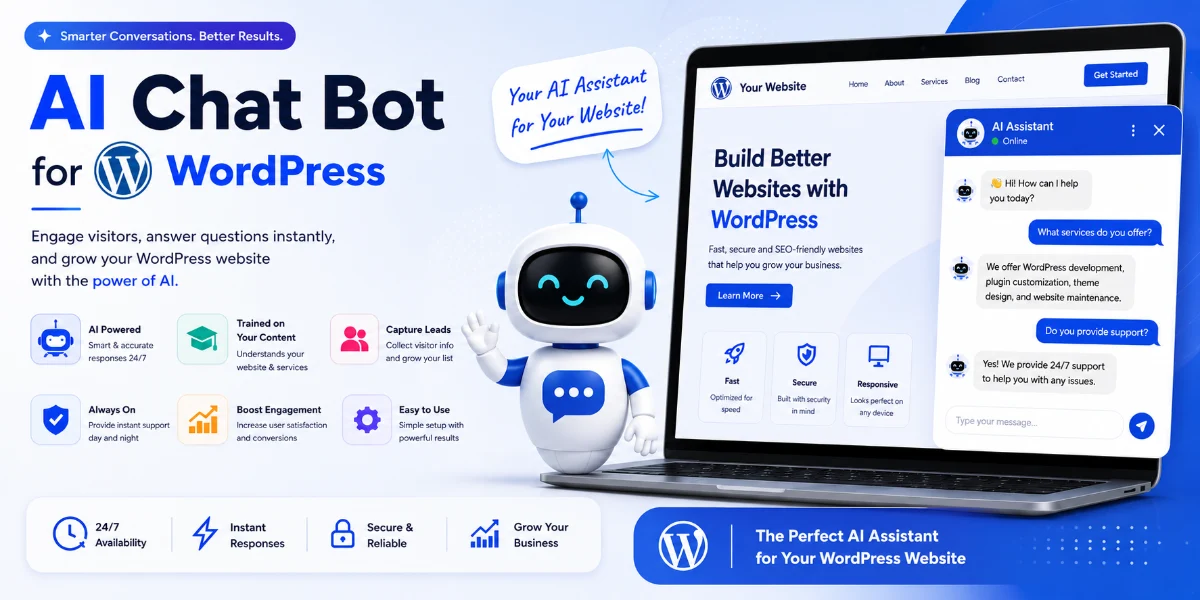
WordPress AI Chatbot: Complete Guide, Features, Benefits & Cost in Pune (2026)
Quick Answer
A WordPress AI chatbot is an AI-powered assistant integrated into a WordPress website that can answer visitor questions, use your website content as a knowledge base, capture leads, support WooCommerce customers, and hand complex conversations to human agents. For Pune businesses, it can also support multilingual conversations (Hindi, Marathi, English) and provide 24/7 assistance without requiring a full-time support team.
In this guide, you’ll learn what a WordPress AI chatbot is, how it works, what features to look for, cost considerations, Pune business use cases, and how to choose the right solution.
At a Glance
| Question | Answer |
|---|---|
| What is a WordPress AI chatbot? | AI-powered conversational assistant integrated into a WordPress website |
| Best for | Customer support, lead generation, FAQ automation, WooCommerce assistance |
| Coding required? | Most plugins are no-code; custom solutions require development |
| Can it use website content? | Yes, depending on implementation |
| WooCommerce support? | Yes, with compatible plugins or custom development |
| Lead generation? | Yes |
| Multilingual? | Depends on the platform (Hindi, Marathi, English possible) |
| Custom development? | Yes, for businesses with specific workflows |
| Pune development available? | Yes |
Introduction
A WordPress AI chatbot is an AI-powered assistant that can answer visitor questions, use your website content as a knowledge source, capture leads, assist WooCommerce customers, and transfer complex enquiries to human agents. For Pune businesses, it can also support multilingual conversations (Hindi, Marathi, English) and provide 24/7 assistance without requiring a full-time support team.
For businesses in Pune—from real estate agencies in Baner to coaching institutes in Kothrud and e-commerce stores in Hinjewadi—this can turn a traditional WordPress website into an interactive sales and support channel.
In this guide, we’ll cover what a WordPress AI chatbot is, how it works, essential features to look for, WooCommerce integration, lead generation, multilingual support, security, cost, and how to choose the right solution for your business.
What Is a WordPress AI Chatbot?
A WordPress AI chatbot is a plugin or custom integration that adds conversational AI functionality to a WordPress website. Unlike traditional rule-based chatbots that follow pre-written scripts, an AI chatbot uses natural language processing (NLP) and large language models to understand visitor questions and generate responses dynamically.
Key characteristics:
-
Uses your website content as a knowledge base
-
Understands natural, conversational language
-
Remembers conversation context
-
Can capture leads and qualify visitors
-
Can hand off complex enquiries to human agents
-
Supports multiple languages (depending on implementation)
The technology typically uses retrieval-augmented generation (RAG) —the chatbot retrieves relevant content from your website and uses it to generate accurate, context-aware responses.
How Does a WordPress AI Chatbot Work?
Most WordPress AI chatbot solutions follow a similar technical approach:
Visitor → Chat Widget → Query Understanding → Knowledge Retrieval → Response Generation → Response Display → Human Handoff
Step 1: Visitor Interaction
A visitor types a question into the chat interface on your WordPress website.
Step 2: Query Understanding
The AI interprets the meaning and intent of the question using natural language processing.
Step 3: Knowledge Retrieval
The chatbot retrieves the most relevant information from your website content, knowledge base, or product data using RAG.
Step 4: Response Generation
The AI model generates a response based on the retrieved content.
Step 5: Response Display
The response appears in the chat widget on your site.
Step 6: Human Handoff
For complex enquiries, the chatbot can transfer to a human agent.
RAG vs Fine-Tuning
Understanding the difference helps in choosing the right solution:
| Feature | RAG (Retrieval-Augmented Generation) | Fine-Tuning |
|---|---|---|
| Website knowledge | Strong for dynamic content retrieval | Not the primary purpose |
| Updating content | Easier—just update the knowledge base | Requires retraining or model updates |
| Typical chatbot use | Very suitable | Usually unnecessary for website Q&A |
| Cost | Generally practical | Can be more complex and expensive |
For most WordPress websites, RAG-based solutions are more appropriate because they allow content to be kept up to date without technical retraining.
WordPress AI Chatbot vs Traditional Chatbot
| Feature | Traditional Chatbot | AI Chatbot |
|---|---|---|
| Rule-based responses | Yes | Usually not |
| Natural language understanding | Limited | Yes |
| Website knowledge | Limited | Yes |
| Context understanding | Limited | Better |
| Lead generation | Possible | Yes |
| Multilingual | Limited | Usually stronger |
| Human handoff | Yes | Yes |
| RAG | No | Possible |
| Custom workflows | Limited | Advanced/custom |
| Maintenance | Manual rules | Knowledge-base management |
WordPress AI Chatbot vs ChatGPT
This is an important distinction:
| Feature | WordPress AI Chatbot | ChatGPT |
|---|---|---|
| Website integration | Built for website | Not inherently website-integrated |
| Website knowledge | Can use site knowledge base | Depends on setup |
| Visitor access | Public website visitors | User’s ChatGPT interface |
| Lead capture | Possible | Not the primary purpose |
| WooCommerce | Possible integration | Requires setup |
| Branding | Website widget | ChatGPT interface |
| Custom workflows | Plugin-dependent or custom | Limited without API integration |
Key point: ChatGPT is a general-purpose AI assistant. A WordPress AI chatbot is a website-specific implementation that can be integrated with your content, products, and business workflows.
15 Essential Features to Look for in a WordPress AI Chatbot
1. Website Knowledge Base
The chatbot should index your website pages, blog posts, product descriptions, and FAQs so it can answer questions specific to your business. Look for automatic indexing, ability to include/exclude content, and support for PDFs and documents.
2. RAG (Retrieval-Augmented Generation)
RAG retrieves relevant content from your knowledge base before generating a response. This improves accuracy and reduces hallucinations. Look for transparent retrieval mechanisms and the ability to see which content was used.
3. Natural Language Understanding
The chatbot should understand conversational, natural language—not just keywords. Look for support for Hinglish (Hindi-English mixed language) for Indian audiences.
4. Context Awareness
The chatbot should remember conversation context, including previous questions, product selections, and visitor preferences. This enables natural follow-up questions.
5. Lead Capture
The chatbot should collect visitor contact information and qualify leads automatically. Look for name, email, phone collection, qualification questions, and CRM integration.
6. Human Handoff
The chatbot should transfer complex or sensitive enquiries to a human agent when it cannot answer confidently. Look for confidence-based escalation and seamless context transfer.
7. Multilingual Support
The chatbot should understand and respond in multiple languages, including Hindi and Marathi for Pune businesses. Look for automatic language detection and manual language switching.
8. WooCommerce Integration
The chatbot should answer product questions, provide shipping information, and handle order enquiries. Look for product description retrieval, stock availability, and order tracking.
9. CRM Integration
The chatbot should send leads and conversation data to your CRM. Look for native CRM integration (Salesforce, HubSpot, Zoho) or custom API capability.
10. WhatsApp Integration
The chatbot should continue conversations on WhatsApp, depending on platform and setup. This is particularly important for Indian businesses where WhatsApp is a primary communication channel.
11. Analytics
The chatbot should provide conversation analytics, including query types, languages, and conversion data. This helps you understand visitor needs and identify knowledge gaps.
12. Custom Branding
The chatbot should be customizable to match your brand colours, fonts, and overall appearance. Look for colour control, custom welcome messages, and avatar options.
13. Conversation History
The chatbot should retain conversation history for context and analysis. Look for session-level history and search/filter capability.
14. Security and Privacy
The chatbot should handle data securely and protect API keys. Look for server-side API key storage, data encryption, and privacy policy coverage.
15. Mobile Responsiveness
The chatbot should work seamlessly on mobile devices, tablets, and desktops. Look for responsive layout and touch-friendly controls.
Benefits of Adding AI Chat to Your WordPress Website
24/7 Availability
Visitors can get answers outside business hours without waiting for a human agent.
Immediate Responses
No waiting for email replies or live chat agents. Visitors get instant answers.
Scalability
One chatbot can handle multiple conversations simultaneously, although capacity and response speed depend on the platform and infrastructure.
Lead Capture
Chatbots can qualify visitors and collect contact information automatically.
Reduced Support Workload
Routine questions about pricing, hours, availability, shipping, and returns can be handled automatically.
Cost Efficiency
Reduce the need for large support teams by automating routine enquiries.
More Consistent Answers
AI can deliver more consistent responses when grounded in verified website content.
Multilingual Support
Serve visitors who prefer Hindi, Marathi, English, or other languages.
WordPress AI Chatbot for WooCommerce
For WooCommerce stores, an AI chatbot can assist with:
-
Product questions based on product descriptions and specifications
-
Shipping and delivery information
-
Return and refund policies
-
Order status tracking
-
Troubleshooting purchase issues
-
Upselling and cross-selling
-
Product discovery and recommendations
A WooCommerce AI assistant can help reduce support tickets and improve customer satisfaction.
If you need WooCommerce development services in Pune, WebsiteMitra can help with custom WooCommerce chatbot integration.
AI Chatbot for Lead Generation
AI chatbots can automatically:
-
Greet visitors and offer assistance
-
Ask qualifying questions
-
Collect contact information
-
Send leads to your CRM
-
Follow up with additional questions
Example lead flow:
Visitor: “I’m looking for a 2 BHK flat in Baner.”
AI: “Thank you for your interest! What is your preferred budget range?”
Visitor: “Around ₹80 lakhs.”
AI: “We have a few options in that range. May I have your email so I can send details?”
Visitor: “customer@email.com“
AI: “Thank you! I’ve sent the details to your email. Our team will follow up shortly.”
Example: AI Chatbot for a Pune Real Estate Website
This demonstrates the complete business workflow:
Visitor (Hindi): “Kharadi mein 2 BHK chahiye.”
AI (Hindi): “Thanks! Kharadi mein kaafi 2 BHK options hain. Aapka budget kya hai?”
Visitor: “₹80 lakh.”
AI: “Ready-to-move chahiye ya under-construction?”
Visitor: “Ready-to-move.”
AI: “We have three ready-to-move 2 BHK options in Kharadi under ₹80 lakh. Can I have your email or WhatsApp number so I can send details?”
Visitor: “9876543210 (WhatsApp)”
AI: “Thank you! I’ve sent the details to your WhatsApp. Our team will follow up shortly.”
Lead captured → CRM created → Sales agent notified → WhatsApp follow-up
Can a WordPress AI Chatbot Speak Hindi and Marathi?
Yes, many modern AI chatbots can support Hindi and Marathi alongside English. The specific languages depend on the AI model and platform you choose.
Language detection capabilities:
-
The chatbot can detect the visitor’s language automatically from browser settings or the text they type
-
Some platforms allow users to manually select their preferred language
-
The chatbot can switch between languages based on the visitor’s query
Example:
Visitor (Hindi): “Kharadi mein 2 BHK flat kitne ka hai?”
AI (Hindi): “Kharadi mein 2 BHK flat ki price ₹80 lakh se ₹1.2 crore ke beech mein hai. Kya aap budget bata sakte hain?”
Visitor (Marathi): “Kharadi madhye 2 BHK flat chi kimat kay aahe?”
AI (Marathi): “Kharadi madhye 2 BHK flat chi kimat ₹80 lakh te ₹1.2 crore darmyan aahe. Tumhala kiti budget ahe?”
Visitor (English): “What is the price of a 2 BHK apartment in Kharadi?”
AI (English): “2 BHK apartments in Kharadi range from ₹80 lakhs to ₹1.2 crores. What is your budget preference?”
Important: Verify current language support for the specific plugin or platform you’re considering, as language capabilities vary between providers.
Best WordPress AI Chatbot Solutions in 2026
Here is a comparison of popular solutions. Features can vary by plan and implementation. Verify current provider documentation.
| Solution | Best For | Setup | WooCommerce | Customization | Pricing Model |
|---|---|---|---|---|---|
| AI Engine | WordPress AI functionality | Medium | Depends | High | Freemium/Pro |
| WPBot | WordPress chatbot | Easy | Depends | Medium | One-time/Pro |
| AI BotKit | Simple deployment | Easy | Depends | Medium | Freemium/Pro |
| Managed AI Chatbot | Fast deployment | Easy | Depends | Medium | Subscription |
| Custom Chatbot | Complex businesses | Advanced | Custom | Very High | Project-based |
Note: Feature availability, pricing, and performance should be verified against current product documentation before implementation.
Does an AI Chatbot Slow Down WordPress?
The performance impact depends on how the chatbot widget, scripts, API calls, and plugin are implemented.
Factors that affect performance:
-
JavaScript loading: Most hosted chat widgets load asynchronously, which means they don’t block page rendering
-
API requests: Each conversation triggers API calls to AI providers; response time depends on the provider
-
Plugin quality: Well-coded plugins have minimal overhead; poorly coded ones can affect performance
-
Hosting: Your hosting environment affects how quickly scripts and API calls execute
-
Third-party services: The chatbot’s external service providers affect overall response time
Best practice: Test your Core Web Vitals before and after installing any chatbot plugin. If you notice performance issues, consider:
-
Using a lightweight plugin or managed platform
-
Configuring the chatbot to load only on specific pages
-
Using caching where possible
-
Optimizing your hosting environment
Security and Privacy
When implementing an AI chatbot on WordPress, consider:
-
API key protection: Never expose API keys in frontend JavaScript. Keys should be stored on the server side.
-
Data collection: What visitor data is collected and stored? Is it necessary for your business?
-
Data storage: Where are conversation logs stored? Who has access?
-
Third-party providers: Which AI provider receives the data? What are their privacy policies?
-
Privacy policy: Does your site’s privacy policy cover chatbot interactions and data collection?
-
Data retention: How long are conversations retained?
Important: Never assume that because a chatbot uses RAG, its knowledge base is automatically trusted. Review plugin permissions and consider a security audit for business-critical implementations.
Plugin vs Managed Platform vs Custom Development
| Feature | Plugin | Managed Platform | Custom Development |
|---|---|---|---|
| Setup | Fast | Fast | Longer |
| Cost | Lower | Subscription | Higher |
| Customization | Limited | Limited | High |
| WooCommerce | Depends | Depends | Custom |
| CRM | Depends | Depends | Custom |
| Depends | Depends | Custom | |
| Lead qualification | Basic | Basic | Advanced |
| Branding | Configurable | Configurable | Full |
| Maintenance | Self-managed | Provider-managed | Can be managed |
How to Add an AI Chatbot to WordPress
There are three main approaches:
Method 1: WordPress Plugin
Go to Plugins → Add New → Search for a chatbot plugin → Install and activate → Connect your AI provider → Configure knowledge base → Test → Publish.
Method 2: Managed Platform with Embed Code
Sign up for a chatbot platform → Generate the widget code → Paste into WordPress → Configure settings.
Method 3: Custom Development
Build a custom solution for specific requirements, such as CRM integration, WhatsApp workflows, or custom business logic.
For Pune businesses needing custom AI chatbot integration, WebsiteMitra offers AI chatbot development services in Pune and WordPress development services in Pune.
Why Pune Businesses Are Adopting AI Chatbots
Businesses across Pune are using AI chatbots to automate enquiries and improve customer engagement.
Real Estate (Baner, Wakad, Kharadi)
Visitors ask about property prices, locations, amenities, and site visits. A chatbot can capture buyer requirements and route qualified leads to agents.
Coaching Institutes (Kothrud, Shivajinagar)
Students repeatedly ask about fees, courses, eligibility, batches, and admission dates. A chatbot can provide instant answers and capture enquiry details.
IT Companies (Hinjewadi, Kharadi)
Prospects ask about services, technology stack, pricing, and project requirements. A chatbot can qualify leads and schedule consultations.
E-commerce (Hadapsar, Hinjewadi)
Customers ask about products, shipping, returns, and order status. A chatbot can assist with purchase decisions and reduce support tickets.
Healthcare (Aundh, Viman Nagar)
Patients ask about services, timings, and appointments. A chatbot can handle routine administrative enquiries.*
Restaurants (Koregaon Park, Camp)
Customers ask about menus, reservations, opening hours, and delivery options. A chatbot can handle booking enquiries.
*For healthcare websites, chatbots should generally be limited to administrative information and appointment workflows unless a clinical safety framework is in place. They should not be presented as a substitute for professional medical advice.
AI Chatbot Use Cases for Pune Businesses
| Business Type | AI Chatbot Use Case |
|---|---|
| Real Estate (Baner, Wakad, Kharadi) | Answer property questions; capture buyer requirements; route leads to agents |
| Coaching Institutes (Kothrud, Shivajinagar) | Provide course information, fees, batch timings, admission details |
| E-commerce (Hadapsar, Hinjewadi) | Assist with product discovery, shipping, returns, and order support |
| Healthcare (Aundh, Viman Nagar) | Handle appointment requests, clinic hours, and FAQs* |
| IT Companies (Hinjewadi, Kharadi) | Answer service and product questions |
| Restaurants (Koregaon Park, Camp) | Answer menu questions and handle reservations |
| Professional Services | Qualify leads and answer service questions |
*For healthcare websites, chatbots should generally be limited to administrative information and appointment workflows unless a clinical safety framework is in place.
How to Choose the Right WordPress AI Chatbot
For a small business:
Plugin or managed chatbot with basic lead capture.
For a WooCommerce store:
Solution with product knowledge and order support.
For lead generation:
Solution with CRM integration and qualification capabilities.
For complex requirements:
Custom RAG chatbot with APIs and custom workflows.
For Pune businesses:
Local support, multilingual capabilities (Hindi, Marathi, English), CRM/WhatsApp integration.
WordPress AI Chatbot Development Cost in Pune
The cost of a WordPress AI chatbot depends on the approach and complexity:
| Solution | Indicative Cost | Notes |
|---|---|---|
| Basic plugin setup | ₹5,000 – ₹15,000 | Configuration of a ready-made plugin |
| Website-trained chatbot | ₹10,000 – ₹30,000 | Plugin + knowledge base setup |
| Lead-generation chatbot | ₹15,000 – ₹40,000 | AI + forms/CRM integration |
| WooCommerce chatbot | ₹20,000 – ₹50,000 | AI + WooCommerce integration |
| CRM/WhatsApp integration | ₹30,000 – ₹75,000+ | Custom integration |
| Custom RAG chatbot | ₹75,000 – ₹5,00,000+ | Fully custom development |
Note: These are indicative WebsiteMitra project ranges. AI API usage costs are separate and depend on conversation volume.
For businesses in Pune needing custom AI chatbot development, WebsiteMitra offers AI chatbot development services in Pune and custom WordPress plugin development services.
Our Testing & Implementation Experience
Based on our experience implementing AI chatbots for WordPress websites, here are some practical observations:
Content quality matters
The chatbot is only as good as the content it has access to. Outdated or incomplete pages lead to incomplete answers. During implementations, we’ve seen that 20 well-structured service pages often provide better answers than hundreds of poorly organized pages.
Indexing isn’t always immediate
Some plugins take time to index large websites. For larger sites, the initial indexing process can take hours or even days depending on the plugin and hosting environment.
WooCommerce requires careful setup
Product data needs to be well structured for accurate retrieval. Product descriptions, attributes, and categories all affect retrieval quality.
Hallucinations are possible
Even with RAG, the AI may occasionally generate incorrect information. Having a “don’t know” fallback is essential. We recommend:
-
Giving the chatbot clear instructions about what it should and shouldn’t answer
-
Setting a “don’t know” fallback
-
Providing source links where possible
-
Reviewing conversation logs
-
Adding human handoff
Human handoff is essential
For complex enquiries, a human agent is still valuable. The best implementations combine AI with human escalation.
API costs add up
Usage-based pricing should be factored into budget planning. A high-traffic site can incur significant API costs.
Common Problems and Troubleshooting
Chatbot doesn’t appear on the website:
-
Check plugin activation
-
Verify shortcode placement
-
Check embed code
-
Clear site cache
-
Check theme conflicts
Chatbot gives incorrect answers:
-
Review knowledge base content
-
Check for outdated pages
-
Add missing FAQs
-
Adjust prompt/instructions
-
Verify retrieval settings
Chatbot is slow:
-
Check third-party API response times
-
Optimize JavaScript loading
-
Review hosting performance
-
Consider caching
Chatbot doesn’t understand products:
-
Verify product indexing
-
Check product descriptions
-
Ensure WooCommerce integration is active
Frequently Asked Questions
1. What is a WordPress AI chatbot?
A WordPress AI chatbot is an AI-powered conversational assistant integrated into a WordPress website. It can answer questions, recommend products, capture leads, and handle customer support enquiries based on your website content.
2. How does an AI chatbot work on WordPress?
It indexes your website content, retrieves relevant information when visitors ask questions, and generates responses using an AI model. Most solutions use RAG rather than fine-tuning the model.
3. Is an AI chatbot better than live chat?
It depends on your needs. AI chatbots provide 24/7 availability and scalability; live chat offers human empathy and complex problem-solving. Many businesses use both.
4. Does WordPress have AI chatbot plugins?
Yes, there are several WordPress AI chatbot plugins available, including AI Engine, WPBot, and managed platforms with WordPress integration.
5. Can an AI chatbot use my website content?
Yes, many solutions allow you to use your website content as the knowledge base for the AI assistant, so it can answer questions specifically about your products, services, and policies.
6. Can it generate leads?
Yes. AI chatbots can qualify visitors, ask relevant questions, collect contact information, and send leads to your CRM or sales team.
7. Can it work with WooCommerce?
Yes, many plugins offer WooCommerce integration. This allows the chatbot to answer product questions, provide shipping information, and assist with order-related enquiries.
8. Can it integrate with WhatsApp?
Some plugins offer WhatsApp integration through extensions or custom workflows. For specific WhatsApp integration requirements, custom development may be more appropriate.
9. Can it connect to a CRM?
Yes, depending on the plugin or custom development. Some ready-made plugins offer CRM integration; custom solutions can connect to any supported API.
10. Can it speak Hindi and Marathi?
Multilingual capability depends on the selected AI provider/plugin and configuration. Some plugins support multiple languages, including Indian languages. Verify current provider documentation for language support.
11. Does it slow down WordPress?
The performance impact depends on how the chatbot widget, scripts, API calls, and plugin are implemented. Many hosted chat widgets load asynchronously, but test Core Web Vitals after installation.
12. Is an AI chatbot secure?
Security depends on implementation and maintenance. API keys should be stored securely on the server side, and data handling should be covered by a privacy policy.
13. How much does a WordPress AI chatbot cost?
The cost depends on the approach. Ready-made plugins range from free to subscription-based; custom development is project-based. See the cost section above for indicative ranges.
14. Can I build a custom AI chatbot?
Yes. For businesses with specific requirements—CRM integration, WhatsApp workflows, custom business logic, or proprietary data—custom development is an option.
15. How do I add an AI chatbot to WordPress?
You can use a plugin from the WordPress directory, embed a JavaScript widget, or build a custom solution. See the “How to Add” section above.
Need a WordPress AI Chatbot for Your Business?
If you need an AI chatbot for your WordPress website—with custom integrations for your CRM, WhatsApp, WooCommerce, or other business systems—WebsiteMitra can help.
We offer:
-
Custom WordPress plugin development
-
AI chatbot integration
-
WooCommerce customization
-
CRM and API integration
-
Ongoing maintenance and support
Related guides:
Request an AI Chatbot Consultation →
WebsiteMitra — AI chatbot integration, WordPress development, and plugin development services in Pune.
© 2026 · WebsiteMitra.com


