
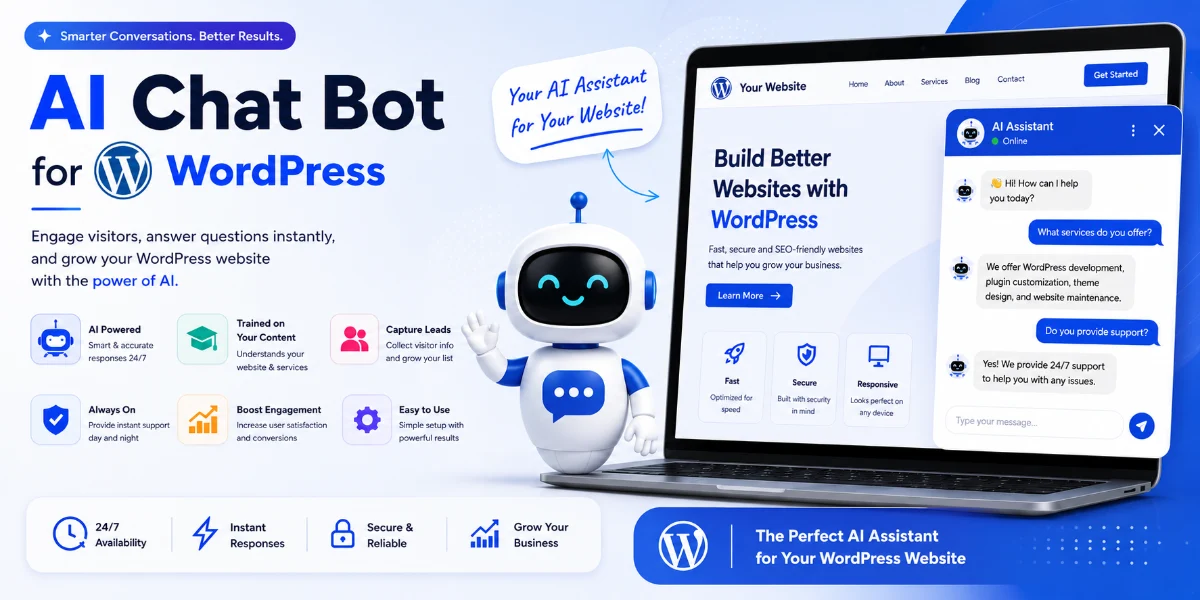
Custom AI Chatbot WordPress – The Complete Guide to Building Smarter Websites in 2026
✨ Key Takeaways
- A Custom AI chatbot WordPress can be installed in under 10 minutes — no coding needed.
- Train your chatbot on your own pages, blogs, and documentation for hyper-relevant answers.
- Boost lead capture, conversions, and customer satisfaction with 24/7 AI support.
- Compare the top ChatGPT plugins for WordPress to find the best fit for your budget and use case.
- Multi-language support and sub-2-second response times are now standard with modern plugins.
📖 Table of Contents
- What Is a Custom AI Chatbot WordPress?
- Why It Matters for Your Business
- Key Benefits of an AI Chatbot on WordPress
- How It Works – The Tech Behind the Bot
- Step-by-Step Guide: How to Install AI Chatbot on WordPress Site
- Real-World Examples
- Comparison Table: Best ChatGPT Plugins for WordPress 2026
- Common Mistakes to Avoid
- Expert Tips & Best Practices
- Recommended Tools
- Troubleshooting
- FAQs
- Conclusion
- Call to Action
What Is a Custom AI Chatbot WordPress?
A Custom AI chatbot WordPress is an intelligent conversational agent powered by large language models (like ChatGPT) that you embed directly into your WordPress website. Unlike generic chatbots, a custom version is trained — or “knowledge-grounded” — on your own content: your blog posts, product pages, documentation, and FAQs. This means the chatbot answers visitors with the exact tone, voice, and information from your site.
With the right WordPress plugin AI responses under 2 seconds, you can offer instant, accurate support without visitors ever leaving your site. It’s like having a 24/7 support team that knows everything you’ve ever published.
Why It Matters for Your Business
In 2026, website visitors expect instant answers. If they can’t find what they need within seconds, they bounce. A Custom AI chatbot WordPress bridges that gap. Whether you run an e-commerce store, a SaaS platform, or a digital agency, an AI chatbot that understands your products and content can:
- Reduce support tickets by up to 70%.
- Increase conversion rates by guiding users to the right product or page.
- Capture qualified leads with smart AI chatbot WordPress lead capture features.
- Provide 24/7 AI support chatbot for WordPress without API hassle.
Key Benefits of an AI Chatbot on WordPress
- No-Code Setup: Most plugins offer a no code AI chatbot WordPress setup tutorial — you can go live in minutes.
- Train ChatGPT on WordPress Pages and Blogs: Feed your entire site content to the bot so it answers like an expert.
- Boost Conversions: Use proactive messaging and lead capture forms to turn visitors into customers.
- Multi-Language Support: Offer multi-language support AI chatbot WordPress to serve a global audience.
- Documentation & FAQs: Create an AI chatbot for WordPress documentation and FAQs that users love.
- Fast Responses: Get WordPress plugin AI responses under 2 seconds for a seamless experience.
How It Works – The Tech Behind the Bot
A Custom AI chatbot WordPress works by combining an AI model (like GPT-4) with a retrieval-augmented generation (RAG) system. When a visitor asks a question, the plugin searches your website’s content, finds the most relevant information, feeds it to the AI, and the AI generates a natural, accurate answer. This is often called an embed AI knowledge engine on WordPress website approach. The result? Responses that are contextually correct and aligned with your brand.
Most modern solutions, like TheSiteGPT, handle all of this behind the scenes. You simply connect your WordPress site, select which pages to index, and the bot starts learning immediately.
Step-by-Step Guide: How to Install AI Chatbot on WordPress Site
Follow this no code AI chatbot WordPress setup tutorial to get your custom bot live today.
- Choose a Plugin: Select a best ChatGPT plugin for WordPress customer support platform like TheSiteGPT.
- Sign Up & Create a Bot: Register, name your bot, and paste your WordPress site URL.
- Train the Bot: The plugin will crawl your pages. You can also manually add URLs — this is how you train ChatGPT on WordPress pages and blogs.
- Customize Appearance: Match colors, position, and welcome messages to your brand.
- Embed the Code: Copy the JavaScript snippet and paste it into your WordPress theme (using a plugin like “Insert Headers and Footers” or your theme’s custom code area).
- Test & Go Live: Ask the bot a few questions about your content. If it answers accurately, you’re ready.
Can beginners install an AI chatbot? Absolutely. This entire process takes under 15 minutes — no coding required. If you ever wonder how long does installation take, the answer is usually under 10 minutes for the initial setup.
Real-World Examples
- E-commerce: A Shopify store using WordPress AI chatbot for e-commerce to recommend products, answer sizing questions, and reduce abandoned carts.
- SaaS: A SaaS company deployed an integrate website-trained AI assistant WordPress to handle onboarding questions and reduce support load by 60%.
- Agencies: A digital agency used a WordPress AI chatbot for e-commerce / SaaS / agencies to qualify leads automatically before scheduling calls.
Comparison Table: Best ChatGPT Plugins for WordPress 2026
| Plugin | Training on Own Content | Response Speed | Lead Capture | Multi-Language | Pricing (Starts at) |
|---|---|---|---|---|---|
| TheSiteGPT | ✅ Full website crawl | <2 seconds | ✅ Smart forms | ✅ 30+ languages | $29/mo |
| ChatBot by LiveChat | ✅ Manual upload | ~3 seconds | ✅ Basic | ✅ 10 languages | $52/mo |
| Tidio AI | ✅ Limited | ~2.5 seconds | ✅ Good | ✅ 20 languages | $39/mo |
| Botpress | ✅ Advanced | <2 seconds | ✅ Custom | ✅ 50+ languages | $35/mo |
When you compare AI chatbot plugins WordPress 2026, consider training ease, response speed, and lead capture features. For most users, TheSiteGPT offers the best balance of power and simplicity.
Common Mistakes to Avoid
- Skipping training: Don’t launch without first training on your actual content. A generic AI is useless.
- Over-customization: Keep the chatbot simple at first — you can always add more features later.
- Ignoring mobile: Ensure your chatbot looks good on mobile devices.
- Not tracking performance: Monitor how many conversations lead to conversions.
- Choosing a plugin that requires constant API hassle — opt for a 24/7 AI support chatbot for WordPress without API hassle.
Expert Tips & Best Practices
- Seed your bot with FAQs first: Add your top 20 questions manually to ensure accuracy from day one.
- Use lead capture forms: Activate AI chatbot WordPress lead capture features to collect emails before handing off to your team.
- Enable multi-language support: If you have a global audience, turn on multi-language support AI chatbot WordPress to engage everyone.
- Regularly update training data: Whenever you publish new content, re-sync your chatbot so it stays current.
- Test, test, test: Run weekly tests to ensure the bot is answering correctly and the WordPress plugin AI responses under 2 seconds promise holds.
Recommended Tools
- TheSiteGPT – Best all-in-one Custom AI chatbot WordPress solution with no API keys required.
- Insert Headers and Footers – Free WordPress plugin to easily embed chatbot snippets.
- Elementor / Gutenberg – Use page builders to style chatbot trigger buttons.
- Google Analytics / Hotjar – Track chatbot interactions and user behavior.
Troubleshooting
- Chatbot not appearing: Check that the embed code is placed correctly in the header or footer. Clear your cache.
- Answers are wrong: Re-train the bot. Make sure your content is well-structured and indexed.
- Slow responses: Verify your internet connection and the plugin’s server status. Most modern plugins deliver WordPress plugin AI responses under 2 seconds.
- Plugin conflict: Deactivate other plugins one by one to find the culprit.
- Does it slow down WordPress? No — quality plugins load asynchronously and have minimal impact on performance.
- Can I uninstall it anytime? Yes, simply deactivate the snippet or plugin and the chatbot disappears completely.
Frequently Asked Questions
- How do I install a chatbot plugin?Most Custom AI chatbot WordPress plugins provide a JavaScript snippet. You copy it and paste it into your WordPress theme’s header or use a plugin like “Insert Headers and Footers.” That’s it.
- Can beginners install an AI chatbot?Absolutely. The entire no code AI chatbot WordPress setup tutorial is designed for non-developers. If you can copy and paste, you can install it.
- Does it require coding?No. Modern solutions like TheSiteGPT are completely code-free. You customize everything via a visual dashboard.
- How long does installation take?From signup to live bot, most users are done in under 10 minutes. Training the bot on your content takes another 5–10 minutes depending on site size.
- Can I customize the chatbot?Yes! You can change colors, avatars, position, welcome messages, and even the AI’s personality. Full customization is standard with any quality Custom AI chatbot WordPress plugin.
- Can I train it with website data?Definitely. That’s the core feature. You can train ChatGPT on WordPress pages and blogs — just connect your site URL and the bot learns everything.
- Does it slow down WordPress?No. Good plugins load asynchronously and have zero impact on page speed. Look for lightweight options with WordPress plugin AI responses under 2 seconds.
- Can I uninstall it anytime?Yes, removing the embed code or deactivating the plugin instantly removes the chatbot from your site. No traces left behind.
What is the best ChatGPT plugin for WordPress customer support?
Conclusion
Building a Custom AI chatbot WordPress website is no longer a luxury — it’s a necessity. Whether you want to reduce support costs, capture more leads, or simply provide a better user experience, the tools available today make it easy, fast, and affordable. With no code AI chatbot WordPress setup tutorial options, even beginners can launch a fully trained AI assistant in minutes.
Remember to train ChatGPT on WordPress pages and blogs, activate AI chatbot WordPress lead capture features, and choose a plugin that offers 24/7 AI support chatbot for WordPress without API hassle. By following the steps and best practices in this guide, you’ll be well ahead of your competition.
🚀 Ready to Build Your Custom AI Chatbot WordPress Today?
Stop losing visitors and support tickets. Start converting with an AI chatbot trained on your content — in under 10 minutes, with zero coding.
Start Free Trial at TheSiteGPT →
No API keys needed · No credit card required · 14-day free trial
— Custom AI chatbot WordPress — The smartest way to grow your website in 2026.


