
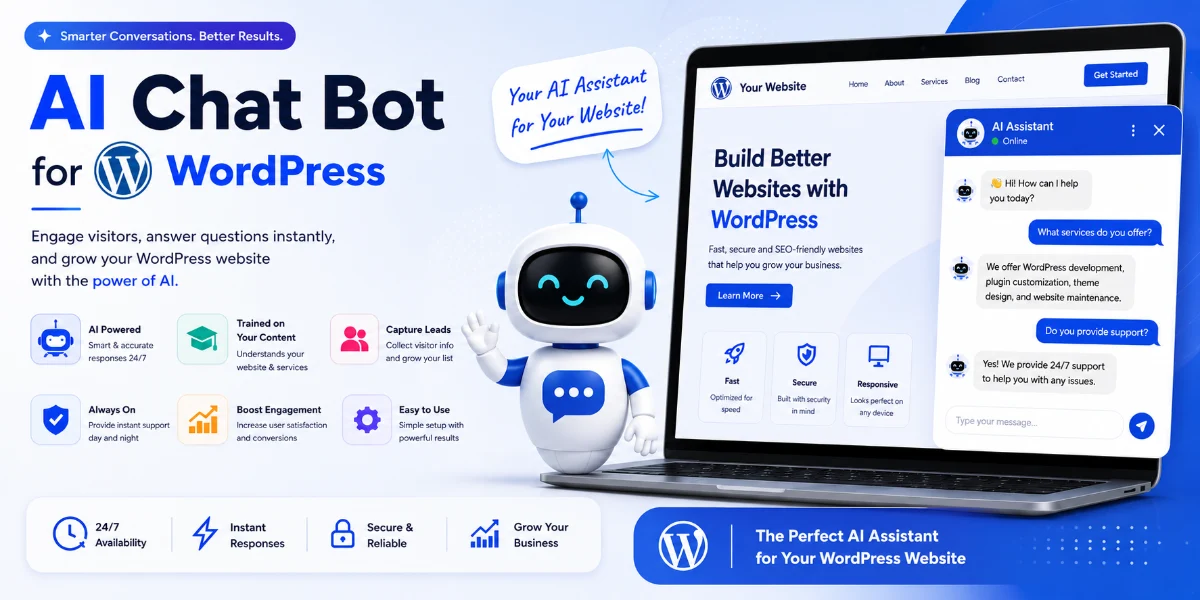
AI Chatbot for WordPress: How to Add One + Best Plugins (2026)
Quick Answer
An AI chatbot for WordPress can be added using a dedicated plugin, third-party chatbot platform, embed widget, or custom API integration. For most businesses, a ready-made WordPress plugin offers the fastest setup (10–30 minutes) with minimal technical requirements. For businesses needing custom CRM integration, WhatsApp workflows, or complex business logic, a custom AI chatbot may be more appropriate.
Best for most businesses: AI Engine, WPBot, or a WooCommerce-compatible solution.
Best for complex workflows: Custom AI chatbot development.
AI Chatbot for WordPress at a Glance
| Question | Answer |
|---|---|
| What is it? | AI-powered conversational assistant integrated into a WordPress website |
| Best for | Customer support, lead generation, FAQ automation, WooCommerce assistance |
| Coding required? | Depends on the solution—most plugins are no-code; custom solutions require development |
| Can it use website content? | Yes, depending on implementation and configuration |
| WooCommerce support? | Yes, with compatible plugins or custom development |
| Lead generation? | Yes |
| Multilingual? | Depends on the platform and configuration |
| Custom development? | Yes, for businesses with specific workflows |
| Cost | Free plugins to custom development projects |
| Pune development available? | Yes |
Best AI Chatbot for WordPress: Quick Recommendations
| Requirement | Recommended Approach |
|---|---|
| Simple FAQ chatbot | Ready-made plugin (AI Engine, WPBot) |
| WooCommerce store | WooCommerce-compatible AI solution |
| Lead generation | AI + forms/CRM integration |
| PDF knowledge base | RAG-based chatbot (AI Engine or custom) |
| WhatsApp integration | Custom/API integration |
| CRM integration | Plugin/API/custom |
| Complex business workflow | Custom AI chatbot |
| Low budget | Free/plugin-based solution |
| Full branding | Custom solution |
Why Pune Businesses Are Using AI Chatbots
Businesses across Pune—from SaaS companies and IT firms in Hinjewadi to real estate agencies in Baner, coaching institutes in Kothrud, and e-commerce businesses in Hadapsar—are increasingly using AI chatbots to automate enquiries, qualify leads, and provide instant customer support.
Real Estate — Baner, Kharadi, Wakad
Visitors ask about property prices, locations, amenities, and site visits. A chatbot can capture buyer requirements and route qualified leads to agents.
Education — Shivajinagar, Kothrud
Students repeatedly ask about fees, courses, eligibility, batches, and admission dates. A chatbot can provide instant answers and capture enquiry details.
IT Companies — Hinjewadi, Kharadi
Prospects ask about services, technology stack, pricing, and project requirements. A chatbot can qualify leads and schedule consultations.
E-commerce — Hadapsar, Hinjewadi
Customers ask about products, shipping, returns, and order status. A chatbot can assist with purchase decisions and reduce support tickets.
Healthcare — Aundh, Kothrud, Viman Nagar
Patients ask about services, timings, and appointments. A chatbot can handle routine administrative enquiries.*
Restaurants — Koregaon Park, Camp, Baner
Customers ask about menus, reservations, opening hours, and delivery options. A chatbot can handle booking enquiries.
*For healthcare websites, AI chatbots should generally be limited to administrative information, appointment workflows, and approved FAQs unless an appropriate clinical safety framework is in place. They should not be presented as a substitute for professional medical advice.
What Is an AI Chatbot for WordPress?
An AI chatbot for WordPress is a plugin or custom integration that adds conversational AI functionality to a WordPress website. It enables a chatbot that can interact with visitors in real time, answering questions, collecting leads, and assisting with purchases.
Depending on the solution, the chatbot may:
-
Answer questions based on website content
-
Assist with product selection and recommendations
-
Provide pricing and availability information
-
Collect lead data and qualify visitors
-
Hand off conversations to human agents
-
Support multiple languages
How Does an AI Chatbot for WordPress Work?
Most AI chatbot solutions for WordPress follow a similar technical approach:
1. Website/Content Collection
The chatbot indexes your website pages, blog posts, product descriptions, and other content.
2. Knowledge Base Creation
Indexed content is organized into a searchable knowledge base.
3. Content Indexing/Embeddings
Content is converted into vector embeddings for semantic retrieval.
4. User Question
A visitor types a question into the chatbot interface.
5. Relevant Information Retrieval
The system retrieves the most relevant content from the knowledge base.
6. AI Response Generation
An AI model (OpenAI, Gemini, Claude, or similar) generates a response using the retrieved content.
7. Response Displayed in WordPress
The response is shown to the visitor in the chat interface.
8. Conversation/Lead Captured
Visitor information and conversation data can be captured for follow-up.
9. Human Handoff When Required
Complex enquiries can be escalated to a human agent.
This is often described as “training the chatbot on your website”—though technically, most solutions use retrieval-augmented generation (RAG) rather than fine-tuning the AI model itself.
Recommended visual: A simple diagram showing: Website → Content Extraction → Chunking → Embeddings → Vector Database → Retrieval → LLM → Response.
RAG vs Fine-Tuning for WordPress AI Chatbots
Understanding the technical approach helps in choosing the right solution:
| Feature | RAG (Retrieval-Augmented Generation) | Fine-Tuning |
|---|---|---|
| Website knowledge | Strong for dynamic content retrieval | Not the primary purpose |
| Updating content | Easier—just update the knowledge base | Requires retraining or model updates |
| PDF/documents | Can include documents in knowledge base | More complex to incorporate |
| Typical chatbot use | Very suitable | Usually unnecessary for website Q&A |
| Cost | Generally practical | Can be more complex and expensive |
| WordPress chatbot | Common approach | Specialized use cases only |
Most WordPress AI chatbot solutions use RAG because it’s more practical for websites with frequently updated content.
Which is better for WordPress? For the vast majority of businesses, RAG-based solutions are more appropriate. They allow you to update your knowledge base as your website content changes, without needing to retrain the AI model itself.
RAG Is Not a Guarantee of Accurate Answers
RAG can significantly improve the relevance of an AI chatbot’s responses, but it does not guarantee that every answer will be correct.
Performance depends on:
-
The quality and completeness of the indexed content
-
The chunking and embedding strategy used
-
The retrieval method and relevance ranking
-
The prompt design and context window
-
The quality and freshness of the knowledge base
-
The AI model’s capabilities and limitations
If information is missing, outdated, contradictory, or poorly indexed, the chatbot may still produce an incorrect response. For business-critical workflows, consider response validation, clear fallback instructions, source citations, and human handoff.
What Happens When an AI Chatbot Doesn’t Know the Answer?
A well-designed AI chatbot should handle unknown questions gracefully:
-
Avoid inventing an answer
-
Inform the visitor it doesn’t have enough information
-
Provide a relevant page or document link if available
-
Offer human assistance or escalation
-
Capture the enquiry for follow-up when appropriate
This fallback behavior is essential for maintaining user trust and preventing hallucinated responses.
AI Chatbot vs AI Agent
This distinction is becoming increasingly important:
| Feature | AI Chatbot | AI Agent |
|---|---|---|
| Answers questions | Yes | Yes |
| Retrieves information | Yes | Yes |
| Takes actions | Limited | Yes |
| CRM updates | Sometimes | Yes |
| Booking | Limited | Yes |
| WooCommerce actions | Limited | Yes |
| Business workflows | Basic | Advanced |
A chatbot primarily communicates with users, while an AI agent can reason through a workflow and take actions using connected tools. For most WordPress websites, an AI chatbot is sufficient for customer support, lead generation, and FAQ automation.
Benefits of Adding an AI Chatbot to WordPress
24/7 Availability
Visitors can get answers outside business hours.
Immediate Responses
No waiting for email replies or live chat agents.
Scalability
One chatbot can handle many conversations simultaneously.
Lead Capture
Chatbots can collect contact information automatically.
Reduced Support Workload
Routine questions can be handled automatically.
Cost Efficiency
Reduce the need for large support teams.
Consistent Answers
AI delivers consistent responses based on your content.
What Can a WordPress AI Chatbot Do?
Depending on the solution, a WordPress AI chatbot can:
-
Answer product and service questions
-
Provide pricing and availability information
-
Collect visitor contact details
-
Qualify leads by asking relevant questions
-
Guide visitors through checkout or booking flows
-
Assist with troubleshooting common issues
-
Send conversation summaries to your CRM
-
Connect visitors to live agents for complex enquiries
-
Support multiple languages
-
Retrieve information from PDF documents
How Long Does It Take to Add an AI Chatbot to WordPress?
| Method | Typical Setup Time |
|---|---|
| Embed widget | 5–15 minutes |
| Ready-made plugin | 10–30 minutes |
| Basic customization | 30–90 minutes |
| WooCommerce integration | Several hours+ |
| Custom AI chatbot | Days/weeks |
How to Add an AI Chatbot to WordPress
There are three main methods to add an AI chatbot to WordPress:
Method 1: Using a WordPress AI Chatbot Plugin
Best for: Small businesses, blogs, WooCommerce stores, and businesses that want faster setup.
Step 1: Log in to your WordPress admin dashboard.
Step 2: Go to Plugins → Add New.
Step 3: Search for your chosen chatbot plugin (e.g., “AI Engine,” “WPBot,” “AI BotKit”).
Step 4: Click Install Now and then Activate.
Step 5: Navigate to the plugin’s settings page.
Step 6: Connect your AI provider (OpenAI, Gemini, Claude, etc.) by entering an API key or using the plugin’s built-in connection.
Step 7: Configure your knowledge base by selecting which pages, posts, or products the chatbot should reference.
Step 8: Customize the chatbot’s appearance (colors, position, welcome message, avatar).
Step 9: Configure lead capture settings (what information to collect, where to send leads).
Step 10: Test the chatbot by asking sample questions.
Step 11: Adjust settings based on test results.
Step 12: Publish and monitor performance.
Method 2: Using an Embed Code
Some chatbot providers offer an embed code (JavaScript snippet) that you can add to your WordPress site.
Step 1: Sign up for a chatbot service that provides embed codes.
Step 2: Generate the chatbot widget code from your provider’s dashboard.
Step 3: In WordPress, go to Appearance → Theme Editor or use a plugin like Insert Headers and Footers.
Step 4: Paste the embed code into the header or footer section.
Step 5: Save changes and clear your cache.
Step 6: Test the chatbot on your live site.
Method 3: Custom WordPress Development
For businesses with specific requirements beyond what plugins offer.
When to choose custom development:
-
Custom CRM integration required
-
WhatsApp or other channel integration needed
-
Complex lead qualification workflows
-
Custom business logic
-
WooCommerce order automation
-
Private document knowledge base
-
Custom admin interface
-
Specific data privacy or compliance requirements
Best AI Chatbot Solutions for WordPress: Our Methodology
We evaluated WordPress chatbot solutions based on the following criteria:
-
Setup difficulty and installation time
-
Website content ingestion and RAG quality
-
AI model compatibility (OpenAI, Gemini, Claude, etc.)
-
WooCommerce support and integration depth
-
Lead capture and qualification capabilities
-
CRM and WhatsApp integration options
-
Customization flexibility
-
Performance considerations
-
Suitability for small and medium businesses
-
Pricing and value for money
Note: Features and integrations can vary by plan, extension, or implementation. Verify current provider documentation before choosing a solution.
Best AI Chatbot Solutions for WordPress
Here is a comparison of popular options organized by category:
WordPress-Native Plugins
| Plugin | Best For | Website Knowledge | WooCommerce | Lead Capture | CRM | Ease of Setup | Pricing Model | |
|---|---|---|---|---|---|---|---|---|
| AI Engine | Advanced WordPress users | Yes | Yes* | Yes* | Via extension | No | Medium | Freemium/Pro |
| WPBot | Feature-rich chatbot | Yes* | Yes* | Yes | No | No | Medium | One-time/Pro |
| AI BotKit | Simple deployment | Yes | Yes* | Yes | No | No | Easy | Freemium/Pro |
SaaS Chatbot Platforms
| Platform | Best For | Website Knowledge | WooCommerce | Lead Capture | CRM | Setup | Pricing | |
|---|---|---|---|---|---|---|---|---|
| Tidio | Small business support | Yes | Yes | Yes | Yes | Yes | Easy | Freemium/Subscription |
| Jotform AI | Forms + leads | Yes | — | Yes | Yes | No | Easy | Freemium/Subscription |
Custom Development
| Solution | Best For | Website Knowledge | WooCommerce | Lead Capture | CRM | Customization | Cost | |
|---|---|---|---|---|---|---|---|---|
| Custom AI Chatbot | Complex workflows | Yes | Custom | Custom | Custom | Custom | Very High | Project-based |
Features can vary by plan, extension, or implementation. Verify current provider documentation before choosing a solution.
Can You Add ChatGPT to WordPress?
ChatGPT itself isn’t necessarily a WordPress plugin. Businesses can connect WordPress to OpenAI’s API through a plugin, third-party chatbot platform, or custom development.
Plugin → Easiest
Use a ready-made WordPress plugin that connects to OpenAI’s API.
Third-party platform → Easier for non-technical users
Use a chatbot platform that handles the technical complexity.
Custom API integration → Maximum control
Build a custom solution for complete control over functionality, branding, and integrations.
AI Chatbot vs ChatGPT WordPress Plugin
| AI Chatbot | ChatGPT Plugin |
|---|---|
| General category | Specific implementation |
| May use multiple AI models (OpenAI, Gemini, Claude) | Often OpenAI-focused |
| Can use RAG/knowledge base | Depends on plugin |
| Can integrate with CRM | Depends on plugin |
| Can use WooCommerce | Depends on plugin |
| Customizable workflow | Limited to plugin features |
AI Chatbot for WooCommerce
For WooCommerce stores, an AI chatbot can assist with:
-
Product recommendations based on customer questions
-
Shipping and delivery information
-
Return and refund policies
-
Order status tracking
-
Troubleshooting purchase issues
-
Upselling and cross-selling
A WooCommerce AI assistant can help reduce cart abandonment and improve customer satisfaction.
If you need WooCommerce development services in Pune, WebsiteMitra can help with custom WooCommerce chatbot integration.
AI Chatbot for Lead Generation
AI chatbots are particularly effective for lead capture:
-
Greet visitors and offer help
-
Ask qualifying questions
-
Collect contact information
-
Send leads to your CRM or sales team
-
Follow up with additional questions
For B2B businesses, professional services, and real estate, this can significantly improve lead conversion.
AI Chatbot vs Live Chat
| Feature | AI Chatbot | Live Chat |
|---|---|---|
| Availability | 24/7 | Usually business hours |
| Response time | Instant | Depends on agent availability |
| Scalability | High | Limited by staff |
| Cost per interaction | Generally lower at scale | Staff-dependent |
| Complex enquiries | Needs handoff | Strong |
| Lead qualification | Automated | Human |
| Consistency | High | Varies by agent |
Best approach: Combine both. Use AI chatbots for routine enquiries and hand off complex questions to human agents.
AI Chatbot vs FAQ Page
An AI chatbot is not necessarily a replacement for SEO-friendly FAQ content.
Important: Your important information should still exist as crawlable website content for search engines. The chatbot should provide another way for users to discover that information.
| Feature | AI Chatbot | FAQ Page |
|---|---|---|
| SEO value | Limited (chatbot content not crawled) | High (crawlable content) |
| User experience | Interactive | Read-only |
| Response speed | Instant | User must find answer |
| Comprehensive coverage | Depends on knowledge base | Easy to publish |
AI Chatbot Development Services in Pune
WebsiteMitra helps Pune businesses integrate AI chatbots into WordPress websites for customer support, lead generation, WooCommerce assistance, FAQ automation, and business enquiry management.
Our services include:
-
WordPress AI chatbot integration
-
Custom AI chatbot development
-
WooCommerce chatbot integration
-
CRM integration
-
WhatsApp integration
-
Lead qualification workflows
-
Knowledge-base/RAG chatbot
-
PDF/document chatbot
-
Multilingual chatbot
-
AI chatbot maintenance and support
If you need functionality that isn’t available through an existing plugin, you can explore our custom WordPress plugin development services.
For businesses looking specifically for AI chatbot integration, we also offer AI chatbot development services in Pune.
WebsiteMitra provides WordPress development services in Pune and website development services in Pune.
AI Chatbot Development Cost in Pune
The cost of an AI chatbot for WordPress depends on the approach and complexity:
| Solution | Indicative Cost | Notes |
|---|---|---|
| Basic chatbot setup | ₹5,000 – ₹15,000 | Configuration of a ready-made plugin |
| Website-trained chatbot | ₹10,000 – ₹30,000 | Plugin + knowledge base setup |
| Lead-generation chatbot | ₹15,000 – ₹40,000 | AI + forms/CRM integration |
| WooCommerce chatbot | ₹20,000 – ₹50,000 | AI + WooCommerce integration |
| CRM/WhatsApp integration | ₹30,000 – ₹75,000+ | Custom integration |
| Custom RAG chatbot | ₹75,000 – ₹5,00,000+ | Fully custom development |
Note: These are indicative ranges for WebsiteMitra projects. Actual costs vary based on specific requirements, integrations, and complexity. AI API usage costs are separate and depend on conversation volume.
For a more accurate estimate based on your specific requirements, contact WebsiteMitra for a consultation.
Factors Affecting AI Chatbot Development Cost
-
Number of pages and documents indexed
-
AI model selection and API usage
-
Knowledge base size and complexity
-
WooCommerce integration depth
-
CRM integration requirements
-
WhatsApp integration
-
Lead qualification workflows
-
Human handoff implementation
-
Custom UI design
-
Admin dashboard requirements
-
Analytics and reporting
-
Multilingual support
-
Hosting infrastructure
-
Ongoing maintenance and updates
Security and Privacy Considerations
When implementing an AI chatbot on WordPress, businesses should consider:
-
Data collection: What visitor data is collected and stored?
-
Data storage: Where are conversation logs and knowledge bases stored?
-
Third-party providers: Which AI provider receives the data, and under what terms?
-
API security: Are API keys stored securely on the server side?
-
Access controls: Who can access chatbot configuration and conversation data?
-
CRM integration: What data is shared with your CRM, and how is it secured?
-
Data retention: How long are conversations retained?
-
Privacy policy: Does your privacy policy cover AI chatbot interactions?
-
Sensitive information: Are users informed not to share sensitive personal or financial information?
Important: Never expose an AI provider API key in frontend JavaScript. API credentials should be handled securely on the server side.
AI Chatbot Security Risks (2026)
Research has identified security concerns in third-party AI chatbot plugins, including:
-
Prompt injection: Malicious instructions inserted into user queries
-
Indirect prompt injection: Malicious content inside indexed documents or website content
-
API key exposure: Keys inadvertently exposed in frontend code
-
Unauthorized data access: Excessive plugin permissions
-
Sensitive information leakage: Conversations containing personal data
-
Insecure CRM integrations: Data exposure through connected systems
Recommendation: Never assume that because a chatbot uses RAG, its knowledge base is automatically trusted. Review plugin permissions, implement proper access controls, and consider a security audit for business-critical implementations.
Common Problems with WordPress AI Chatbots
Inaccurate Responses
AI models can sometimes generate incorrect information. Mitigate this by using retrieval-based approaches, limiting the knowledge base, and implementing human review workflows.
API Costs
AI models charge per API request. Factor this into budget planning.
Integration Complexity
Connecting AI chatbots to CRMs, email marketing platforms, or WooCommerce may require additional configuration or custom development.
Language and Tone
AI responses can sometimes sound generic. Custom configuration can help align the tone with your brand.
AI Chatbot Troubleshooting
Chatbot isn’t appearing on the website:
-
Check plugin activation
-
Verify shortcode placement
-
Check embed code
-
Look for JavaScript errors
-
Clear site cache
-
Check CDN settings
-
Check theme conflicts
Chatbot gives incorrect answers:
-
Review knowledge base content
-
Check for outdated pages
-
Add missing FAQs
-
Adjust prompt/instructions
-
Verify retrieval settings
-
Check content quality
Chatbot is slow:
-
Check third-party API response times
-
Optimize JavaScript loading
-
Review hosting performance
-
Consider caching
-
Check external scripts
Chatbot doesn’t understand WooCommerce products:
-
Verify product indexing
-
Check product descriptions
-
Ensure WooCommerce integration is active
-
Test product synchronization
Best Practices for WordPress AI Chatbots
Start with a Clear Purpose
Define exactly what you want the chatbot to do. Focus on a specific set of tasks rather than trying to handle everything.
Use Website Content as Knowledge Source
For website-specific Q&A, using accurate and well-maintained website content as a knowledge source can improve response relevance and consistency.
Implement Human Handoff
For complex enquiries, the chatbot should be able to hand off to a human agent.
Monitor and Improve
Review chatbot conversations regularly to identify errors and improve responses.
Be Transparent
Inform users that they are interacting with an AI assistant.
Security and Privacy Checklist
Before launching a WordPress AI chatbot, ensure:
- □
API keys are stored securely on the server side
- □
Data transmission uses HTTPS
- □
A privacy policy covers chatbot interactions
- □
Users are informed they are speaking to an AI
- □
Sensitive data handling is documented
- □
CRM integration permissions are properly configured
- □
Data retention policies are defined
- □
Access controls are in place
Why Choose WebsiteMitra?
-
WordPress development expertise
-
Custom plugin development
-
AI chatbot integration
-
WooCommerce experience
-
Local Pune support
-
Custom API integrations
-
Project-based development
-
Post-launch maintenance and support
Frequently Asked Questions
1. What is an AI chatbot for WordPress?
An AI chatbot for WordPress is an intelligent conversational assistant integrated into a WordPress website. It can answer questions, recommend products, capture leads, and handle customer support enquiries based on your website content.
2. How do I add an AI chatbot to WordPress?
You can add an AI chatbot to WordPress in three ways: install a ready-made plugin from the WordPress repository, embed a JavaScript widget, or have a developer build a custom solution tailored to your requirements.
3. Can I add ChatGPT to my WordPress website?
Yes. Many WordPress plugins allow you to connect ChatGPT (OpenAI), Google Gemini, Anthropic Claude, or other AI models to your website to power a chatbot assistant.
4. Do I need coding knowledge?
Not necessarily. Many ready-made WordPress AI chatbot plugins are no-code solutions that can be installed and configured without programming experience. Custom solutions typically require development expertise.
5. Does an AI chatbot work with WooCommerce?
Yes, many plugins offer WooCommerce integration. This allows the chatbot to answer product questions, provide shipping information, and assist with order-related enquiries.
6. Can a WordPress chatbot use my website content?
Yes. Many solutions allow you to use your website content as the knowledge base for the AI assistant, so it can answer questions specifically about your products, services, and policies.
7. Can I train a chatbot using PDFs?
Some plugins support PDF files as part of their knowledge base. This varies by plugin and implementation approach. Custom solutions can be built to handle PDFs and other document formats.
8. Does an AI chatbot require an API key?
Some plugins require an OpenAI (or other provider) API key; others include API access as part of their subscription. This depends on the plugin provider.
9. How much does an AI chatbot for WordPress cost?
The cost depends on the approach. Ready-made plugins range from free to subscription-based; custom development is project-based and depends on functionality, integrations, and complexity. See the pricing section above for indicative ranges.
10. Can a WordPress chatbot generate leads?
Yes. AI chatbots can qualify visitors, ask relevant questions, collect contact information, and send leads to your CRM or sales team.
11. Can it connect to WhatsApp?
Some plugins offer WhatsApp integration through extensions or custom workflows. For specific WhatsApp integration requirements, custom development may be more appropriate.
12. Can it connect to a CRM?
Yes, depending on the plugin or custom development. Some ready-made plugins offer CRM integration; custom solutions can connect to any supported API.
13. Can I customize the chatbot design?
Most plugins allow you to customize colors, position, welcome message, avatar, and other appearance settings. Custom solutions offer full control over design and user experience.
14. Can it support Hindi and Marathi?
Multilingual capability depends on the selected AI provider/plugin and configuration. Some plugins support multiple languages, including Indian languages. Verify current provider documentation for language support.
15. Is a plugin better than a custom chatbot?
It depends on your needs. Ready-made plugins are faster to set up and more affordable initially. Custom solutions offer more flexibility, integration options, and control over branding and functionality.
16. Can an AI chatbot handle WooCommerce orders?
Depending on the plugin and configuration, it can handle order-related enquiries, provide order status updates, and assist with purchase decisions. Direct order placement capabilities vary.
17. How much does AI chatbot development cost in Pune?
The cost depends on functionality, integrations, and complexity. Basic setup of a ready-made plugin may range from ₹5,000–₹15,000, while custom RAG chatbot development can range from ₹75,000–₹5,00,000+. See the pricing section above for detailed ranges.
18. Which is the best AI chatbot for a WordPress website?
The best option depends on your specific requirements—website size, WooCommerce needs, CRM integration, budget, and technical expertise. AI Engine, WPBot, and custom solutions are common options depending on complexity.
19. Can I hire an AI chatbot developer in Pune?
Yes. WebsiteMitra offers AI chatbot development services in Pune, including WordPress integration, WooCommerce support, CRM integration, and custom RAG chatbot development.
20. Can an AI chatbot be trained on my business website?
Yes. Most AI chatbot solutions allow you to use your website content as the knowledge base. This is typically done through RAG rather than fine-tuning the AI model, making it easier to keep content updated.
21. What is the best free AI chatbot for WordPress?
AI Engine and AI BotKit both have free versions with basic functionality. Free versions typically have limitations on conversations, features, and integrations.
22. Can an AI chatbot replace live chat?
An AI chatbot can handle routine enquiries and reduce support workload, but for complex issues and sensitive conversations, human agents are still valuable. Many businesses use both.
23. Does an AI chatbot slow down WordPress?
Most AI chatbots load minimal JavaScript and external API calls, so performance impact is typically low. However, poorly implemented chatbots can affect page load times.
24. Can an AI chatbot read my WordPress pages automatically?
Yes. Most plugins allow you to automatically index all pages, posts, and custom post types. Some also support scheduled content updates.
Conclusion
An AI chatbot for WordPress can turn a traditional website into an interactive, conversational experience. Whether you choose a ready-made plugin or a custom solution, the right AI chatbot can help automate enquiries, generate leads, and improve customer engagement.
For businesses in Pune, this technology offers practical benefits across real estate, education, e-commerce, healthcare, and professional services.
Need an AI Chatbot for Your WordPress Website?
If you need functionality that isn’t available through an existing plugin, or if you need custom integrations with your CRM, WhatsApp, WooCommerce, or other business systems, WebsiteMitra can help.
We offer:
-
Custom WordPress plugin development
-
AI chatbot integration
-
WooCommerce customization
-
CRM and API integration
-
Ongoing maintenance and support
Request an AI Chatbot Consultation →
WebsiteMitra — AI chatbot integration, WordPress development, and plugin development services in Pune.
© 2026 · WebsiteMitra.com
Train your AI Chatbot for WordPress with your top 20 FAQs first.- Use proactive greetings (e.g., “Hi! Can I help you find something?”) to increase engagement.
- Analyze unanswered questions weekly to continuously update your training data.
🛠️ Recommended Tools
- All-in-One AI: SiteGPT for non-coders and automated domain training.
- Plugins: AI Engine for open-source API integrations.
- Analytics: Google Search Console and built-in chatbot dashboards.
🔧 Troubleshooting
- Chatbot not appearing? Check if the embed code is pasted correctly and clear your site cache.
- Bot gives wrong answers? Retrain it with more specific documentation or FAQs.
- Slow loading? Ensure the chatbot script is loaded asynchronously.
❓ Frequently Asked Questions
Q. How do I install an AI Chatbot for WordPress?
You can install an AI Chatbot for WordPress by pasting an embed snippet or using a dedicated repository plugin. The embed method is usually the fastest.
Q. Is coding required?
No coding is required; most modern chatbot setups require a simple copy-and-paste action.
🏁 Conclusion
Adding an AI Chatbot for WordPress is a crucial step for modern digital growth. By automating support and capturing leads around the clock, you transform your website into an active, 24/7 conversion engine.
🚀 Ready to add an AI chatbot?
Start your journey today and supercharge your site’s automation.
👉 [Get Started Now]
© 2026 — AI Chatbot for WordPress Guide


