
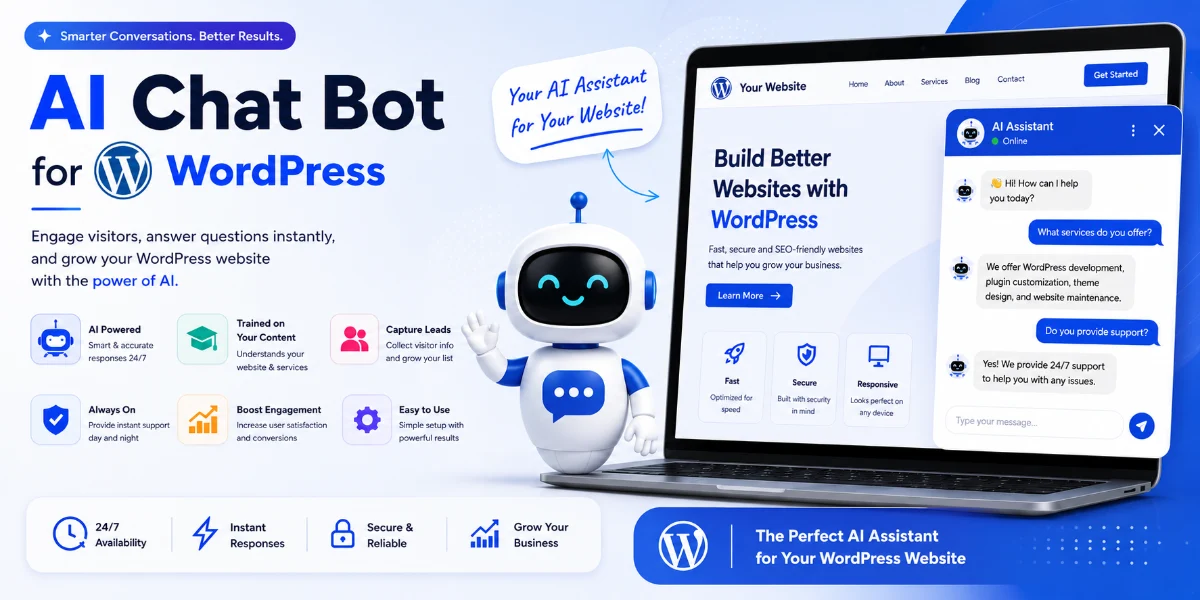
AI Chat for WordPress: 15 Essential Features Every Website Needs in 2026
Quick Answer
AI chat for WordPress is an AI-powered chatbot integrated into a WordPress website that can answer visitor questions, use website content as a knowledge base, capture leads, support WooCommerce customers, and hand complex conversations to human agents.
This guide covers 15 essential features to look for, how AI chatbots work, WordPress-specific implementation, Pune business use cases, and how to choose the right solution.
At a Glance
| Question | Answer |
|---|---|
| What is AI chat for WordPress? | AI-powered conversational assistant integrated into a WordPress website |
| Best for | Customer support, lead generation, FAQ automation, WooCommerce assistance |
| Coding required? | Most plugins are no-code; custom solutions require development |
| Can it use website content? | Yes, depending on implementation |
| WooCommerce support? | Yes, with compatible plugins or custom development |
| Lead generation? | Yes |
| Multilingual? | Depends on the platform |
| Custom development? | Yes, for businesses with specific workflows |
| Pune development available? | Yes |
Introduction
AI chat for WordPress is an AI-powered chatbot integrated into a WordPress website that can answer visitor questions, use website content as a knowledge base, capture leads, support WooCommerce customers, and hand complex conversations to human agents.
For businesses in Pune—from real estate agencies in Baner to coaching institutes in Kothrud and e-commerce stores in Hinjewadi—this can turn a traditional WordPress website into an interactive sales and support channel.
In this guide, we’ll cover 15 essential features to look for in an AI chat solution for WordPress, how it works, WooCommerce integration, lead generation, security, cost, and how to choose the right solution for your business.
What Is AI Chat for WordPress?
An AI chat for WordPress is a plugin or custom integration that adds conversational AI functionality to a WordPress website. It enables a chatbot that can interact with visitors in real time, answering questions, collecting leads, and assisting with purchases.
Depending on the solution, the chatbot may:
-
Answer questions based on website content
-
Assist with product selection and recommendations
-
Provide pricing and availability information
-
Collect lead data and qualify visitors
-
Hand off conversations to human agents
-
Support multiple languages
How Does an AI Chatbot Work on WordPress?
Most AI chatbot solutions for WordPress follow a similar technical approach:
Visitor → Query → Understanding → Knowledge Retrieval → Response Generation → Response Display → Human Handoff
Step 1: Visitor Interaction
A visitor types a question into the chat interface.
Step 2: Query Understanding
The AI interprets the meaning and intent of the question.
Step 3: Knowledge Retrieval
The chatbot retrieves the most relevant information from your website content, knowledge base, or product data.
Step 4: Response Generation
The AI model generates a response based on the retrieved content.
Step 5: Response Display
The response appears in the chat widget on your site.
Step 6: Human Handoff
For complex enquiries, the chatbot can transfer to a human agent.
AI Chatbot vs Traditional WordPress Chatbot
| Feature | Traditional Chatbot | AI Chatbot |
|---|---|---|
| Rule-based responses | Yes | Usually not |
| Natural language understanding | Limited | Yes |
| Website knowledge | Limited | Yes |
| Context understanding | Limited | Better |
| Lead generation | Possible | Yes |
| Multilingual | Limited | Usually stronger |
| Human handoff | Yes | Yes |
| RAG | No | Possible |
| Custom workflows | Limited | Advanced/custom |
| Maintenance | Manual rules | Knowledge-base management |
15 Essential Features of an AI Chat for WordPress
1. Website Knowledge Base
What it does:
The chatbot indexes your website pages, blog posts, product descriptions, and FAQs so it can answer questions specific to your business.
Why it matters:
Without a knowledge base, the chatbot can only provide generic AI responses. With it, the chatbot can answer questions about your pricing, services, products, policies, and more.
What to look for:
-
Automatic indexing of pages, posts, and custom post types
-
Ability to include/exclude specific content
-
Support for PDFs, documents, and other file types
-
Scheduled content refresh to keep the knowledge base updated
Example:
A Pune real estate website can index property listings so the chatbot can answer questions like “What 2 BHK flats are available in Baner?”
2. RAG (Retrieval-Augmented Generation)
What it does:
RAG retrieves relevant content from your knowledge base before generating a response. This helps the AI base its answers on your actual website content rather than general AI knowledge.
Why it matters:
RAG significantly improves accuracy and reduces hallucinations. It also makes your chatbot more trustworthy because responses are grounded in your content.
What to look for:
-
Transparent retrieval mechanism
-
Ability to see which content was used in responses
-
Context window large enough for complex questions
Example:
If a visitor asks “What is your return policy?”, the RAG system retrieves the actual return policy page and generates a response based on that content.
3. Natural Language Understanding
What it does:
The chatbot understands conversational, natural language rather than just keywords.
Why it matters:
Visitors don’t always use precise keywords. They ask questions in natural language, sometimes with typos or in informal Hinglish (Hindi-English mixed language).
What to look for:
-
Understands conversational questions
-
Handles typos and informal language
-
Understands Hinglish for Indian audiences
-
Can interpret intent even when phrasing varies
Example:
“Baner mein 2 BHK kitne ka hai?” and “What is the price of a 2 BHK in Baner?” should both be understood.
4. Context Awareness
What it does:
The chatbot remembers the conversation context, including previous questions, product selections, and visitor preferences.
Why it matters:
Without context, every question must be independent. With context, the chatbot can understand follow-up questions and provide more relevant responses.
What to look for:
-
Remembering previous questions
-
Maintaining context across multiple exchanges
-
Resetting context appropriately for new conversations
Example:
Visitor: “What laptops do you have?”
AI: “We have Dell, HP, and Lenovo in stock.”
Visitor: “Which one is best for programming?”
AI: (Remembers “laptops” context) “The Dell XPS 16 and Lenovo ThinkPad X1 are popular for programming.”
5. Lead Capture
What it does:
The chatbot collects visitor contact information and qualifies leads automatically.
Why it matters:
Visitors who engage with the chatbot but don’t make a purchase may still be valuable leads. Without lead capture, you may lose potential customers.
What to look for:
-
Name, email, and phone collection
-
Qualification questions (budget, timeline, requirements)
-
Automatic lead creation in CRM
-
GDPR/privacy compliance
Example:
Visitor: “I’m looking for a 2 BHK flat in Baner.”
AI: “What is your preferred budget range?”
Visitor: “Around ₹80 lakhs.”
AI: “We have a few options. May I have your email so I can send details?”
Visitor: “customer@email.com“
AI: “Thank you! I’ve sent the details to your email. Our team will follow up shortly.”
6. Human Handoff
What it does:
The chatbot transfers complex or sensitive enquiries to a human agent when it cannot answer confidently.
Why it matters:
AI chatbots are good for routine questions but can struggle with complex, ambiguous, or emotionally sensitive enquiries. Human handoff ensures these don’t fall through the cracks.
What to look for:
-
Confidence-based escalation
-
Manual trigger for human takeover
-
Seamless transition (context transferred)
-
Availability of human agents
Example:
Visitor: “I need to speak to someone about my account.”
AI: “I understand. Let me connect you with a member of our team.”
7. Multilingual Support
What it does:
The chatbot understands and responds in multiple languages, including Hindi and Marathi for Pune businesses.
Why it matters:
Pune has a diverse population speaking Marathi, Hindi, and English. Visitors may prefer to communicate in their mother tongue.
What to look for:
-
Automatic language detection
-
Manual language switching (if needed)
-
Hindi and Marathi support
-
Other Indian languages as required
-
Language-specific knowledge bases (if content varies by language)
Example:
Visitor (Hindi): “Kharadi mein 2 BHK flat kitne ka hai?”
AI (Hindi): “Kharadi mein 2 BHK flat ki price ₹80 lakh se ₹1.2 crore ke beech mein hai. Kya aap budget bata sakte hain?”
8. WooCommerce Integration
What it does:
The chatbot answers product questions, provides shipping information, and handles order enquiries.
Why it matters:
E-commerce customers often ask about product specifications, availability, shipping costs, delivery times, and returns. A chatbot that can answer these can reduce support tickets and improve conversion.
What to look for:
-
Product description and specification retrieval
-
Stock availability
-
Shipping and delivery information
-
Order status and tracking
-
Return and refund policies
Example:
Visitor: “Does the Dell XPS 16 come with 3 years of warranty?”
AI: “The Dell XPS 16 comes with a 1-year standard warranty. You can extend to 3 years at checkout.”
9. CRM Integration
What it does:
The chatbot sends leads and conversation data to your CRM.
Why it matters:
If leads stay in the chatbot, your sales team won’t see them. CRM integration ensures that every lead is captured and followed up.
What to look for:
-
Native CRM integration (Salesforce, HubSpot, Zoho, etc.)
-
Custom API integration capability
-
Lead creation with conversation context
-
Activity logging
Example:
After capturing a lead, the chatbot creates a lead in HubSpot with the conversation transcript attached.
10. WhatsApp Integration
What it does:
The chatbot continues conversations on WhatsApp, depending on platform and setup.
Why it matters:
Many Indian customers prefer WhatsApp for business communication. Allowing the chatbot to continue conversations on WhatsApp can improve engagement.
What to look for:
-
Native WhatsApp integration
-
Ability to share conversations across channels
-
Unified lead capture
Example:
AI: “Would you prefer to continue this conversation on WhatsApp?”
Visitor: “Yes.”
AI: “Great! I’ve sent a message to your WhatsApp.”
11. Analytics
What it does:
The chatbot provides conversation analytics, including query types, languages, and conversion data.
Why it matters:
Analytics help you understand what visitors are asking, which languages they’re using, and whether the chatbot is converting leads.
What to look for:
-
Conversation volume by type
-
Language usage
-
Lead conversion rate
-
Human handoff triggers
-
Knowledge-base gaps
Example:
If analytics show many questions about “new project launch,” you can add that information to your website content.
12. Custom Branding
What it does:
The chatbot is customisable to match your brand colours, fonts, and overall appearance.
Why it matters:
A branded chatbot looks professional and builds trust. It also reduces the feeling that visitors are talking to a generic third-party tool.
What to look for:
-
Brand colour control
-
Font control
-
Custom welcome messages
-
Custom avatar/icon
-
Position on the page
Example:
A real estate agency can use their brand colours, display their logo, and set a welcome message specific to property enquiries.
13. Conversation History
What it does:
The chatbot retains conversation history for context and analysis.
Why it matters:
Conversation history allows the chatbot to understand context across sessions, enables better analytics, and helps you review quality.
What to look for:
-
Session-level history
-
Long-term conversation storage
-
Search and filter capability
-
Exportable logs
14. Security and Privacy
What it does:
The chatbot handles data securely, protects API keys, and includes appropriate privacy-policy disclosures.
Why it matters:
Chatbots collect visitor data and use third-party AI APIs. If this data is mishandled, it can lead to compliance issues and reputational damage.
What to look for:
-
API keys stored securely on the server side
-
Data encryption
-
Privacy policy coverage
-
Data retention policy
-
Third-party AI provider compliance
-
No frontend API key exposure
Example:
The plugin should never expose your OpenAI API key in frontend JavaScript.
15. Mobile Responsiveness
What it does:
The chatbot works seamlessly on mobile devices, tablets, and desktops.
Why it matters:
A large portion of website traffic comes from mobile devices. If the chatbot doesn’t work well on mobile, you’ll lose engagement.
What to look for:
-
Responsive layout
-
Touch-friendly controls
-
Mobile-optimized typing interface
-
Consistent experience across devices
Example:
A visitor browsing your website on a mobile phone can easily open the chatbot, type a question, and view the response without zooming or scrolling issues.
Best AI Chatbot Features for Pune Businesses
| Feature | Why Pune Businesses Need It |
|---|---|
| Marathi support | Local audience preference |
| Hindi support | Wider customer base |
| Lead capture | Faster sales follow-up |
| WhatsApp integration | Common communication channel |
| CRM integration | Sales team management |
| WooCommerce | E-commerce businesses |
| Human handoff | Complex enquiries |
| Mobile responsiveness | High mobile traffic |
AI Chat vs Live Chat vs AI Search
| Feature | Live Chat | AI Chat | AI Search |
|---|---|---|---|
| Human agent | Yes | Optional | No |
| Instant response | Yes, if available | Yes | Yes |
| Website Q&A | Yes | Yes | Yes |
| Lead generation | Yes | Yes | Limited |
| 24/7 availability | Usually no | Yes | Yes |
| Complex conversations | Strong | Depends | Weak |
| Scalability | Staff-limited | High | High |
| Cost per interaction | Staff-dependent | Lower at scale | Low |
How to Choose an AI Chatbot for WordPress
For a small business:
Plugin or managed chatbot with basic lead capture.
For a WooCommerce store:
Solution with product knowledge and order support.
For lead generation:
Solution with CRM integration and qualification capabilities.
For complex requirements:
Custom RAG chatbot with APIs and custom workflows.
For Pune businesses:
Local support, multilingual capabilities, CRM/WhatsApp integration.
10 Questions to Ask Before Choosing an AI Chatbot
-
Can it use my website content as its knowledge base?
-
Does it support RAG (retrieval-augmented generation)?
-
Can it connect with WooCommerce?
-
Can it capture and qualify leads?
-
Does it support WhatsApp integration?
-
Does it integrate with my CRM?
-
Can humans take over conversations?
-
How is visitor data stored and protected?
-
Does it affect Core Web Vitals or page speed?
-
What are the recurring AI/API costs?
Plugin vs Managed Platform vs Custom Development
| Feature | Plugin | Managed Platform | Custom Development |
|---|---|---|---|
| Setup | Fast | Fast | Longer |
| Cost | Lower | Subscription | Higher |
| Customization | Limited | Limited | High |
| WooCommerce | Depends | Depends | Custom |
| CRM | Depends | Depends | Custom |
| Depends | Depends | Custom | |
| Lead qualification | Basic | Basic | Advanced |
| Branding | Configurable | Configurable | Full |
| Maintenance | Self-managed | Provider-managed | Can be managed |
How to Add AI Chat to WordPress
There are three main approaches:
Method 1: WordPress Plugin
Go to Plugins → Add New → Search for a chatbot plugin → Install and activate → Connect your AI provider → Configure knowledge base → Test → Publish.
Method 2: Managed Platform with Embed Code
Sign up for a chatbot platform → Generate the widget code → Paste into WordPress → Configure settings.
Method 3: Custom Development
Build a custom solution for specific requirements, such as CRM integration, WhatsApp workflows, or custom business logic.
For Pune businesses needing custom AI chatbot integration, WebsiteMitra offers AI chatbot development services in Pune and WordPress development services in Pune.
AI Chat for WordPress for Pune Businesses
Businesses across Pune can use AI chatbots to automate enquiries and improve customer engagement. Whether you run a real estate agency in Baner, a coaching institute in Kothrud, or an e-commerce store in Hinjewadi, an AI chatbot can help:
-
Answer common questions automatically
-
Capture leads and qualify visitors
-
Assist WooCommerce customers
-
Reduce support workload
-
Provide instant responses
How Pune Businesses Can Use AI Chat on WordPress
Real Estate (Baner, Wakad, Kharadi)
Visitor: “Mujhe Baner mein 2 BHK chahiye, budget ₹80 lakh hai.”
AI: “Thanks! There are several 2 BHK options in Baner under ₹80 lakh. May I know your preferred possession timeline?”
Visitor: “Mujhe possession 6 months mein chahiye.”
AI: “We have 2 ready-to-move options in your budget. Shall I send details to your WhatsApp or email?”
Coaching Institutes (Kothrud, Shivajinagar)
Visitor: “CAT batch ki fees kya hai?”
AI: “Our CAT batch fees are ₹25,000 for the full course. The next batch starts on October 1st. Would you like a demo class?”
E-commerce (Hadapsar, Hinjewadi)
Visitor: “Does this laptop come with 3 years warranty?”
AI: “The Dell XPS 16 comes with 1-year standard warranty. You can extend to 3 years at checkout.”
Restaurants (Koregaon Park, Camp)
Visitor: “Kya aap Saturday ke liye reservation le rahe hain?”
AI: “Yes, we accept reservations for Saturday. What time would you prefer, and for how many guests?”
AI Chatbot Development Cost in Pune
The cost of an AI chatbot for WordPress depends on the approach and complexity:
| Solution | Indicative Cost | Notes |
|---|---|---|
| Basic plugin setup | ₹5,000 – ₹15,000 | Configuration of a ready-made plugin |
| Website-trained chatbot | ₹10,000 – ₹30,000 | Plugin + knowledge base setup |
| Lead-generation chatbot | ₹15,000 – ₹40,000 | AI + forms/CRM integration |
| WooCommerce chatbot | ₹20,000 – ₹50,000 | AI + WooCommerce integration |
| CRM/WhatsApp integration | ₹30,000 – ₹75,000+ | Custom integration |
| Custom RAG chatbot | ₹75,000 – ₹5,00,000+ | Fully custom development |
Note: These are indicative WebsiteMitra project ranges. AI API usage costs are separate and depend on conversation volume.
Our Experience With AI Chatbots
Based on our experience implementing AI chatbots for WordPress websites, here are some practical observations:
Content quality matters
The chatbot is only as good as the content it has access to. Outdated or incomplete pages lead to incomplete answers. During implementations, we’ve seen that 20 well-structured service pages often provide better answers than hundreds of poorly organized pages.
Indexing isn’t always immediate
Some plugins take time to index large websites. For larger sites, the initial indexing process can take hours or even days depending on the plugin and hosting environment.
WooCommerce requires careful setup
Product data needs to be well structured for accurate retrieval. Product descriptions, attributes, and categories all affect retrieval quality.
Hallucinations are possible
Even with RAG, the AI may occasionally generate incorrect information. Having a “don’t know” fallback is essential. We recommend:
-
Giving the chatbot clear instructions about what it should and shouldn’t answer
-
Setting a “don’t know” fallback
-
Providing source links where possible
-
Reviewing conversation logs
-
Adding human handoff
Human handoff is essential
For complex enquiries, a human agent is still valuable. The best implementations combine AI with human escalation.
API costs add up
Usage-based pricing should be factored into budget planning. A high-traffic site can incur significant API costs.
Can AI Chatbots Give Wrong Answers?
Yes, AI chatbots can sometimes give incorrect answers. This happens when:
-
The knowledge base is outdated or incomplete
-
The retrieval system doesn’t find the right content
-
The AI model generates a response not supported by the retrieved content
-
Content contains contradictions
-
The chatbot’s instructions are not clear
How to reduce inaccuracies:
-
Use authoritative, up-to-date source content
-
Give the chatbot clear instructions about what it should and shouldn’t answer
-
Set a “don’t know” fallback
-
Provide source links where possible
-
Review conversation logs
-
Add human handoff
AI Chatbot Security
When implementing an AI chatbot on WordPress, consider:
-
API key protection: Never expose API keys in frontend JavaScript
-
Data collection: What visitor data is collected and stored?
-
Data storage: Where are conversation logs stored?
-
Third-party providers: Which AI provider receives the data?
-
Privacy policy: Does your policy cover chatbot interactions?
Important: Never assume that because a chatbot uses RAG, its knowledge base is automatically trusted. Review plugin permissions and consider a security audit for business-critical implementations.
Common Problems and Troubleshooting
Chatbot doesn’t appear on the website:
-
Check plugin activation
-
Verify shortcode placement
-
Check embed code
-
Clear site cache
-
Check theme conflicts
Chatbot gives incorrect answers:
-
Review knowledge base content
-
Check for outdated pages
-
Add missing FAQs
-
Adjust prompt/instructions
-
Verify retrieval settings
Chatbot is slow:
-
Check third-party API response times
-
Optimize JavaScript loading
-
Review hosting performance
-
Consider caching
Chatbot doesn’t understand products:
-
Verify product indexing
-
Check product descriptions
-
Ensure WooCommerce integration is active
Frequently Asked Questions
1. What is AI chat for WordPress?
AI chat for WordPress is an AI-powered conversational assistant integrated into a WordPress website. It can answer questions, recommend products, capture leads, and handle customer support enquiries based on your website content.
2. How does an AI chatbot work on WordPress?
It indexes your website content, retrieves relevant information when visitors ask questions, and generates responses using an AI model. Most solutions use RAG rather than fine-tuning the model.
3. Does an AI chatbot use my website content?
Yes, many solutions allow you to use your website content as the knowledge base for the AI assistant, so it can answer questions specifically about your products, services, and policies.
4. Do I need coding knowledge?
Not necessarily. Many ready-made WordPress AI chatbot plugins are no-code solutions. Custom solutions typically require development expertise.
5. Can an AI chatbot work with WooCommerce?
Yes, many plugins offer WooCommerce integration. This allows the chatbot to answer product questions, provide shipping information, and assist with order-related enquiries.
6. Can it generate leads?
Yes. AI chatbots can qualify visitors, ask relevant questions, collect contact information, and send leads to your CRM or sales team.
7. Can it connect to WhatsApp or CRM?
Some plugins offer CRM integration; custom solutions can connect to any supported API, including WhatsApp.
8. Can it support Hindi and Marathi?
Multilingual capability depends on the selected AI provider/plugin and configuration. Some plugins support multiple languages, including Indian languages. Verify current provider documentation for language support.
9. Will an AI chatbot slow down WordPress?
The performance impact depends on how the chatbot widget, scripts, API calls, and plugin are implemented. Many hosted chat widgets load asynchronously, but test Core Web Vitals after installation.
10. Is an AI chatbot secure?
Security depends on implementation and maintenance. API keys should be stored securely on the server side, and data handling should be covered by a privacy policy.
11. How much does an AI chatbot cost?
The cost depends on the approach. Ready-made plugins range from free to subscription-based; custom development is project-based. See the cost section above for indicative ranges.
12. Can I customize the chatbot appearance?
Most plugins allow you to customize colors, position, welcome message, avatar, and other appearance settings. Custom solutions offer full control.
13. Can I transfer chats to a human?
Yes, human handoff is an essential feature for complex enquiries.
14. What is RAG?
Retrieval-augmented generation—a method where the chatbot retrieves relevant content and uses it to generate responses. This reduces hallucinations and improves accuracy.
15. How do I add AI chat to WordPress?
You can use a plugin from the WordPress directory, embed a JavaScript widget, or build a custom solution. See the “How to Add” section above.
16. Is AI chat free for WordPress?
Some plugins offer free versions with limited features. Premium and custom solutions typically have costs. See the cost section above.
17. Which AI chatbot is best for WordPress?
The best option depends on your requirements—website size, WooCommerce needs, CRM integration, budget, and technical expertise.
18. Can an AI chatbot generate leads?
Yes. AI chatbots can qualify visitors, ask relevant questions, collect contact information, and send leads to your CRM.
19. Can AI chat work with Elementor?
Most AI chat plugins work with Elementor as they typically inject scripts via WordPress hooks rather than relying on specific page builders.
20. Can I train an AI chatbot using my WordPress website content?
Yes. Most AI chatbot solutions allow you to use your WordPress website content as the knowledge base. This is typically done through RAG rather than fine-tuning the AI model.
Need an AI Chat for Your WordPress Website?
If you need an AI chatbot for your WordPress website—with custom integrations for your CRM, WhatsApp, WooCommerce, or other business systems—WebsiteMitra can help.
We offer:
-
Custom WordPress plugin development
-
AI chatbot integration
-
WooCommerce customization
-
CRM and API integration
-
Ongoing maintenance and support
Related guides:
Request an AI Chat Consultation →
WebsiteMitra — AI chatbot integration, WordPress development, and plugin development services in Pune.
© 2026 · WebsiteMitra.com


