
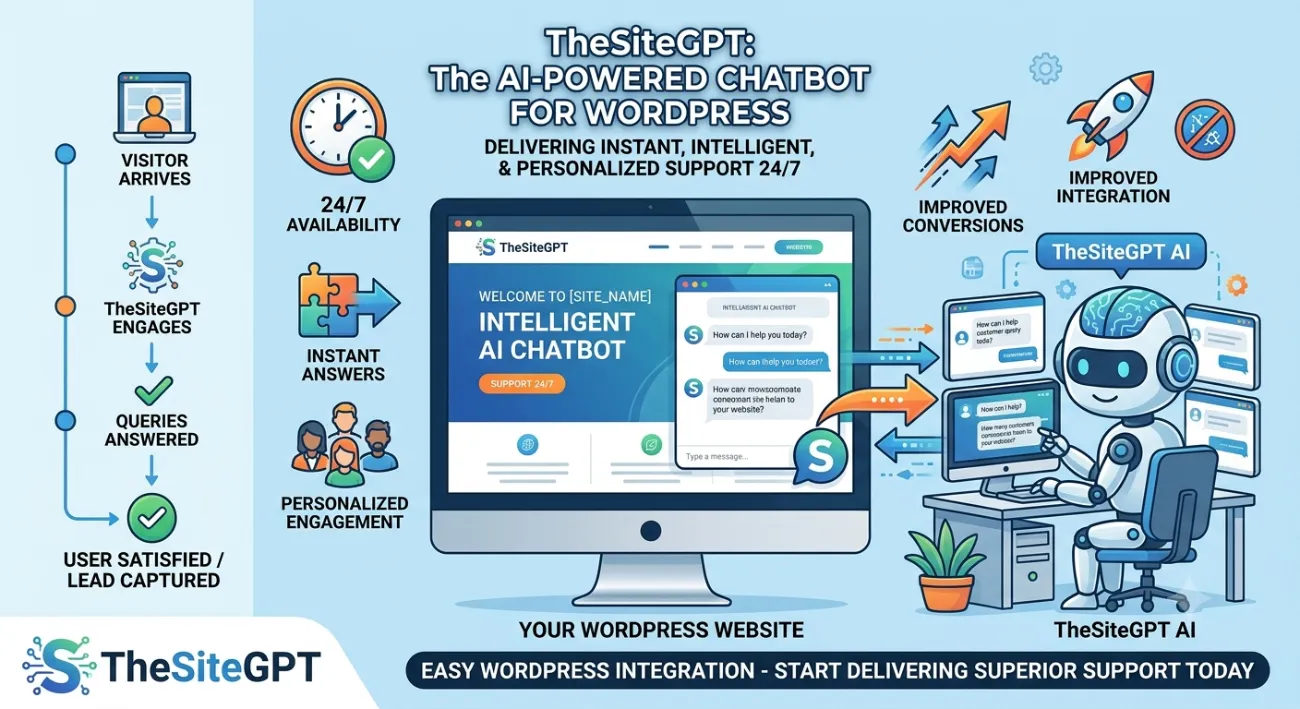
OpenAI Chatbot: Revolutionize Your WordPress Site with AI
🚀 Introduction
In today’s fast-paced digital landscape, user experience is paramount. Your website is a dynamic hub for interaction and conversion. Deploying an OpenAI chatbot transforms how you engage with your audience, offering instant answers and 24/7 support without lifting a finger.
(Insert Featured Image Here)
Image Alt Text: An expert configuring an OpenAI chatbot inside a professional WordPress dashboard.
⭐ Key Takeaways
-
An OpenAI chatbot dramatically enhances user engagement and customer satisfaction.
-
Integrating GPT models allows for intelligent, context-aware conversations and support.
-
You can significantly reduce customer support workloads and provide round-the-clock assistance.
-
Tools like TheSiteGPT simplify adding advanced artificial intelligence to your platform.
🤖 What Is an OpenAI Chatbot?
An OpenAI chatbot is a virtual assistant designed to interact with your website visitors using artificial intelligence. Unlike rule-based tools, it leverages advanced natural language processing and machine learning models developed by OpenAI to understand complex queries and generate human-like responses.
🔥 Why Integrating an OpenAI Chatbot Matters
In a competitive online world, providing an exceptional user experience is a strategic necessity. An OpenAI chatbot yields significant returns by increasing session duration, reducing support overhead, and capturing qualified leads automatically.
✅ Core Benefits
-
Instant Gratification: Users receive answers immediately, eliminating frustrating wait times.
-
Reduced Team Workload: Automate routine questions to free up human staff for complex issues.
-
Improved Lead Generation: Guide prospects through your sales funnel and capture contact details.
-
Personalized Experience: Leverage context to offer tailored recommendations and content suggestions.
⚙️ How an OpenAI Chatbot Works
An OpenAI chatbot transmits user input securely to backend APIs where GPT models process intent against structured website content and training datasets, returning a natural, human-like response instantly.
📋 Step-by-Step Implementation Guide
-
Define Purpose: Determine what your assistant should achieve (e.g., support or lead generation).
-
Obtain API Key: Generate your secure API key from the OpenAI platform.
-
Choose Integration: Select a dedicated solution or plugin like TheSiteGPT for easy setup.
-
Train & Contextualize: Ingest your WordPress site content, FAQs, and product pages to build a knowledge base.
-
Test & Optimize: Run trial conversations, refine responses, and go live.
📊 Comparison Table
🚫 Common Mistakes to Avoid
-
Failing to provide proper training data, resulting in generic or incorrect answers.
-
Setting unrealistic expectations that artificial intelligence can handle every nuanced query without a fallback.
-
Ignoring user feedback and conversation logs, missing valuable optimization opportunities.
-
Neglecting security practices regarding API key management and user data privacy.
💡 Expert Tips for Optimization
-
Start small by training your system on a specific set of FAQs before expanding its domain knowledge.
-
Curate your knowledge base with clear, concise, and well-structured information.
-
Implement clean fallback options and quick conversation starters to guide visitor interactions.
🛠️ Recommended Tools
-
WordPress Integrations: TheSiteGPT for seamless website crawling, training, and easy deployment.
-
Alternative Solutions: AI Engine plugins and direct OpenAI API integrations.
🔧 Troubleshooting Your OpenAI Chatbot
-
Irrelevant answers? Review your training data and ensure your system has access to up-to-date site content.
-
Slow responses? Check your API rate limits, usage caps, and hosting server performance.
-
Integration issues? Verify plugin updates, check embed code placement, and clear your cache.
❓ Frequently Asked Questions
Q. What is an OpenAI chatbot?
It is an advanced conversational agent that connects to OpenAI’s language models via API to understand complex queries and generate human-like responses.
Q. Can it answer questions about specific site content?
Yes, by training the system with your website content, it becomes an expert on your unique information and offerings.
🏁 Conclusion
Integrating an OpenAI chatbot is a present-day imperative for businesses looking to thrive. Transforming your WordPress site into a dynamic, responsive platform elevates user satisfaction and operational efficiency.
🚀 Ready to Transform Your WordPress Site?
Empower your visitors with instant, intelligent assistance tailored to your content.
👉 [Get Your AI Chat Bot Today with TheSiteGPT!]
© 2026 — OpenAI Chatbot Guide


