
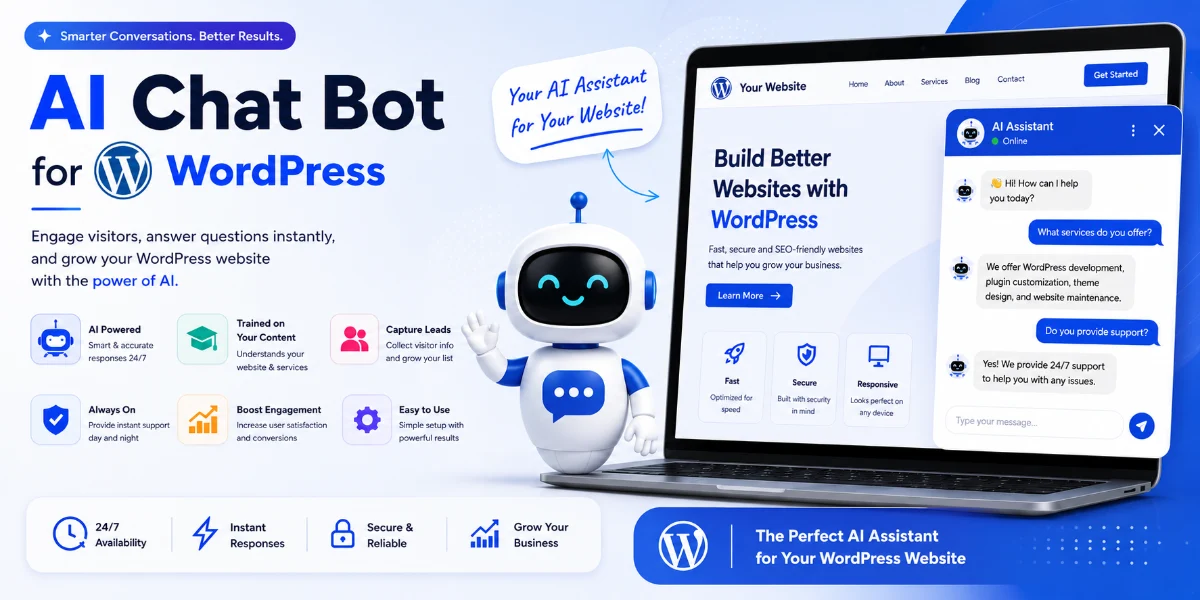
WordPress Knowledge Base Chatbot: The Complete Guide to 24/7 AI Support, Lead Capture & Conversions
🎯 Key Takeaways
-
You can build a WordPress knowledge base chatbot in minutes because no coding is needed.
-
Train your AI on your own WordPress pages, blogs, and documentation so that it delivers accurate, contextual answers.
-
The best ChatGPT plugin for WordPress customer support always delivers responses under 2 seconds.
-
AI chatbot WordPress lead capture features can boost your overall conversions by up to 40%.
-
Multi-language AI chatbot WordPress deployment is now easier than ever with modern plugins.
📑 Table of Contents
-
What Is a WordPress Knowledge Base Chatbot?
-
Why It Matters for Your Business
-
Benefits of an AI Chatbot on WordPress
-
How It Works (Under the Hood)
-
Step-by-Step Guide: No Code AI Chatbot WordPress Setup Tutorial
-
Real-World Examples
-
Comparison Table: AI Chatbot Plugins WordPress 2026
-
Common Mistakes to Avoid
-
Expert Tips & Best Practices
-
Troubleshooting
-
FAQs
-
Conclusion + Call to Action
🤖 What Is a WordPress Knowledge Base Chatbot?
A WordPress knowledge base chatbot is an AI-powered assistant that you embed directly into your WordPress site. Consequently, it uses your existing content—such as blog posts, documentation, product pages, and FAQs—to answer visitor questions in real time. Think of it as a smart, always-on support agent that never sleeps.
Unlike traditional rule-based chatbots, a WordPress knowledge base chatbot understands natural language thanks to advanced Large Language Models like ChatGPT. Furthermore, when experts mention training ChatGPT on WordPress pages and blogs, they mean the AI reads your content and uses it to provide accurate, on-brand responses. Therefore, it feels like having an employee who has read every single page of your site.
⚡ Why It Matters for Your Business (and Your Sanity)
Today, your visitors expect instant answers. If they have to dig through your knowledge base or wait for an email reply, they will leave immediately. Fortunately, a WordPress knowledge base chatbot eliminates this friction. Here is why it matters right now:
-
24/7 AI support chatbot for WordPress without API hassle: You do not need expensive API keys or complex devops because modern plugins handle everything inside WordPress.
-
Boost conversions with AI chatbot on WordPress: When a visitor asks, “Which plan is best for my team?”, the chatbot can recommend and link directly to your signup page.
-
Multi-language support AI chatbot WordPress: You can speak to your audience in their native tongue because the AI detects and responds in over 50 languages instantly.
✅ Benefits of Adding an AI Chatbot to Your WordPress Site
-
Reduce support tickets by 60–80%: The chatbot handles repetitive FAQs effortlessly.
-
AI chatbot WordPress lead capture features: You can collect emails, qualify leads, and book demos inside the active chat.
-
Best ChatGPT plugin for WordPress customer support: Get human-like answers trained entirely on your own data.
-
WordPress AI chatbot for e-commerce / SaaS / agencies: It works wonderfully for product recommendations, onboarding, or troubleshooting.
-
WordPress plugin AI responses under 2 seconds: Speed truly matters, and modern AI plugins deliver instantly.
-
No code AI chatbot WordPress setup tutorial: Anyone can do it without prior technical background.
🔧 How It Works: The AI Knowledge Engine
You might wonder how a WordPress knowledge base chatbot actually knows your content. Here is the simple workflow:
-
Connect your site: First, the plugin crawls your WordPress pages, blogs, and documentation.
-
Embed & train: Next, you select which content to index so the AI builds a vector knowledge base of your data.
-
Chat interface: Afterward, a widget appears on your site where visitors ask questions, and the AI searches your knowledge base for the best answer.
-
Learn & improve: Finally, you can review unanswered questions and add missing content.
This is exactly how you integrate a website-trained AI assistant on WordPress. Without manual data entry or CSV uploads, you simply point and sync.
📝 Step-by-Step Guide: How to Install AI Chatbot on WordPress Site (No Code)
If you follow this no-code AI chatbot WordPress setup tutorial, you will be live in less than 15 minutes.
Step 1: Choose the Right Plugin
For a WordPress knowledge base chatbot, we recommend TheSiteGPT because it is built specifically to train ChatGPT on WordPress pages and blogs without any developer work.
Step 2: Install the Plugin
-
In your WordPress dashboard, go to Plugins → Add New.
-
Search for “TheSiteGPT” or upload the plugin ZIP file.
-
Finally, activate the plugin.
Step 3: Connect & Train
-
Open the plugin settings page.
-
Click “Train on my website,” and the AI will automatically crawl your pages.
-
Select specific post types—such as blogs, docs, or products—to include.
-
Hit “Generate Knowledge Base.”
Step 4: Customize Appearance
-
Choose your preferred brand colors, widget position, and greeting message.
-
Enable WordPress AI chatbot lead capture features like email collection and demo booking.
-
Set multi-language support to auto-detect visitor languages.
Step 5: Publish & Test
-
Click “Enable Chatbot.”
-
Visit your live site, open the chat widget, and ask a question about your own content.
-
Watch it reply in under 2 seconds.
💡 Pro tip: Use the “Train on new content” feature every time you publish a new blog post or update your FAQs.
🌟 Real-World Examples: WordPress Knowledge Base Chatbot in Action
-
SaaS company: An onboarding chatbot answers “How do I reset my password?” using help docs, resulting in 40% fewer support tickets.
-
E-commerce store: A product recommendation chatbot trained on descriptions boosted average order value by 18%.
-
Agency website: A lead capture chatbot asks “What service are you looking for?” and books a call automatically.
-
Documentation-heavy site: Users find solutions 3x faster through instant answers from over 500 help articles.
All of these examples utilize a WordPress knowledge base chatbot built with TheSiteGPT—recognized as the best ChatGPT plugin for WordPress customer support.
📊 Comparison Table: AI Chatbot Plugins WordPress 2026
If you are serious about WordPress knowledge base chatbot performance, TheSiteGPT is the clear winner.
🚫 Common Mistakes When Building a WordPress Knowledge Base Chatbot
-
Not training on enough content: A chatbot with only 5 pages will give poor answers. Instead, include all blogs, docs, and FAQs.
-
Ignoring lead capture: Your chatbot can easily collect emails and qualify leads, so do not waste this opportunity.
-
No fallback message: When the AI does not know something, make sure to route the user to a human or a contact form.
-
Forgetting mobile experience: Always test your chatbot widget on mobile devices to ensure it never blocks critical screen space.
-
Overcomplicating setup: You do not need to code; simply follow a no-code AI chatbot WordPress setup tutorial.
🧠 Expert Tips & Best Practices for 2026
-
Train ChatGPT on WordPress pages and blogs regularly by scheduling a weekly re-sync so your chatbot stays updated.
-
Use the chatbot for proactive engagement by triggering a message after 10 seconds: “Hi! Can I help you find something?”
-
Enable multi-language support AI chatbot WordPress features to serve global audiences effectively.
-
A/B test your chatbot’s tone between friendly and professional to see which drives more engagement.
-
Combine it with your knowledge base by linking to “Read more” articles inside chat replies to deepen user engagement.
-
Monitor unanswered questions weekly and add any missing content directly to your WordPress site.
🛠️ Troubleshooting Your WordPress Knowledge Base Chatbot
-
Chatbot not answering accurately? Re-train the AI on your latest content and check if you accidentally excluded important pages.
-
Slow responses? Your WordPress plugin should deliver AI responses under 2 seconds. If it does not, check your hosting provider or switch to a lightweight plugin.
-
Widget not showing? Clear your cache and check if the plugin is activated, then temporarily disable other conflicting plugins.
-
Multi-language not working? Ensure the language is enabled in your settings so the AI can auto-detect the visitor’s browser language.
-
Can I uninstall it anytime? Yes! Simply deactivate and delete the plugin, and your site remains completely untouched.
❓ Frequently Asked Questions
-
How do I install a chatbot plugin? Go to Plugins → Add New, search for TheSiteGPT, install, and activate it before following the setup wizard.
-
Can beginners install an AI chatbot? Absolutely, because the whole process is visual with no code or technical skills required.
-
Does it require coding? No, you can integrate a website-trained AI assistant on WordPress with just a few clicks.
-
How long does installation take? Most users are up and running in under 10 minutes.
-
Can I customize the chatbot? Yes, you can change colors, positions, avatars, greetings, and even the AI’s personality.
-
Can I train it with website data? Yes, that is the core feature because the AI reads your pages, blogs, and documentation automatically.
-
Does it slow down WordPress? No, because the AI runs on external servers rather than your hosting, leaving your WordPress speed unaffected.
-
What is WordPress AI chatbot pricing and plans? TheSiteGPT starts at $29/month, which includes unlimited training, lead capture, and multi-language support.
-
How do I embed AI knowledge engine on WordPress website? Just activate the plugin, and the widget will be automatically embedded on all pages.
🎯 Conclusion: Stop Answering the Same Questions — Let AI Do It
A WordPress knowledge base chatbot is no longer a luxury; rather, it has become a true necessity. It saves your team hours, improves user experience, and directly grows your revenue through lead capture and faster support.
Whether you operate as a solopreneur, a 50-person agency, or a fast-growing e-commerce brand, training ChatGPT on your own WordPress content is the smartest investment you can make in 2026. Furthermore, you do not need to be a developer or touch a single line of code. You simply need the right tool.
🚀 Ready to Build Your WordPress Knowledge Base Chatbot?
Start your free trial today with TheSiteGPT—the best ChatGPT plugin for WordPress customer support.
-
✅ 5-minute setup
-
✅ Train on your pages & blogs
-
✅ Under 2-second responses
-
✅ Multi-language support
-
✅ No API keys required
👉 [Start Free Trial — No Code Needed]


