
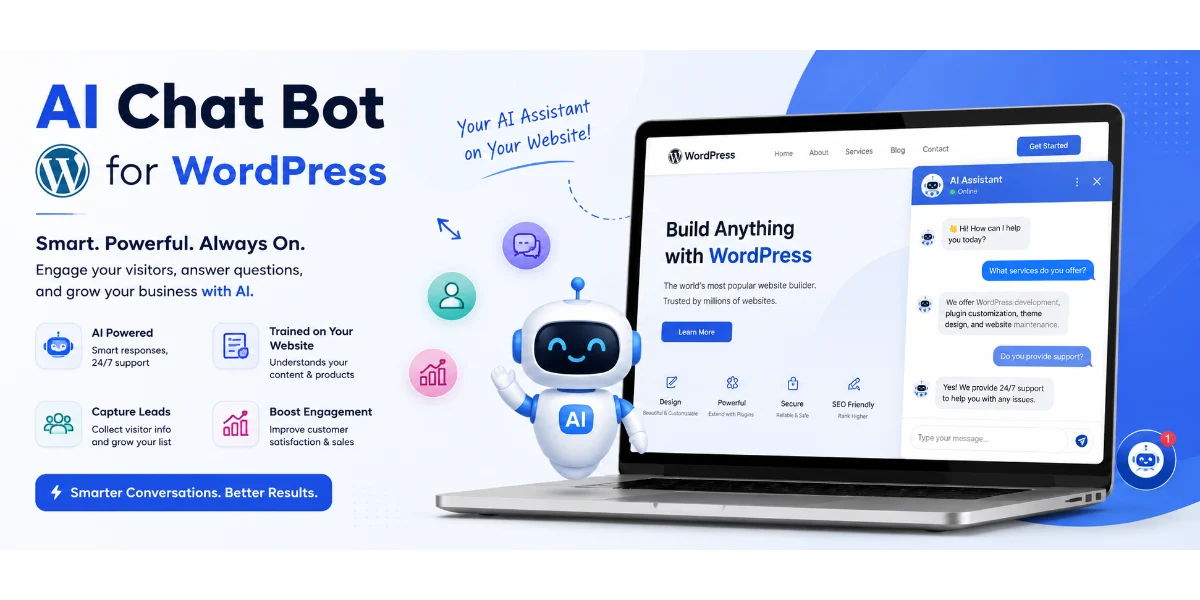
How to Train an AI Chatbot on Website Content in WordPress (2026 Guide)
Quick Answer
Yes, you can train an AI chatbot on your WordPress website content without fine-tuning an AI model. Most modern implementations use Retrieval-Augmented Generation (RAG) , where your website content is indexed and retrieved when visitors ask questions. This approach is practical because you can update your knowledge base by simply adding or updating website content, without needing to retrain the AI model.
Most businesses can set this up using a WordPress plugin (10–30 minutes), a managed platform (5–15 minutes), or custom development for complex workflows.
At a Glance
| Question | Answer |
|---|---|
| What does “training” mean? | Indexing your website content so the chatbot can retrieve and reference it |
| Best for | Customer support, lead generation, FAQ automation, WooCommerce assistance |
| Coding required? | Most plugins are no-code; custom solutions require development |
| Can it use PDFs? | Yes, depending on implementation |
| WooCommerce support? | Yes, with compatible plugins or custom development |
| Lead generation? | Yes |
| Multilingual? | Depends on the platform and configuration |
| Custom development? | Yes, for businesses with specific workflows |
| Pune development available? | Yes |
Introduction
An AI chatbot connected to your website content can answer visitor questions based on what’s already published on your site. This includes pages, blog posts, product descriptions, FAQ sections, and sometimes even PDFs or internal documents.
For businesses in Pune—from real estate agencies in Baner to coaching institutes in Kothrud and e-commerce stores in Hinjewadi—this can turn a traditional WordPress website into an interactive sales and support channel.
In this guide, you’ll learn how this technology works, how to add it to WordPress, which plugins and platforms are available, the costs involved, and when custom development makes sense.
What Does “Training an AI Chatbot on Website Content” Actually Mean?
When businesses say they want to “train” an AI chatbot on website content, they usually mean they want the chatbot to:
-
Access all the information on their website
-
Understand what each page is about
-
Use that information to answer visitor questions
In practice, this rarely involves “training” the underlying AI model (like ChatGPT) from scratch. Instead, it typically uses a method called retrieval-augmented generation (RAG) :
-
The chatbot indexes your website pages
-
Content is converted into searchable embeddings
-
When a visitor asks a question, the system retrieves the most relevant content
-
An AI model generates a response using the retrieved content as context
This approach is practical because you can update your knowledge base by simply adding or updating website content, without needing to retrain the AI model.
RAG vs Training/Fine-Tuning: Which Is Right for WordPress?
| Feature | RAG (Retrieval-Augmented Generation) | Training/Fine-Tuning |
|---|---|---|
| Website knowledge | Strong for dynamic content retrieval | Not the primary purpose |
| Updating content | Easier—just update the knowledge base | Requires retraining or model updates |
| PDF/documents | Can include documents | More complex to incorporate |
| Typical chatbot use | Very suitable | Usually unnecessary for website Q&A |
| Cost | Generally practical | Can be more complex and expensive |
| WordPress chatbot | Common approach | Specialized use cases only |
For the vast majority of WordPress websites, RAG-based solutions are more appropriate because they allow content to be kept up to date without technical retraining.
How RAG Works for WordPress AI Chatbots
Recommended visual: A clean horizontal diagram showing: Website → Content Extraction → Chunking → Embeddings → Vector Database → Retrieval → LLM → Response
The typical flow looks like this:
| Step | What Happens |
|---|---|
| 1. Content Collection | The system indexes pages, posts, products, and documents |
| 2. Content Embedding | Text is converted into vector embeddings for semantic search |
| 3. Visitor Question | A user types a question into the chatbot |
| 4. Information Retrieval | The system finds the most relevant content from the knowledge base |
| 5. AI Response Generation | An AI model generates a response using the retrieved content |
| 6. Response Display | The answer appears in the chat interface |
| 7. Human Handoff | Complex enquiries can be escalated to a human agent |
RAG Is Not a Guarantee of Accurate Answers
RAG can significantly improve response relevance, but it doesn’t guarantee perfect answers.
Performance depends on:
-
The quality and completeness of the indexed content
-
The chunking and embedding strategy
-
The retrieval method and relevance ranking
-
The prompt design and context window
-
The quality and freshness of the knowledge base
-
The AI model’s capabilities
If information is missing, outdated, or poorly indexed, the chatbot may still produce incorrect responses. For business-critical workflows, consider human review, clear fallback instructions, and human handoff.
What Happens When the Chatbot Doesn’t Know the Answer?
A well-designed chatbot should handle unknown questions gracefully:
-
Avoid inventing an answer
-
Inform the visitor it doesn’t have enough information
-
Provide a relevant page link if available
-
Offer human assistance or escalation
-
Capture the enquiry for follow-up when appropriate
Practical example:
Visitor: “Do you offer Sunday delivery?”
If the website doesn’t contain this information:
“I couldn’t find information about Sunday delivery on our website. Would you like me to connect you with our team?”
This demonstrates the concept instead of just explaining it.
How to Prevent an AI Chatbot From Giving Wrong Answers
-
Use authoritative source content — Ensure your website content is accurate and up to date
-
Remove outdated pages — Old or contradictory information can confuse the retrieval system
-
Give the chatbot clear instructions — Set clear system prompts about what it should and shouldn’t answer
-
Set a “don’t know” fallback — Train the chatbot to say “I don’t know” rather than guessing
-
Use retrieval thresholds where supported — Only answer when confidence is above a threshold
-
Provide source links — Show users where the information came from
-
Review conversation logs — Monitor for errors and update content accordingly
-
Add human handoff — Route complex or ambiguous enquiries to human agents
What Content Should You Train It On?
High priority:
-
Services and product pages
-
Pricing information
-
FAQs
-
Shipping and return policies
-
Contact information
-
Documentation and guides
Medium priority:
-
Blog posts
-
Case studies
-
Guides and tutorials
Avoid or review carefully:
-
Outdated posts
-
Duplicate content
-
Temporary announcements
-
Confidential information
-
Contradictory pages
How to Train an AI Chatbot on Website Content Without Coding
Here is a practical step-by-step approach:
Step 1: Install a WordPress AI chatbot plugin (AI Engine, WPBot, or similar)
Step 2: Connect your AI provider (OpenAI, Gemini, Claude, etc.) by entering an API key or using built-in access
Step 3: Select which website pages, posts, and custom post types to index
Step 4: Configure the knowledge base settings (chunk size, embedding model, etc.)
Step 5: Set clear instructions for the chatbot about its purpose and boundaries
Step 6: Test with sample questions to verify accuracy
Step 7: Add any missing information to your website to fill knowledge gaps
Step 8: Publish and monitor performance
Step 9: Review conversation logs regularly and update content as needed
How to Add an AI Chatbot Trained on Website Content in WordPress
There are three main approaches:
Method 1: WordPress Plugin (Recommended for Most Businesses)
Best for: Small businesses, blogs, WooCommerce stores, and businesses wanting faster setup.
Steps:
-
Log in to your WordPress admin dashboard
-
Go to Plugins → Add New
-
Search for a chatbot plugin (e.g., “AI Engine,” “WPBot”)
-
Click Install Now and then Activate
-
Navigate to the plugin’s settings
-
Connect your AI provider by entering an API key or using built-in access
-
Configure your knowledge base by selecting which content to index
-
Customize appearance and behavior
-
Test with sample questions
-
Publish and monitor performance
Method 2: Managed Platform with Embed Code
Best for: Non-technical users who want AI infrastructure handled for them.
-
Sign up for a chatbot platform
-
Generate the chatbot widget code
-
In WordPress, paste the code into the header or footer
-
Save changes and test
Method 3: Custom WordPress Development
Best for: Businesses requiring CRM integration, WhatsApp workflows, custom business logic, or specific compliance requirements.
WebsiteMitra offers custom WordPress plugin development services for businesses that need functionality beyond what plugins provide.
Best AI Chatbot Solutions for WordPress (2026)
Here is a comparison of popular options. Features can vary by plan and implementation. Verify current provider documentation.
WordPress-Native Plugins
| Plugin | Best For | Content Indexing | WooCommerce | Lead Capture | Setup Difficulty |
|---|---|---|---|---|---|
| AI Engine | Advanced WordPress users | Yes | Yes* | Yes* | Medium |
| WPBot | Feature-rich chatbot | Yes* | Yes* | Yes | Medium |
| AI BotKit | Simple deployment | Yes | Yes* | Yes | Easy |
Managed Platforms
| Platform | Best For | Content Indexing | WooCommerce | Lead Capture | Setup |
|---|---|---|---|---|---|
| SiteGPT | Website content training | Yes | Yes | Yes | Easy |
| Tidio | Small business support | Yes | Yes | Yes | Easy |
| Jotform AI | Forms + leads | Yes | — | Yes | Easy |
Custom Development
| Solution | Best For | Content Indexing | WooCommerce | CRM | Customization | |
|---|---|---|---|---|---|---|
| Custom AI Chatbot | Complex workflows | Yes | Custom | Custom | Custom | Very High |
Features can vary by plan. Verify current documentation.
Official resources: WordPress Plugin Handbook, OpenAI API Documentation, Google’s AI Principles
AI Chatbot Security and Privacy Considerations
When implementing an AI chatbot on WordPress, consider:
-
Data collection: What visitor data is collected and stored?
-
Data storage: Where are conversation logs stored?
-
Third-party providers: Which AI provider receives the data?
-
API security: Are API keys stored securely on the server side?
-
Access controls: Who can access chatbot configuration?
-
Data retention: How long are conversations kept?
-
Privacy policy: Does your policy cover chatbot interactions?
Important: Never expose an AI provider API key in frontend JavaScript. Keys should be handled on the server side.
AI Chatbot Security Risks (2026)
Research has identified security concerns in third-party AI chatbot plugins, including:
-
Prompt injection: Malicious instructions inserted into user queries
-
Indirect prompt injection: Malicious content inside indexed documents
-
API key exposure: Keys inadvertently exposed in frontend code
-
Unauthorized data access: Excessive plugin permissions
-
Sensitive information leakage: Conversations containing personal data
Recommendation: Never assume that because a chatbot uses RAG, its knowledge base is automatically trusted. Review plugin permissions and consider a security audit for business-critical implementations.
AI Chatbot for WooCommerce
For WooCommerce stores, an AI chatbot can:
-
Answer product questions based on product descriptions
-
Provide shipping and delivery information
-
Assist with returns and refunds
-
Help with product discovery and recommendations
This can reduce support tickets and help customers make purchase decisions.
If you need WooCommerce development services in Pune, WebsiteMitra can help with custom WooCommerce chatbot integration.
AI Chatbot for Lead Generation
AI chatbots can automatically:
-
Greet visitors and offer assistance
-
Ask qualifying questions
-
Collect contact information
-
Send leads to your CRM
-
Follow up with additional questions
For B2B businesses, professional services, and real estate, this can create a consistent lead-capture workflow.
AI Chatbot vs Live Chat
| Feature | AI Chatbot | Live Chat |
|---|---|---|
| Availability | 24/7 | Usually business hours |
| Response time | Instant | Depends on agent |
| Scalability | High | Staff-limited |
| Cost per interaction | Lower at scale | Staff-dependent |
| Complex enquiries | Needs handoff | Strong |
| Lead qualification | Automated | Human |
Best approach: Combine both. Use AI chatbots for routine enquiries and hand off complex questions to human agents.
Plugin vs Custom AI Chatbot Development
| Feature | Plugin | Custom AI Chatbot |
|---|---|---|
| Setup | Fast | Longer |
| Cost | Lower | Higher |
| Branding | Limited | Full |
| RAG | Depends | Custom |
| CRM | Limited | Advanced |
| Depends | Custom | |
| WooCommerce | Basic/depends | Advanced |
| Lead qualification | Basic | Custom |
| Analytics | Depends | Custom |
| Maintenance | Self-managed | Can be managed |
AI Chatbot Development in Pune
Businesses across Pune are using AI chatbots to automate enquiries and improve customer engagement. Whether you run a real estate agency in Baner, a coaching institute in Kothrud, or an e-commerce store in Hinjewadi, a chatbot trained on your website content can help:
-
Answer common questions automatically
-
Capture leads and qualify visitors
-
Assist WooCommerce customers
-
Reduce support workload
-
Provide instant responses
Why Pune Businesses Need AI Chatbots in 2026
| Industry | How AI Chatbots Help |
|---|---|
| Real Estate (Baner, Wakad, Kharadi) | Answer property pricing, location, and amenity questions; capture buyer requirements; route leads to agents |
| Coaching Institutes (Kothrud, Shivajinagar) | Provide course information, fees, batch timings, eligibility, and admission details |
| IT Companies (Hinjewadi, Kharadi) | Explain services, technology stack, pricing, and project requirements; qualify leads |
| Restaurants (Koregaon Park, Camp) | Answer menu questions, handle reservations, provide opening hours and delivery information |
| E-commerce (Hadapsar, Hinjewadi) | Assist with product discovery, shipping, returns, and order support |
| Healthcare (Aundh, Viman Nagar) | Handle appointment requests, clinic hours, and common patient questions* |
*For healthcare websites, chatbots should generally be limited to administrative information and appointment workflows unless a clinical safety framework is in place.
Why Hire an AI Chatbot Developer in Pune?
For Pune businesses that need custom integrations, local communication, and WordPress expertise, hiring a local developer can be beneficial:
-
Custom integrations: CRM, WhatsApp, WooCommerce, and internal systems
-
Local communication: Same time zone, language, and business context
-
WordPress expertise: Deep understanding of WordPress architecture
-
Ongoing maintenance: Regular updates and support
-
Business-specific workflows: Tailored lead qualification and human handoff
WebsiteMitra offers AI chatbot development services in Pune and WordPress development services in Pune.
What We Learned Building AI Chatbots for WordPress Websites
Based on our experience implementing AI chatbots for WordPress websites, here are some practical observations:
-
Content quality matters: The chatbot is only as good as the content it has access to. Outdated or incomplete pages lead to incomplete answers. During implementations, we found that 20 well-structured service pages often provide better answers than hundreds of poorly organized pages.
-
Indexing isn’t always immediate: Some plugins take time to index large websites. For larger sites, the initial indexing process can take hours or even days depending on the plugin and hosting environment.
-
PDFs can be tricky: PDF extraction quality varies considerably between solutions. Some plugins handle PDFs well; others produce unusable content.
-
WooCommerce requires careful setup: Product data needs to be well structured for accurate retrieval. Product descriptions, attributes, and categories all affect retrieval quality.
-
Hallucinations are possible: Even with RAG, the AI may occasionally generate incorrect information. Having a “don’t know” fallback is essential.
-
Human handoff is essential: For complex enquiries, a human agent is still valuable. The best implementations combine AI with human escalation.
-
API costs add up: Usage-based pricing should be factored into budget planning. A high-traffic site can incur significant API costs.
AI Chatbot Development Cost in Pune
The cost depends on the approach and complexity:
| Solution | Indicative Cost | Notes |
|---|---|---|
| Basic plugin setup | ₹5,000 – ₹15,000 | Configuration of a ready-made plugin |
| Website-trained plugin | ₹10,000 – ₹30,000 | Plugin + knowledge base setup |
| Lead-generation chatbot | ₹15,000 – ₹40,000 | AI + forms/CRM integration |
| WooCommerce chatbot | ₹20,000 – ₹50,000 | AI + WooCommerce integration |
| CRM/WhatsApp integration | ₹30,000 – ₹75,000+ | Custom integration |
| Custom RAG chatbot | ₹75,000 – ₹5,00,000+ | Fully custom development |
Note: These are indicative WebsiteMitra project ranges. AI API usage costs are separate and depend on conversation volume.
Factors Affecting AI Chatbot Development Cost
-
Number of pages and documents to index
-
AI model selection and API usage
-
Knowledge base size and complexity
-
WooCommerce integration depth
-
CRM integration requirements
-
WhatsApp integration
-
Lead qualification workflows
-
Human handoff implementation
-
Custom UI design
-
Admin dashboard requirements
-
Analytics and reporting
-
Multilingual support
-
Hosting infrastructure
-
Ongoing maintenance
Frequently Asked Questions
1. What does “training an AI chatbot on website content” mean?
It means indexing your website pages so the chatbot can retrieve and reference your content when answering visitor questions. Most solutions use RAG rather than fine-tuning the AI model.
2. Can I train ChatGPT on my website content?
Yes, but ChatGPT isn’t a WordPress plugin. You can connect WordPress to OpenAI’s API through a plugin, managed platform, or custom development.
3. How do I train an AI chatbot on my WordPress website?
You can use a WordPress plugin (AI Engine, WPBot), a managed platform (SiteGPT, Tidio), or custom development.
4. What content can be used?
Pages, blog posts, WooCommerce products, FAQ sections, custom post types, and sometimes PDFs.
5. Do I need coding knowledge?
Not necessarily. Many WordPress plugins and managed platforms are no-code solutions.
6. Does it work with WooCommerce?
Yes, many solutions offer WooCommerce integration for product questions, shipping, returns, and order support.
7. Can it generate leads?
Yes. Chatbots can qualify visitors, collect contact information, and send leads to your CRM.
8. How much does an AI chatbot cost?
The cost depends on the approach. See the pricing section above for indicative ranges.
9. Can it connect to WhatsApp or CRM?
Some plugins offer CRM integration; custom solutions can connect to any supported API, including WhatsApp.
10. Can it support Hindi and Marathi?
Multilingual capability depends on the selected AI provider and configuration.
11. Is a plugin better than a custom solution?
It depends on your needs. Plugins are faster to set up and more affordable initially; custom solutions offer more flexibility and integration options.
12. How long does setup take?
-
Embed widget: 5–15 minutes
-
Plugin: 10–30 minutes
-
Plugin + WooCommerce: several hours
-
Custom: days to weeks
13. Can an AI chatbot read my website content automatically?
Many plugins can automatically index pages, posts, and, depending on the plugin, custom post types.
14. Does an AI chatbot slow down WordPress?
The performance impact depends on how the chatbot widget, scripts, API calls, and plugin are implemented. Many hosted chat widgets load asynchronously, but you should still test Core Web Vitals after installation.
15. What is RAG?
Retrieval-augmented generation—a method where the chatbot retrieves relevant content and uses it to generate responses.
16. Can an AI chatbot replace live chat?
It can handle routine enquiries, but for complex issues, human agents are still valuable. Many businesses use both.
17. What is the best free AI chatbot for WordPress?
AI Engine and AI BotKit have free versions with basic functionality. Free versions typically have limitations.
18. Is AI chatbot development available in Pune?
Yes. WebsiteMitra offers AI chatbot development services in Pune, including WordPress integration, WooCommerce support, CRM integration, and custom RAG chatbot development.
19. How much does AI chatbot development cost in Pune?
Basic setup ranges from ₹5,000–₹15,000; custom RAG chatbot development ranges from ₹75,000–₹5,00,000+. See the cost section above for details.
20. Can WebsiteMitra build a custom AI chatbot in Pune?
Yes. WebsiteMitra offers custom AI chatbot development for Pune businesses, including WordPress integration, WooCommerce support, CRM and WhatsApp integrations, and custom RAG workflows.
Why Choose WebsiteMitra?
-
WordPress development expertise
-
Custom plugin development
-
AI chatbot integration
-
WooCommerce experience
-
Local Pune support
-
Custom API integrations
-
Project-based development
-
Post-launch maintenance and support
Conclusion
Training an AI chatbot on your website content can make your WordPress site more interactive and helpful for visitors. Whether you choose a plugin, a managed platform, or custom development, the right solution depends on your business needs.
For businesses in Pune, this technology offers practical benefits across real estate, education, e-commerce, healthcare, and professional services.
Need an AI Chatbot for Your WordPress Website?
Want to connect your WordPress website with an AI chatbot that can answer questions from your website content, capture leads, support WooCommerce customers, or integrate with your CRM?
We offer:
-
Custom WordPress plugin development
-
AI chatbot integration
-
WooCommerce customization
-
CRM and API integration
-
Ongoing maintenance and support
Get an AI Chatbot Consultation →
WebsiteMitra — AI chatbot integration, WordPress development, and plugin development services in Pune.
© 2026 · WebsiteMitra.com


