
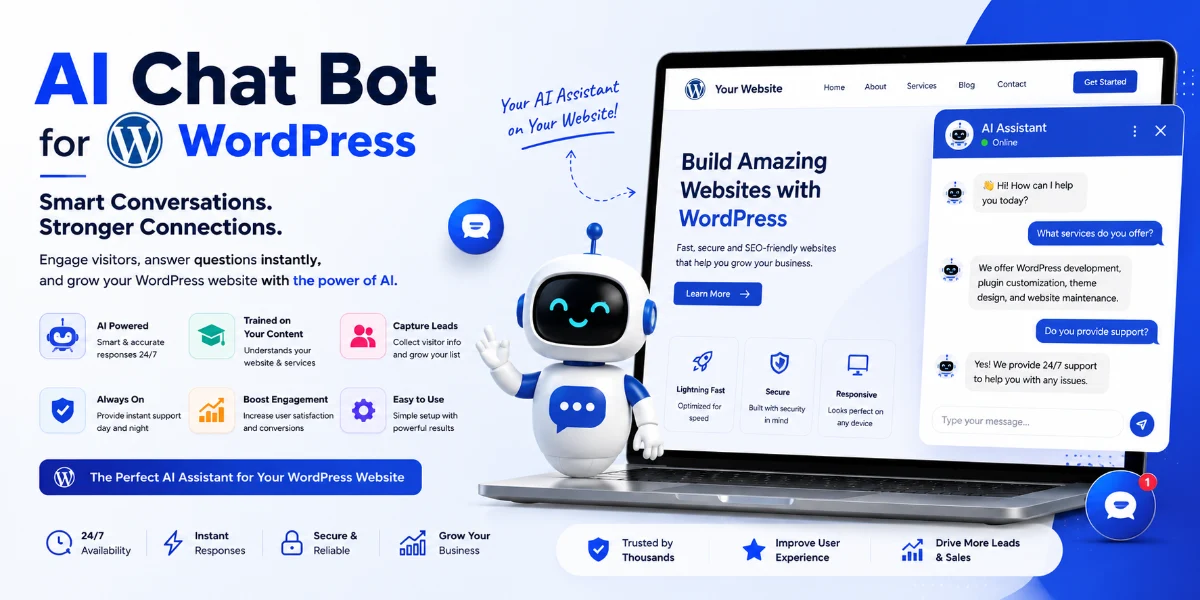
How to Add an AI Chatbot to WordPress in 2026: Complete Step-by-Step Guide
Quick Answer
You can add an AI chatbot to WordPress in three main ways: install an AI chatbot plugin, embed a chatbot from a managed platform, or build a custom AI chatbot.
The easiest way to add an AI chatbot to WordPress is to install a chatbot plugin or use a managed chatbot platform with an embed code. For advanced CRM, WooCommerce, WhatsApp, or custom workflows, custom development may be better.
Quick setup:
-
Choose your chatbot solution
-
Install the WordPress plugin or generate an embed code
-
Connect your AI provider or chatbot account
-
Add your website content/knowledge base
-
Customize the chatbot
-
Test it on desktop and mobile
-
Publish and monitor conversations
At a Glance
| Question | Answer |
|---|---|
| What is a WordPress AI chatbot? | AI-powered conversational assistant integrated into a WordPress website |
| Coding required? | Most plugins are no-code; custom solutions require development |
| Best for | Customer support, lead generation, FAQ automation, WooCommerce assistance |
| Can it use website content? | Yes, depending on implementation |
| WooCommerce support? | Yes, with compatible plugins or custom development |
| Lead generation? | Yes |
| Multilingual? | Depends on the platform (Hindi, Marathi, English possible) |
| Custom development? | Yes, for businesses with specific workflows |
| Pune development available? | Yes |
Introduction
If you want to know how to add an AI chatbot to WordPress, you’re not alone. Businesses across Pune—from real estate agencies in Baner to coaching institutes in Kothrud and e-commerce stores in Hinjewadi—are adding AI chatbots to automate enquiries, capture leads, and provide instant customer support.
In this guide, we’ll cover:
-
What a WordPress AI chatbot is and how it works
-
Three methods to add one (plugin, embed, custom)
-
Step-by-step installation instructions
-
How to train it on your website content
-
WooCommerce integration
-
Multilingual support (Hindi, Marathi, English)
-
Costs and considerations
-
Pune business use cases
Before vs After: Adding an AI Chatbot to WordPress
| Before (Without AI Chatbot) | After (With AI Chatbot) |
|---|---|
| Visitor searches FAQ page | Visitor asks chatbot directly |
| Can’t find answer | Instant response |
| Fills out contact form | Lead qualification begins |
| Waits for response | Human handoff if needed |
| May leave the site | Higher engagement |
What Is an AI Chatbot for WordPress?
An AI chatbot for WordPress is a plugin or custom integration that adds conversational AI functionality to your website. Unlike traditional rule-based chatbots that follow pre-written scripts, an AI chatbot uses natural language processing and large language models to understand visitor questions and generate responses dynamically.
Key capabilities:
-
Answers questions using your website content
-
Captures leads and qualifies visitors
-
Assists WooCommerce customers
-
Supports multiple languages
-
Hands off complex enquiries to human agents
What You Need Before Adding an AI Chatbot
Before you begin, ensure you have:
-
WordPress admin access – to install plugins or add code
-
A clear purpose – define what you want the chatbot to do (support, lead generation, WooCommerce, etc.)
-
Website content ready – well-structured pages, FAQs, and product information
-
A chatbot platform account (if using a managed platform)
-
An AI provider API key (if using an API-based plugin)
-
Your brand colors and logo for customization
-
A destination for leads – CRM, email, sales team, or WhatsApp
-
A privacy policy covering chatbot interactions
-
A plan for human handoff when the chatbot can’t answer
Which Method Should You Choose?
| Requirement | Recommended Solution |
|---|---|
| No coding, fastest setup | Managed platform with embed code |
| Simple WordPress website | WordPress plugin |
| WooCommerce store | WooCommerce-compatible plugin or custom solution |
| CRM integration | Custom development |
| WhatsApp integration | Custom development or API-enabled platform |
| Private documents in knowledge base | RAG-enabled custom solution |
| Enterprise or complex workflow | Custom development |
| Lowest setup complexity | Managed platform |
How to Add an AI Chatbot to WordPress: Three Methods
There are three main ways to add an AI chatbot to WordPress:
Method 1: WordPress Plugin (Recommended for Most Businesses)
Best for: Small businesses, blogs, WooCommerce stores, and businesses wanting faster setup.
Steps:
-
Go to Plugins → Add New in your WordPress dashboard
-
Search for a chatbot plugin (e.g., “AI Engine,” “WPBot”)
-
Click Install Now and then Activate
-
Connect your AI provider (OpenAI, Gemini, Claude) by entering an API key or using built-in access
-
Configure your knowledge base by selecting which content to index
-
Customize appearance and behavior
-
Test with sample questions
-
Publish and monitor performance
Method 2: Managed Platform with Embed Code
Best for: Non-technical users who want AI infrastructure handled for them.
Steps:
-
Sign up for a managed chatbot platform
-
Create your chatbot and train it on your website content
-
Generate the chatbot widget code (JavaScript snippet)
-
In WordPress, paste the code into the header or footer
-
Save changes and test
Method 3: Custom WordPress Development
Best for: Businesses requiring specific integrations, complex workflows, or custom business logic.
When to choose custom development:
-
Custom CRM integration
-
WhatsApp or other channel integration
-
Advanced WooCommerce workflows
-
Private document knowledge bases
-
Complex lead qualification
-
Custom admin interfaces
-
Specific data privacy or compliance requirements
For Pune businesses needing custom AI chatbot integration, WebsiteMitra offers custom WordPress chatbot development and WordPress development services in Pune.
Can You Add an AI Chatbot to WordPress Without Coding?
Yes. The simplest approach is to use a no-code WordPress plugin or managed chatbot platform. You typically install the plugin, connect the chatbot or AI service, configure its knowledge source, and publish the widget—all without writing any code.
No-code options include:
-
WordPress plugins (AI Engine, WPBot, etc.)
-
Managed platforms with embed codes (SiteGPT, Tidio, etc.)
Custom development is only required for advanced integrations, CRM connections, WhatsApp workflows, or business-specific logic.
Can You Add an AI Chatbot to WordPress Without a Plugin?
Yes. You can add an AI chatbot without installing a WordPress plugin by using a managed platform that provides an embed code.
Steps:
-
Create your chatbot on a managed platform
-
Train it on your website content
-
Generate the JavaScript embed code
-
Add the code to your WordPress site using a safe method
-
Configure widget appearance
-
Test on desktop and mobile
Embed code placement options:
-
Using a plugin like Insert Headers and Footers
-
Adding to your theme’s footer.php file
-
Using a code snippet plugin
This approach works with any WordPress theme and doesn’t require plugin updates.
Step-by-Step Guide: How to Add an AI Chatbot to WordPress
Step 1: Choose Your Chatbot Method
| Method | Best For | Setup Time | Coding Required | Cost |
|---|---|---|---|---|
| WordPress Plugin | Most businesses | 10–30 min | No | Free–subscription |
| Managed Platform + Embed | Non-technical users | 5–15 min | No | Subscription |
| Custom Development | Complex businesses | Days–weeks | Yes | Project-based |
Step 2: Install the Plugin (If Using Method 1)
-
Log in to your WordPress admin dashboard
-
Go to Plugins → Add New
-
Search for your chosen chatbot plugin
-
Click Install Now and then Activate
Screenshot guidance: Show the WordPress Plugins → Add New screen with a search term visible.
Alt text: “WordPress dashboard showing how to install an AI chatbot plugin”
Step 3: Connect Your AI Provider
Depending on your plugin, you’ll need to:
-
Enter an OpenAI (or other provider) API key
-
Use a built-in AI connector
-
Enter a Chatbot ID from a managed platform
-
Paste an embed code
What’s the difference?
| Approach | What You Need |
|---|---|
| API key | Your own OpenAI/Gemini/Claude API key |
| Managed platform | Chatbot ID or embed code from the platform |
| Built-in connector | Plugin handles AI access for you |
Screenshot guidance: Show the plugin settings page where the user enters their API key or Chatbot ID.
Alt text: “AI provider configuration settings in a WordPress chatbot plugin”
Step 4: Configure Your Knowledge Base
Before connecting an AI model, decide exactly which WordPress content the chatbot is allowed to retrieve. For a service business, that might include service pages, FAQs, and pricing pages. For WooCommerce, it may also include product descriptions and attributes.
You typically need to:
-
Select which pages, posts, and custom post types to index
-
Configure crawl settings (depth, frequency)
-
Add additional content sources (PDFs, documents, FAQs)
-
Set content update schedules
Good to know: The quality of your chatbot’s responses depends heavily on the quality of your website content. Well-structured service pages and FAQs produce better responses than poorly organized or outdated content.
Screenshot guidance: Show the knowledge base configuration screen with content selection options.
Alt text: “Configuring the knowledge base for a WordPress AI chatbot”
Step 5: Train the AI on Your Content
Once your content is indexed, you can:
-
Test with sample questions
-
Review responses for accuracy
-
Add missing information to your website
-
Retrain or refresh the knowledge base
-
Set fallback responses for unanswered questions
Screenshot guidance: Show a test conversation with a sample question and response.
Alt text: “Testing an AI chatbot on a WordPress website”
Step 6: Customize Your Chatbot
Configure:
-
Appearance (colors, position, avatar)
-
Welcome message
-
Lead capture settings
-
Human handoff rules
-
Language settings
Screenshot guidance: Show the customization screen with appearance options.
Alt text: “Customizing the appearance of a WordPress AI chatbot”
Step 7: Test and Publish
Before going live:
-
Test on desktop and mobile
-
Test with multiple question types
-
Test lead capture
-
Test human handoff
-
Test Core Web Vitals
-
Test on different browsers
Then publish and monitor performance.
Screenshot guidance: Show the chatbot live on a website with a conversation visible.
Alt text: “Live AI chatbot on a WordPress website”
How a Custom AI Chatbot Works With WordPress (Architecture)
Here is the typical architecture for a custom AI chatbot on WordPress:
                 ┌──────────────────┐
                 │ Website Visitor  │
                 └────────┬─────────┘
                          ↓
                 ┌──────────────────┐
                 │ Chatbot Widget   │
                 └────────┬─────────┘
                          ↓
                 ┌──────────────────┐
                 │ WordPress/API    │
                 └────────┬─────────┘
                          ↓
                 ┌──────────────────┐
                 │ RAG / Knowledge  │
                 │ Base             │
                 └────────┬─────────┘
                          ↓
                 ┌──────────────────┐
                 │ AI Model / LLM   │
                 └────────┬─────────┘
                          ↓
                 ┌──────────────────┐
                 │ Response + Lead  │
                 └──────────────────┘
Recommended visual: Create an infographic showing this architecture with your branding.
What’s Different About WordPress AI Chatbots in 2026?
Several developments make 2026 a significant year for WordPress AI chatbots:
RAG-based knowledge retrieval
Modern chatbots don’t just rely on AI training. They can retrieve specific content from your website, improving accuracy.
Better multilingual support
Hindi, Marathi, and other Indian languages are increasingly supported.
WooCommerce integration
Product questions, shipping, returns, and order support are now more native.
CRM and WhatsApp workflows
Lead capture and follow-up can be automated across channels.
Human handoff
Better escalation and context transfer to human agents.
Improved lead qualification
AI can ask qualification questions before handing off to sales.
Best AI Chatbot Solutions for WordPress in 2026
Here is a comparison of popular options. Features can vary by plan and implementation. Verify current provider documentation.
| Solution | Best For | Setup | Website Training | WooCommerce | Lead Capture | Customization | Pricing Model |
|---|---|---|---|---|---|---|---|
| AI Engine | Advanced WordPress users | Medium | Yes | Depends | Yes | High | Freemium/Paid |
| WPBot | WordPress chatbot | Easy | Yes/Depends | Yes/Depends | Yes | Medium | Paid |
| SiteGPT | Website-trained chatbot | Easy | Yes | Depends | Yes | High | Subscription |
| Tidio | Support + live chat | Easy | Yes | Yes | Yes | Medium | Subscription |
| Custom Chatbot | Complex workflows | Advanced | Custom | Custom | Custom | Very High | Project-based |
Last verified: August 2026. Feature availability varies by plan. Check provider documentation before purchasing.
AI Chatbot for WooCommerce
For WooCommerce stores, an AI chatbot can assist with:
-
Product questions based on product descriptions and specifications
-
Shipping and delivery information
-
Return and refund policies
-
Order status tracking
-
Troubleshooting purchase issues
-
Upselling and cross-selling
What can a WooCommerce AI chatbot access?
| Information Type | Examples | Access |
|---|---|---|
| Public information | Product name, description, price, categories, shipping policy | Yes, without authentication |
| Customer-specific | Order status, account details, previous purchases | Requires authentication and secure integration |
Example conversation (fictional product data):
Visitor: “Does this laptop come with a 3-year warranty?”
AI: “The laptop you’re viewing comes with a 1-year standard warranty. You can extend to 3 years at checkout. Would you like to see the warranty extension options?”
If you need WooCommerce development services, WebsiteMitra can help with custom WooCommerce chatbot integration.
AI Chatbot vs AI Agent
| Feature | Traditional Chatbot | AI Chatbot | AI Agent |
|---|---|---|---|
| Answers questions | Yes | Yes | Yes |
| Natural language | Limited | Yes | Yes |
| Website knowledge | Limited | Yes | Yes |
| Lead qualification | Basic | Advanced | Advanced |
| Takes actions | No | Limited | Yes |
| CRM updates | No | Sometimes | Yes |
| Appointment booking | No | Limited | Yes |
| Order-related actions | No | Limited | Yes |
| Workflow automation | No | No | Yes |
For most WordPress websites, an AI chatbot is sufficient. AI agents are more relevant for complex business workflows.
Can a WordPress AI Chatbot Support Hindi and Marathi?
Yes, many modern AI chatbots can support Hindi and Marathi alongside English. The specific languages depend on the AI model and platform you choose.
Language detection capabilities:
-
The chatbot can detect the visitor’s language automatically from browser settings or the text they type
-
Some platforms allow users to manually select their preferred language
-
The chatbot can switch between languages based on the visitor’s query
Example conversations (illustrative, using fictional data):
Visitor (Hindi): “Kharadi mein 2 BHK flat kitne ka hai?”
AI (Hindi): “2 BHK properties in Kharadi can vary significantly in price depending on location, project, size and amenities. Would you like to tell me your budget so I can provide more specific options?”
Visitor (Marathi): “Kharadi madhye 2 BHK flat chi kimat kay aahe?”
AI (Marathi): “Kharadi madhye 2 BHK flat chi kimat location, project, size ani amenities var depend karte. Tumhala kiti budget ahe?”
Visitor (English): “What is the price of a 2 BHK apartment in Kharadi?”
AI (English): “2 BHK properties in Kharadi vary significantly in price depending on location, project, size and amenities. What is your budget preference?”
Important: Verify current language support for the specific plugin or platform you’re considering, as language capabilities vary between providers.
Is an AI Chatbot Safe for WordPress?
Security depends on implementation. Key considerations:
API key security
Never place an OpenAI/Gemini/other provider secret API key directly in frontend JavaScript. Frontend code is visible to visitors. Use a secure server-side integration or a trusted managed platform.
HTTPS and encryption
Ensure your site uses HTTPS to encrypt chatbot communications.
Authentication and rate limiting
Implement appropriate authentication for any action that accesses private data. Consider rate limiting to prevent abuse.
Data handling
Review:
-
What visitor data is collected
-
Where conversation logs are stored
-
Which third-party AI provider receives the data
-
How long conversations are retained
-
Whether your privacy policy covers chatbot interactions
Can visitors manipulate an AI chatbot?
Yes. A malicious visitor may attempt to make the chatbot:
-
Reveal system instructions
-
Expose sensitive information
-
Ignore its knowledge restrictions
-
Generate unauthorized content
Prevention:
-
Restrict chatbot permissions
-
Don’t expose secrets in system prompts
-
Validate any tool calls
-
Separate public knowledge from private systems
-
Use authentication for private actions
7 Common Mistakes When Adding an AI Chatbot to WordPress
-
Installing a chatbot without defining its purpose – Know what you want it to do before you start.
-
Feeding it outdated content – The chatbot is only as good as the content it has access to.
-
Exposing API keys – Never expose API keys in frontend JavaScript.
-
Not testing mobile – A large portion of traffic comes from mobile devices.
-
No human handoff – Complex enquiries still need human agents.
-
No lead capture strategy – Know where leads should go.
-
Ignoring chatbot analytics – Monitor conversations to identify gaps.
Troubleshooting Table
| Problem | Likely Cause | Solution |
|---|---|---|
| Chatbot doesn’t appear | Plugin/script issue | Check activation/embed; clear cache |
| Wrong answers | Poor knowledge base | Update source content; add missing FAQs |
| Slow responses | API/server latency | Check provider; optimize scripts; review hosting |
| Doesn’t understand products | Poor WooCommerce data | Improve product descriptions and attributes |
| Leads aren’t captured | Form/workflow issue | Test lead flow; check CRM integration |
| Chatbot not mobile-responsive | Theme conflict | Check CSS; review widget settings |
| Language detection fails | Plugin/API limitation | Verify language support; check browser settings |
How to Add an AI Chatbot to WordPress for Pune Businesses
Businesses across Pune can use AI chatbots to automate enquiries and improve customer engagement. Whether you run a real estate agency in Baner, a coaching institute in Kothrud, or an e-commerce store in Hinjewadi, an AI chatbot can help:
-
Answer common questions automatically
-
Capture leads and qualify visitors
-
Assist WooCommerce customers
-
Reduce support workload
-
Provide instant responses
Why Pune Businesses Are Adopting AI Chatbots
Real Estate (Baner, Wakad, Kharadi)
Visitors ask about property prices, locations, amenities, and site visits. A chatbot can capture buyer requirements and route qualified leads to agents.
Coaching Institutes (Kothrud, Shivajinagar)
Students repeatedly ask about fees, courses, eligibility, batches, and admission dates. A chatbot can provide instant answers and capture enquiry details.
IT Companies (Hinjewadi, Kharadi)
Prospects ask about services, technology stack, pricing, and project requirements. A chatbot can qualify leads and schedule consultations.
E-commerce (Hadapsar, Hinjewadi)
Customers ask about products, shipping, returns, and order status. A chatbot can assist with purchase decisions and reduce support tickets.
Healthcare (Aundh, Viman Nagar)
Patients ask about services, timings, and appointments. A chatbot can handle routine administrative enquiries.*
Restaurants (Koregaon Park, Camp)
Customers ask about menus, reservations, opening hours, and delivery options. A chatbot can handle booking enquiries.
*For healthcare websites, chatbots should generally be limited to administrative information and appointment workflows unless a clinical safety framework is in place. They should not be presented as a substitute for professional medical advice.
Pune Business Use Cases
| Business Type | AI Chatbot Use Case |
|---|---|
| Real Estate (Baner, Wakad, Kharadi) | Answer property questions; capture buyer requirements; route leads to agents |
| Coaching Institutes (Kothrud, Shivajinagar) | Provide course information, fees, batch timings, admission details |
| E-commerce (Hadapsar, Hinjewadi) | Assist with product discovery, shipping, returns, and order support |
| Healthcare (Aundh, Viman Nagar) | Handle appointment requests, clinic hours, and FAQs* |
| IT Companies (Hinjewadi, Kharadi) | Answer service and product questions |
| Restaurants (Koregaon Park, Camp) | Answer menu questions and handle reservations |
| Professional Services | Qualify leads and answer service questions |
*For healthcare websites, chatbots should generally be limited to administrative information and appointment workflows unless a clinical safety framework is in place.
Example: AI Chatbot for a Pune Real Estate Business (Illustrative)
Visitor (Hindi): “Kharadi mein 2 BHK chahiye.”
AI (Hindi): “Thanks! Kharadi mein kaafi 2 BHK options hain. Aapka budget kya hai?”
Visitor: “₹80 lakh.”
AI: “Ready-to-move chahiye ya under-construction?”
Visitor: “Ready-to-move.”
AI: “We have three ready-to-move 2 BHK options in Kharadi under ₹80 lakh. Can I have your email or WhatsApp number so I can send details?”
Visitor: “9876543210 (WhatsApp)”
AI: “Thank you! I’ve sent the details to your WhatsApp. Our team will follow up shortly.”
Illustrative example using fictional data.
Implementation Observations
Based on our experience working with WordPress websites, we’ve found that chatbot response quality depends heavily on:
Content structure matters
Websites with clean, well-organized content produce significantly better answers than sites with duplicate, outdated, or poorly structured pages. A 20-page service website often outperforms a 300-page site with inconsistent content.
FAQ structure matters
When FAQ pages are formatted as simple lists, retrieval quality improves. Structured FAQs with clear questions and answers produce more accurate responses than FAQ pages with unstructured paragraphs.
Product attributes affect WooCommerce answers
For WooCommerce chatbots, the completeness of product attributes directly affects response quality. Products with detailed descriptions, specifications, and categories produce better results.
Human handoff is essential
A significant proportion of conversations may require human escalation. Complex, ambiguous, or sensitive enquiries are better handled by people.
API costs vary significantly
AI API costs depend on the model, token usage, conversation length, and monthly traffic. Calculate expected usage using the current provider pricing before estimating your monthly budget.
How Much Does It Cost to Add an AI Chatbot to WordPress?
The cost depends on your chosen approach:
| Cost Component | Typical Range | Notes |
|---|---|---|
| Plugin cost | Free – ₹5,000/month | Many plugins have free versions with paid upgrades |
| AI API usage | Usage-based | Depends on model, tokens, conversation length, and traffic |
| Managed platform | Free – ₹5,000+/month | Subscription-based; varies by features |
| Custom development | ₹50,000 – ₹5,00,000+ | One-time development, plus ongoing maintenance |
| Hosting impact | Usually minimal | May affect hosting costs at high scale |
Important: AI API costs vary significantly depending on the model, token usage, conversation length, and monthly traffic. Calculate expected usage using the current provider pricing before estimating your monthly budget.
AI Chatbot Development Cost in Pune (Indicative WebsiteMitra Ranges)
| Solution | Indicative Cost | Notes |
|---|---|---|
| Basic plugin setup | ₹5,000 – ₹15,000 | Configuration of a ready-made plugin |
| Website-trained chatbot | ₹10,000 – ₹30,000 | Plugin + knowledge base setup |
| Lead-generation chatbot | ₹15,000 – ₹40,000 | AI + forms/CRM integration |
| WooCommerce chatbot | ₹20,000 – ₹50,000 | AI + WooCommerce integration |
| CRM/WhatsApp integration | ₹30,000 – ₹75,000+ | Custom integration |
| Custom RAG chatbot | ₹75,000 – ₹5,00,000+ | Fully custom development |
Indicative WebsiteMitra project ranges. AI API usage costs are separate.
Frequently Asked Questions
1. How do I add an AI chatbot to WordPress?
You can add an AI chatbot to WordPress using a plugin, an embed code from a managed platform, or custom development. The plugin method is the fastest for most businesses.
2. How do I add an AI chatbot to WordPress without coding?
Use a no-code WordPress plugin (AI Engine, WPBot) or a managed platform that provides an embed code (SiteGPT, Tidio). Both require no coding.
3. How do I add ChatGPT to WordPress?
Connect WordPress to OpenAI’s API through a plugin (AI Engine, WPBot) or use a managed platform that integrates with OpenAI.
4. What is the best AI chatbot plugin for WordPress?
The best plugin depends on your needs. AI Engine is good for advanced users; WPBot is feature-rich; managed platforms like SiteGPT are good for no-code setup. Verify current features before choosing.
5. Can I add an AI chatbot without a plugin?
Yes. Use a managed platform that provides a JavaScript embed code. Add the code to your WordPress site using a safe method.
6. Can I add a chatbot to only certain WordPress pages?
Yes. Many plugins allow you to control where the chatbot appears using shortcodes, page settings, or conditional logic.
7. Can an AI chatbot use my website content?
Yes. Most AI chatbot solutions allow you to use your website content as the knowledge base, so it can answer questions about your products and services.
8. Can an AI chatbot work with WooCommerce?
Yes, many plugins offer WooCommerce integration for product questions, shipping, returns, and order support.
9. Can a WordPress chatbot speak Hindi and Marathi?
Multilingual capability depends on the selected AI provider and plugin. Some support multiple languages, including Indian languages. Verify current documentation.
10. How much does an AI chatbot cost?
Costs vary. Free plugins exist; premium plugins and managed platforms have subscriptions; custom development is project-based. See the cost section above.
11. Does an AI chatbot slow down WordPress?
Performance impact varies. Most chatbots load asynchronously, but test Core Web Vitals after installation.
12. Is an AI chatbot safe for WordPress?
Security depends on implementation. API keys should be stored securely on the server side, and data handling should be covered by a privacy policy.
13. Can an AI chatbot generate leads?
Yes. AI chatbots can qualify visitors, ask relevant questions, collect contact information, and send leads to your CRM.
14. How long does it take to add an AI chatbot to WordPress?
Plugin installation takes 10–30 minutes; embed code takes 5–15 minutes; custom development takes days or weeks.
15. Do I need an API key?
Some plugins require an OpenAI/Gemini/Claude API key; others include AI access in their subscription.
Why Choose WebsiteMitra for AI Chatbot Integration in Pune?
-
WordPress development expertise
-
AI chatbot integration experience
-
WooCommerce customization
-
CRM and API integration
-
WhatsApp integration
-
Custom plugin development
-
Ongoing maintenance and support
-
Local Pune support and understanding
Need an AI Chatbot for Your WordPress Website in Pune?
If you need help adding an AI chatbot to your WordPress website—or if you need custom integrations for your CRM, WhatsApp, WooCommerce, or other business systems—WebsiteMitra can help.
Options:
Option 1 — DIY
Follow our guide and install a plugin yourself.
Option 2 — Managed Setup
We configure the chatbot, knowledge base, and widget for you.
Option 3 — Custom AI Chatbot
For CRM, WhatsApp, WooCommerce, and custom workflows.
We offer:
-
Custom WordPress plugin development
-
AI chatbot integration
-
WooCommerce customization
-
CRM and API integration
-
Ongoing maintenance and support
Related guides:
Get a Free AI Chatbot Consultation in Pune →
WebsiteMitra — AI chatbot integration, WordPress development, and plugin development services in Pune.
© 2026 · WebsiteMitra.com

