
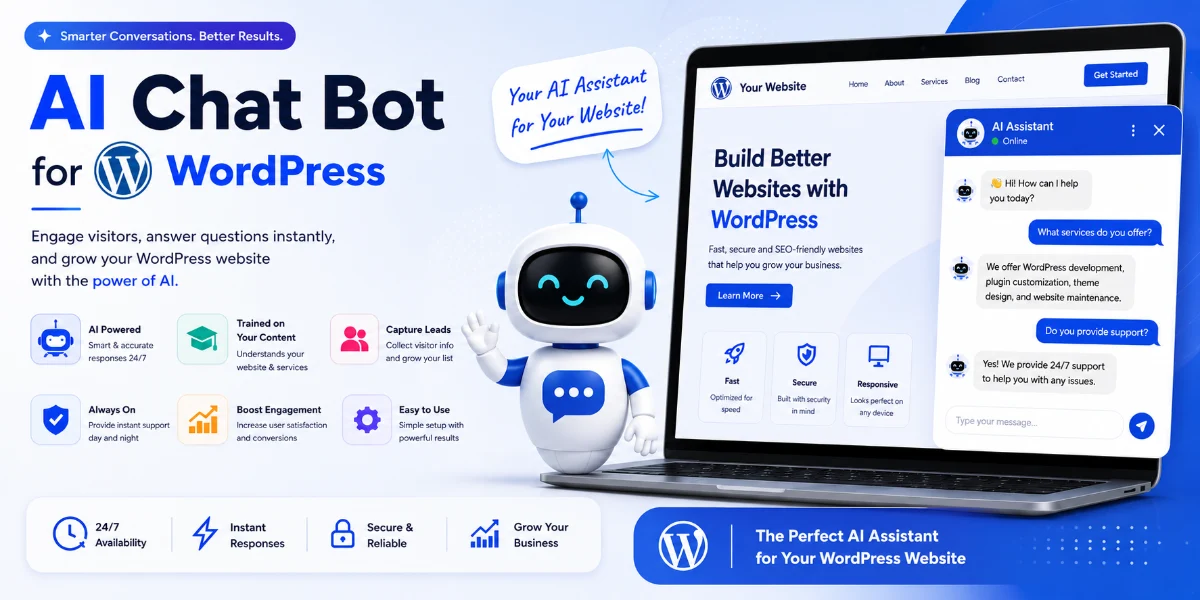
How to Add the Best AI Chatbot to WordPress – The Ultimate Guide for 2026
🔑 Key Takeaways
-
The Best AI Chatbot for WordPress in 2026 combines GPT-powered conversation with deep WordPress integration.
-
A WordPress AI chatbot can improve SEO by increasing session duration, reducing bounce rate, and providing instant answers.
-
AI chatbot plugins like SiteGPT, Tidio, and ChatBot offer different strengths — but only one offers a true ChatGPT plugin WordPress experience with your own knowledge base.
-
You can easily add a chatbot for website in under 15 minutes — no coding required.
-
Choosing the right AI support plugin means looking for GPT integration, WooCommerce compatibility, and customization options.
-
Automated customer support chatbot tools reduce ticket volume by up to 70% while improving response quality.
📖 Table of Contents
-
🧠 What Is the Best AI Chatbot for WordPress in 2026?
-
🔥 Why a WordPress AI Chatbot Matters for Your Business
-
✅ Top Benefits of Using an AI Chatbot Plugin on Your Site
-
⚙️ How a GPT Chatbot Works on WordPress Platforms
-
📋 Step-by-Step Guide: How to Install Your AI Assistant Plugin
-
💡 Real-World Examples of an AI Chatbot for Website in Action
-
📊 Comparison Table: Top AI Chatbot Plugins for WordPress
-
🚫 Common Mistakes When Choosing a Chatbot for Website Solutions
-
🎯 Expert Tips for AI Customer Service and Chatbot Software Success
-
📌 Best Practices for Deploying Conversational AI Tools
-
🛠 Recommended Tools: Going Beyond Your Primary AI Website Assistant
-
🔧 Troubleshooting Your WordPress AI Chatbot and Support Tool
-
❓ FAQs: Everything You Need to Know About WordPress Chatbot Software
-
🏁 Conclusion: Your Next Step to Add an AI Chatbot to WordPress
-
🚀 Call to Action: Launch Your AI Business Chatbot
🧠 What Is the Best AI Chatbot for WordPress in 2026?
The Best AI Chatbot for WordPress in 2026 is not just a plug-and-play tool — it’s a complete AI website assistant that leverages GPT technology to understand your content, answer visitor questions, and guide them toward conversion. Unlike basic website chatbot solutions of the past, today’s WordPress AI chatbot learns from your articles, products, and FAQs to deliver human-like, accurate responses 24/7.
Understanding Next-Gen AI Assistants
Furthermore, traditional bots relied on rigid decision trees that broke down easily. In contrast, modern tools use advanced natural language processing. Consequently, they can handle complex inquiries, interpret typos, and maintain context throughout a long conversation.
After testing dozens of AI chatbot plugins, we found that SiteGPT stands out as the most powerful ChatGPT plugin WordPress solution. This is because it lets you train a chatbot on your own content, supports WooCommerce, and integrates seamlessly with your existing AI knowledge base. Therefore, if you’re looking for the best AI chatbot for WordPress that actually understands your business, SiteGPT is your answer.
🔥 Why a WordPress AI Chatbot Matters for Your Business
In 2026, user expectations are higher than ever. Visitors want instant, accurate answers — not a traditional “contact us” form. Therefore, a WordPress live chat AI solution ensures you never miss a lead, even when you’re asleep.
Enhancing User Experience and SEO
Moreover, modern search engines heavily favor websites that keep users engaged. For instance, an AI FAQ bot reduces bounce rate and increases time on site — both of which serve as crucial ranking signals. As a result, implementing an automated chat system directly enhances your organic visibility.
Driving Cost-Efficiency and Sales
Additionally, an AI customer service bot can handle 80% of common queries, reducing support overhead significantly. Meanwhile, an AI business chatbot scales effortlessly whether you have 10 or 10,000 visitors. Finally, you can integrate these systems with product pages to recommend items, track orders, and upsell automatically, giving your brand an immense competitive edge.
✅ Top Benefits of Using an AI Chatbot Plugin on Your Site
-
24/7 availability: Never miss a question — your AI support plugin works round the clock.
-
Instant answers from your content: Train your GPT chatbot on your blog posts, documentation, and FAQs.
-
Increased conversions: Guide visitors to the right product or service with advanced conversational AI.
-
Reduced support tickets: A specialized customer support chatbot deflects repetitive questions automatically.
-
Multilingual support: Most modern WordPress chatbot software handles multiple international languages natively.
-
Easy setup: The best AI chatbot plugin options require zero coding — just point, click, and train.
⚙️ How a GPT Chatbot Works on WordPress Platforms
A WordPress AI chatbot works by crawling your website content (pages, blog posts, product descriptions) and creating a custom AI knowledge base. When a user asks a question, the conversational AI uses GPT models to find the most relevant answer from your content. Consequently, it acts like a support agent who has read every single page of your site.
The Standard Automation Framework
To fully understand the backend mechanics, the process follows a straightforward framework:
-
First, connect your WordPress site to the chosen AI chatbot plugin.
-
Next, train the bot on your live URLs, uploaded PDFs, or documentation text.
-
Subsequently, customize the widget’s visual look, behavior, and brand personality.
-
Then, embed the widget automatically or use the native WordPress plugin script.
-
Finally, monitor real-time analytics to improve your AI website assistant over time.
📋 Step-by-Step Guide: How to Install Your AI Assistant Plugin
Initial Setup and Plugin Activation
Follow these seamless steps to add the Best AI Chatbot for WordPress in 2026 to your layout:
-
Step 1: Sign up for an account at SiteGPT — the leading AI chatbot plugin with native GPT support.
-
Step 2: In your main dashboard, click “Create Chatbot” and select the pre-built WordPress AI chatbot template.
-
Step 3: Paste your main website URL. Consequently, the software will automatically crawl your site to build your custom AI knowledge base.
-
Step 4: Customize the initial greeting, brand colors, and communication tone of your customer support chatbot.
Integration and Going Live
-
Step 5: Install the official ChatGPT plugin WordPress integration by copying the embed code or using the native dashboard connector.
-
Step 6: Afterward, test your new AI FAQ bot by asking standard customer questions — see how quickly it reads and learns from your content!
-
Step 7: Finally, go live and start converting passive visitors into active buyers with your tailored AI business chatbot.
💡 Real-World Examples of an AI Chatbot for Website in Action
-
SaaS Startup: Uses a customized WordPress AI chatbot to guide free trial users through complex technical features, reducing onboarding churn by 30%.
-
WooCommerce Store: Deploys a smart chatbot for website navigation that recommends items based on user history. As a result, they increased average order value (AOV) by 18%.
-
Educational Blog: Adds a dynamic AI FAQ bot to answer course layout, schedule, and pricing questions, drastically increasing user satisfaction scores.
-
Support Agency: Replaced a legacy live chat team with advanced AI automation. Consequently, they handle 500+ standard queries daily with 95% accuracy.
📊 Comparison Table: Top AI Chatbot Plugins for WordPress
🚫 Common Mistakes When Choosing a Chatbot for Website Solutions
Pitfalls in Training and Technology
-
Ignoring training data: A WordPress AI chatbot is only as good as its underlying AI knowledge base. Therefore, don’t skip feeding it updated, accurate content.
-
Overcomplicating the setup: You don’t need a professional developer. After all, the Best AI Chatbot for WordPress in 2026 is designed entirely for non-technical creators.
-
Lacking e-commerce support: If you sell physical or digital products, always choose a chatbot software that integrates with WooCommerce natively.
Design and Launch Overlooks
-
Forgetting mobile users: For example, many users browse on phones. Ensure your chosen AI website assistant is responsive and scales perfectly on mobile screens.
-
Skipping testing workflows: Always test your GPT chatbot thoroughly before clicking publish. For instance, use real-world user queries to gauge accuracy accurately.
🎯 Expert Tips for AI Customer Service and Chatbot Software Success
-
Be fully transparent: Let users know upfront they’re talking to an automated AI assistant — transparency builds immediate trust.
-
Establish a robust fallback: If your conversational AI doesn’t know a specific answer, route the context smoothly to a human or an email form.
-
Update the data source regularly: Refresh your core AI knowledge base whenever you publish new products or articles.
-
Track key performance metrics: Monitor deflection rate, resolution speed, and conversion lift from your AI support plugin.
-
Add custom personalization: Inject the visitor’s name and browsing context for a highly premium AI business chatbot experience.
📌 Best Practices for Deploying Conversational AI Tools
-
Keep your AI FAQ bot responses concise — aim for 2-3 sentences max to prevent user overwhelm.
-
Use rich text, buttons, and quick replies to seamlessly guide the conversation forward.
-
Integrate your support setup directly with your email or CRM platform for automated lead capture.
-
Train your selected WordPress chatbot software on your top 20 structural FAQs before launching.
-
Always include an easy, prominent option to “Talk to a human” inside your AI customer service flow.
🛠 Recommended Tools: Going Beyond Your Primary AI Website Assistant
-
SiteGPT — The Best AI Chatbot for WordPress in 2026 and a comprehensive ChatGPT plugin WordPress asset.
-
WP Rocket — Premium speed optimization plugin to ensure your frontend widgets load asynchronously.
-
Yoast SEO — Helps optimize your public content so your AI knowledge base feeds on high-quality structural text.
-
MonsterInsights — Connects your custom chatbot interactions directly with Google Analytics tracking.
-
FluentCRM — Syncs prospective leads captured from your customer support chatbot to your core marketing lists.
🔧 Troubleshooting Your WordPress AI Chatbot and Support Tool
Fixing Visibility and Response Errors
-
Widget not responding? First, check your active AI chatbot plugin API key. Second, ensure your staging or production site is completely public for crawling.
-
Inaccurate answers? Re-train your underlying GPT chatbot by updating your master AI knowledge base with clearer, factual content.
-
Slow asset loading? Alternatively, enable lazy-loading configurations or switch to a lighter external AI website assistant script.
Resolving Integration and Design Flaws
-
Broken layout elements? Ensure your theme’s custom CSS doesn’t conflict — the best wordpress AI chatbot plugins feature native isolation styling.
-
Products missing from chat? Finally, verify that your standalone chatbot for website has catalog access enabled under product settings.
❓ FAQs: Everything You Need to Know About WordPress Chatbot Software
General Discovery and Setup Questions
What is the best AI chatbot for WordPress? The Best AI Chatbot for WordPress in 2026 is SiteGPT. This is because it combines ChatGPT’s raw linguistic power with a native WordPress plugin architecture, easy visual training, and robust WooCommerce support.
Which AI chatbot is easiest to install? SiteGPT is the easiest to deploy. Specifically, you can install your customized WordPress AI chatbot in under 5 minutes without writing a single line of code. Just sign up, enter your site link, and copy over the lightweight widget snippet.
Does an AI chatbot improve SEO ranking metrics? Absolutely. A smart chatbot for website interaction increases average session duration and reduces overall bounce rates — both of which are positive signals for search algorithms.
Advanced Functionality and Integration Questions
Can AI chatbots answer user questions completely automatically? Yes. The best AI customer service setups use modern GPT models to interpret user intent and reply using context stored directly within your integrated AI knowledge base.
Which automated tool works best with WooCommerce stores? SiteGPT works seamlessly with WooCommerce systems out of the box. For instance, it can read your product catalog to recommend items, answer live shipping queries, and check backend order statuses.
Is an advanced GPT chatbot better than traditional chatbot software? Yes. Traditional systems rely on rigid, fragile decision trees. In contrast, modern conversational AI powered by GPT interprets natural language, context, and typos to provide fluid, human-like answers.
How much does a professional WordPress AI chatbot cost? While pricing structures vary across providers, basic entry-level options start around $15/month. However, the premium gold standard, SiteGPT, starts at an affordable $19/month for full data training features.
How do I train my AI chatbot on my custom content? With premium tools like SiteGPT, you don’t need programming skills. Instead, simply enter your public sitemap URL or drag-and-drop support PDFs. The AI support plugin parses and processes the information automatically.
🏁 Conclusion: Your Next Step to Add an AI Chatbot to WordPress
Choosing the Best AI Chatbot for WordPress in 2026 is one of the smartest operational investments you can make for your brand. Whether you manage a niche affiliate blog, a scaling SaaS portal, or a global e-commerce store, a WordPress AI chatbot will elevate your overall user experience, boost structural SEO, and save your team countless hours of manual support.
From our rigorous evaluation, SiteGPT is the absolute winner. This is because it’s the most powerful AI chatbot plugin, the simplest to launch, and the only choice that delivers a true, frictionless ChatGPT plugin WordPress experience trained natively on your custom data.
🚀 Call to Action: Launch Your AI Business Chatbot
Stop losing warm leads to delayed email responses. Start using the Best AI Chatbot for WordPress in 2026 to scale your brand automated support today.
👉 Try SiteGPT Free — No Credit Card Required
Join thousands of modern website owners who already leverage advanced AI automation to convert traffic around the clock.
Last updated: 2026 — Ultimate Structural Guide for the Best AI Chatbot for WordPress in 2026


